An internet speed test is the common way to check if your ISP is providing the promised speed. If a website is too slow, you can use an internet speed test to check if the issue is with your internet connection or with the website. Internet speed test tools quickly tell you the current download and upload speed your ISP is offering. You can also use an internet speed test to troubleshoot your internet connection. In case you are looking for the best internet speed test sites, here’s a list. In this article, I am listing the best internet speed test sites.
What is a Speed Test?
Internet Speed Test is the way to get an idea of how fast your Internet connection is right now. It tells you about download speed and upload speed. So, you can confirm if you are getting the internet speed as per your Internet plan. Speed Test measures your Ping to your nearest ISP server, download speed, and upload speed. Even if the ISP only promises Download and Upload speed, PING should also not be too high. In most cases, the Upload speed is usually lower than the Download speed. Now that ISPs are offering fiber connections, Download and Upload speeds are almost similar.
How does a Speed Test work?
When you perform an Internet speed test, it first determines your location and then finds the closest test server to you. Some of the internet speed test websites also let you change the server. Then the speed test website sends a simple signal to measure the PING from the server. Once the PING is complete, it starts measuring download and upload speeds. First, it tries to download a small piece of data and measures the download time. Then it downloads additional pieces of data. After measuring the download speed, it tries to measure the upload speed by sending the data. The speed test websites measure download and upload speeds multiple times by downloading and uploading multiple pieces of data of different sizes. Then it takes an average and shows the result.
Internet Speed Test Websites
Check this list of the best internet speed test sites to test your internet speed. These tools can perform current internet speed tests and tell you the download, upload, and ping.
1. Ookla Speed Test
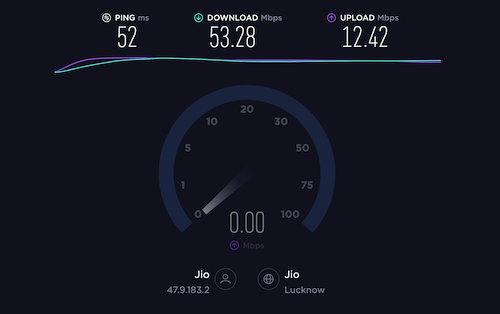
Speedtest by Ookla is one of the most popular and widely trusted tools for checking internet speed. It is used by millions of users worldwide and is often the go-to option for quick and accurate results.
The tool provides key metrics such as ping, download speed, and upload speed after each test. It also allows you to manually select or change the test server, which can be useful if you want to check performance across different locations.
Beyond the web version, Ookla offers dedicated apps for Android, iOS, Windows, macOS, and even Apple TV. There is also a Chrome extension for quick access directly from your browser.
Another useful feature is the built-in VPN available in the app. It offers 2GB of free data per month, giving users an added layer of privacy while browsing.
Although it offers 2GB of free data per month in VPN, free VPNs aren’t enough for most users. You can try NordVPN or ProtonVPN for the best experience.
2. Google Internet Speed Test
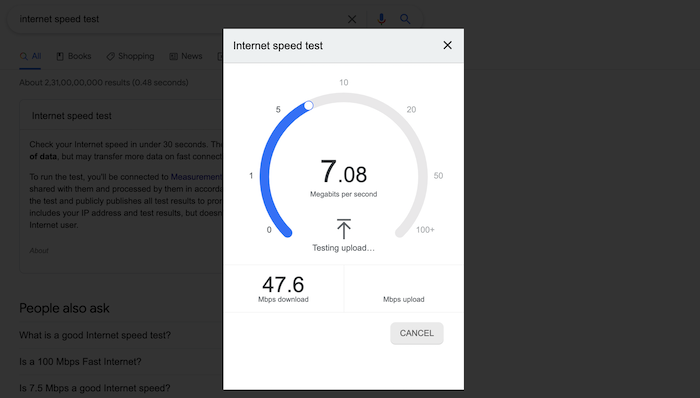
Google also offers an Internet Speed test tool. To access it, you just need to search for “Internet Speed Test,” “Test my internet speed,” “mobile internet speed test,” or similar keywords, and Google will show you the speed test tool at the top of the search results. After the speed test, it tells you the download and upload speeds of your internet connection. It also tells you the latency and test server location. Based on your speed, it tells you if your internet can handle HD streaming or not.
3. Fast.com
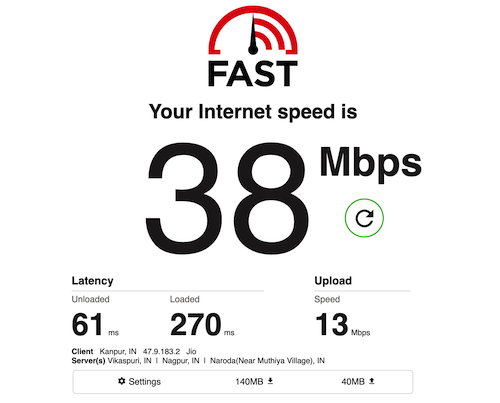
Fast.com is a popular and reliable internet speed test tool backed by Netflix. It is designed to be simple and quick, especially for users who just want to check their internet speed without any extra steps.
As soon as you open the website, the speed test starts automatically. There is no need to click any button or select a server, which makes it very convenient for quick checks. By default, it shows your download speed, which is the most important metric for streaming and browsing.
If you want more details, you can click on the “Show More Info” option. This reveals additional data such as upload speed, latency, and ping, along with the server location used for the test.
Since Fast.com is powered by Netflix servers, it gives you a good idea of how well your connection will perform while streaming content.
4. M-Lab Internet Speed Test
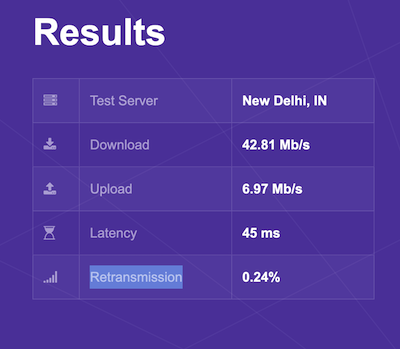
The M-Lab Internet Speed Test is another reliable option to check your internet performance. Before starting the test, it asks you to accept its data policy. The platform clearly mentions that it logs your IP address as part of the testing process.
Once the test is complete, it provides detailed results, including server location, download speed, upload speed, latency, and retransmission rate. These extra metrics help you better understand the quality and stability of your connection, not just raw speed.
M-Lab also uses the collected data to build an open dataset on global internet performance. This data is publicly available and is widely used by researchers, developers, and organizations to study network performance and improve internet infrastructure.
5. Speedof.me
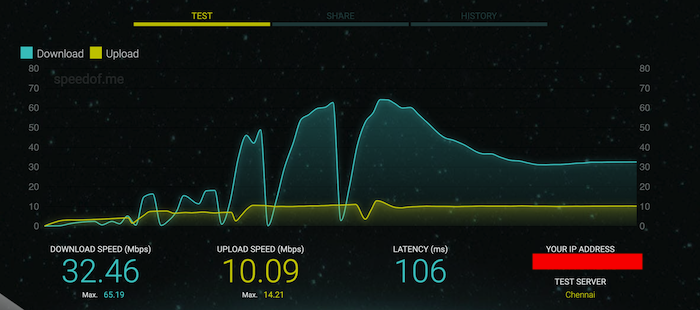
Speedof.me is also a good website where you can perform Internet speed tests. This website shows you download speed, upload speed, latency, and the test server location. It also shows you the data in the graph. So, you can understand if the speed is consistent or if there are fluctuations. This tool also keeps your internet speed history, and you don’t need to create an account for that. It seems it uses cookies to identify you with historical data.
6. TestMy.net
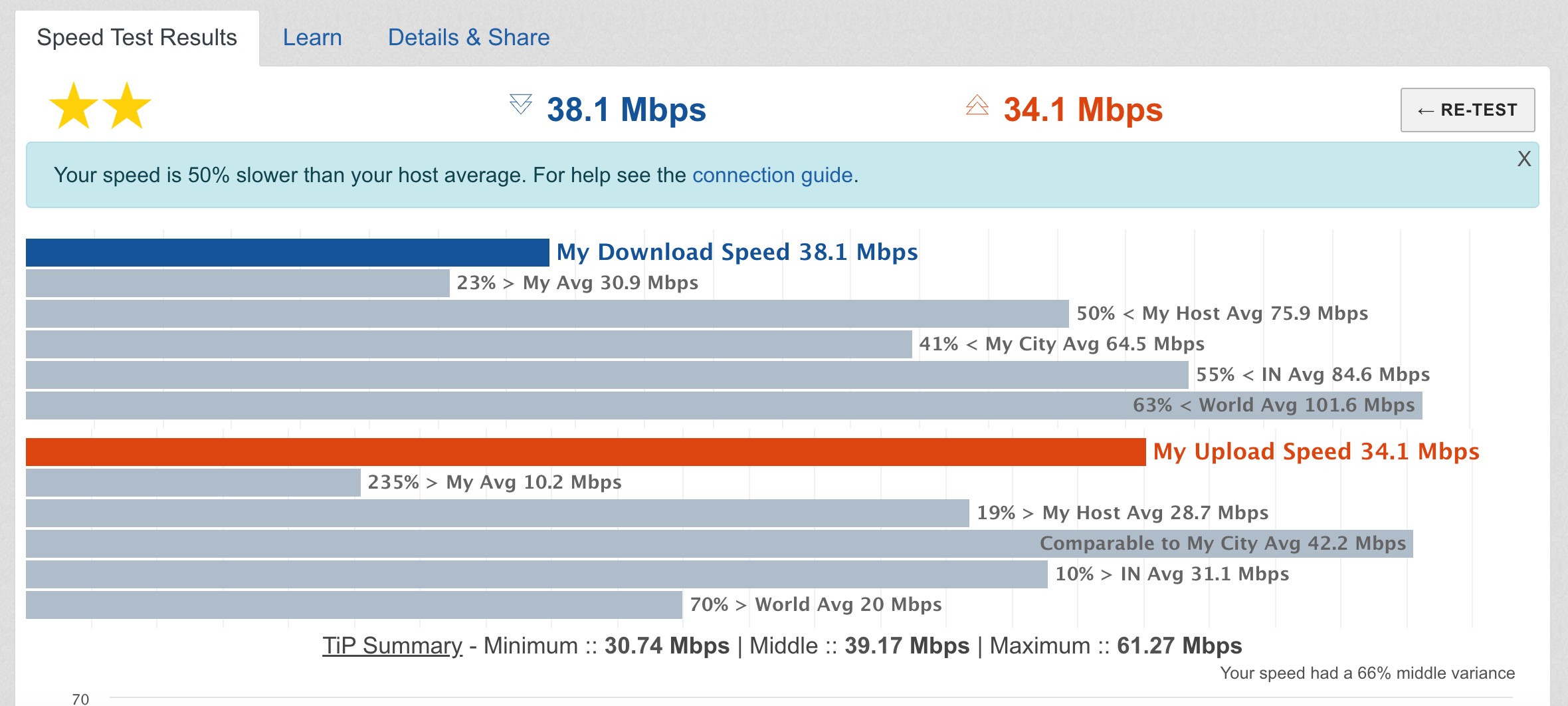
TestMy.net is a browser-based internet speed test that focuses on real-world performance rather than boosted or optimized results. Instead of using multiple parallel connections like many other tools, it uses a single-thread download and upload method. This helps simulate actual browsing or file download conditions more closely. Because of this, the results you see are often closer to what you experience in daily use. When you open the website, you get links to three tools: Download Speed Test, Upload Speed Test, and Automatic Speed Test. You can already understand how these tools work. The Automatic Speed Test can run continuous tests over a period of time to monitor how your internet performs throughout the day
Wrap Up
There are so many other similar internet speed test websites. I don’t think you need to know about more than these 5 Internet speed test websites. I even recommend you use Google’s internet speed test tool or Ookla Speed Test. I personally use the Ookla Speed Test tool and recommend it. You can download the mobile app, which will keep historical data of each internet speed test you perform.
How to test internet speed?
You can use any of these tools to test your internet speed. Just open any of these tools and initiate an Internet speed test.
Why Should I Test My Internet Speed?
An Internet speed test is done to verify if the ISP is offering the same speed as promised. If you are facing issues with web browsing, OTT streaming, VoIP calls, or downloading, you should perform an internet speed test. In case the speed is lower than promised by the ISP, raise a complaint and force the ISP to fix the Internet speed. Before raising the complaints, connect your system to the router using a wired Ethernet connection. WiFi connection doesn’t always offer good speed because it is affected by multiple factors. While checking the speed test, you should also close all the programs that are using an internet connection. You should also restart your router and then check the speed test.
What is the most accurate speedtest site?
Ookla’s Speedtest.net is widely regarded as one of the most accurate speed test sites available. It is known for its reliability and is trusted by users and professionals alike.
Which website shows accurate internet speed?
Ookla’s Speedtest.net is a website that shows accurate internet speed. It is highly recommended for its accuracy and is widely used by individuals and organizations to measure their internet connection’s speed.
Is Ookla speed test accurate?
Yes, Ookla’s Speedtest.net is generally considered accurate. It has a reputation for providing reliable and consistent results. However, it’s important to remember that there can be variations in speed test results due to various factors, such as the location of the server being tested against, network congestion, and other variables. To get the most accurate measurement of your internet speed, it’s advisable to perform multiple tests at different times using different speed test sites.