
Google has just made its Translate app way more useful on Android devices. It has added a new ‘Tap to translate’ feature which allows users to translate text from any app installed in an Android phone.
This works in simple way. When you are in an app and wants to translate something, just select that text and you will see a Google Translate bubble over an app. Tap on it to translate instantly. It works on any app installed in the Android device.
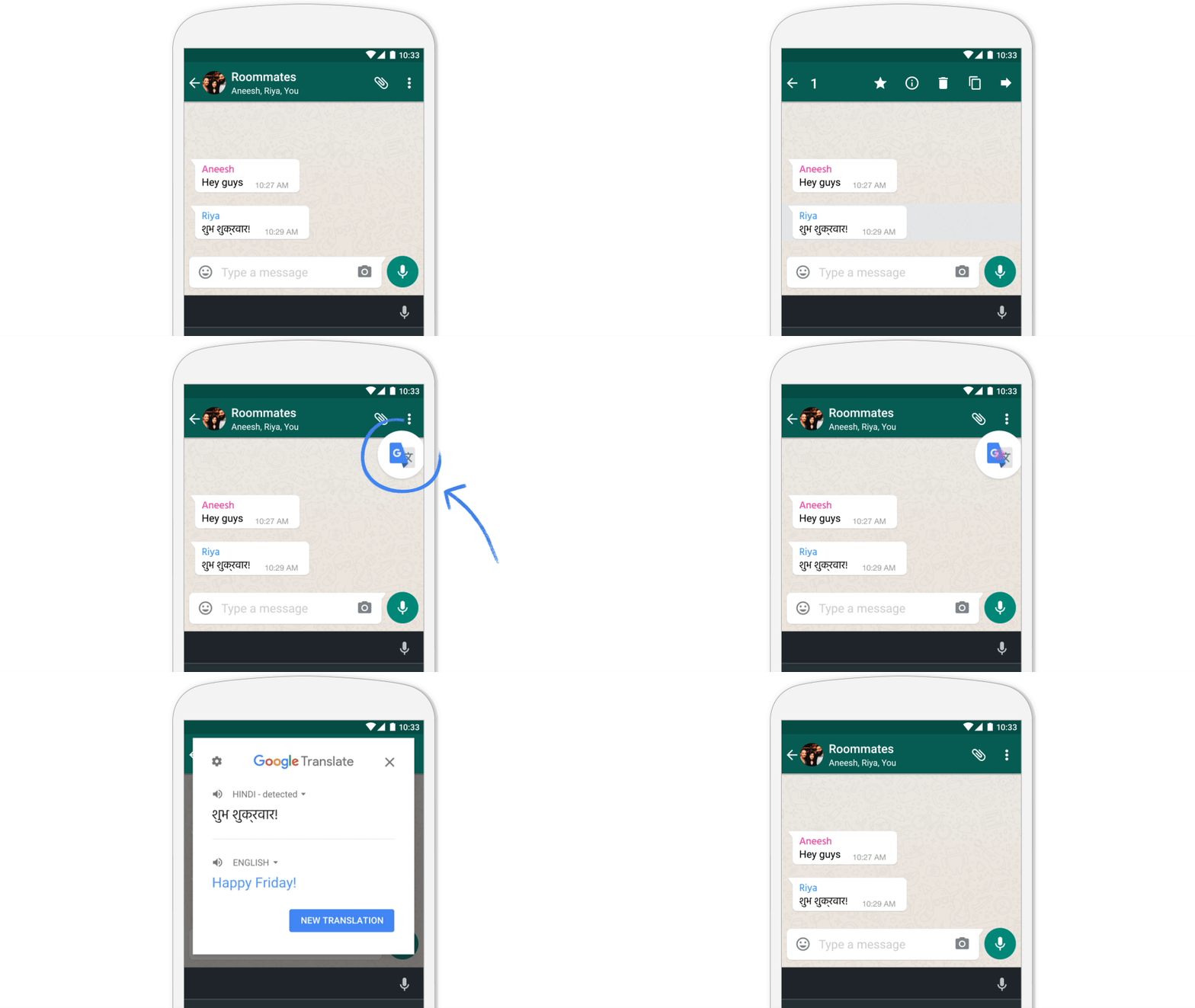
Google showcased this feature in India when Sundar Pichai addressed media at an event in Delhi. But at that time, this feature was in the closed testing.
This update will be rolling out to Android and iOS ‘over the next few days.’
Best thing is that ‘Tap to Translate’ works for all 103 languages supported by Google Translate. It works on all Android phones running Jellybean (4.2) and above.
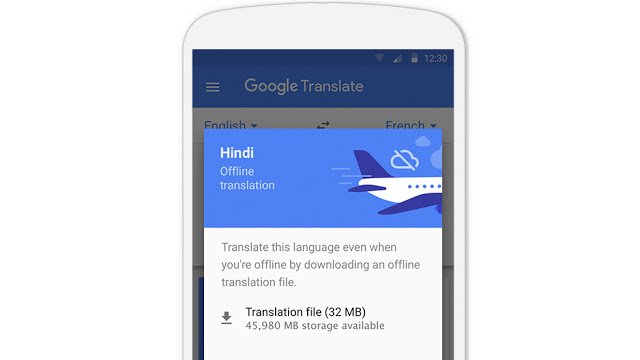
Not just this, Google has also brought Android’s offline mode of Google translate to iOS.
So, iOS users can now download translation packages to offline to easily use it when data connection is not available. Languages packages has been compressed by 90 percent and are now of 25MB each. You can enable offline languages by tapping on the arrow next to it.
Additionally, Google has added 29th language for instant visual translation ‘Word Lens’. Just open camera and see the live translation.
With all these features, Google translate is now much more useful for users. Google will be rolling out these features in coming days.
What do you think about these changes? Share your views with us in comments.