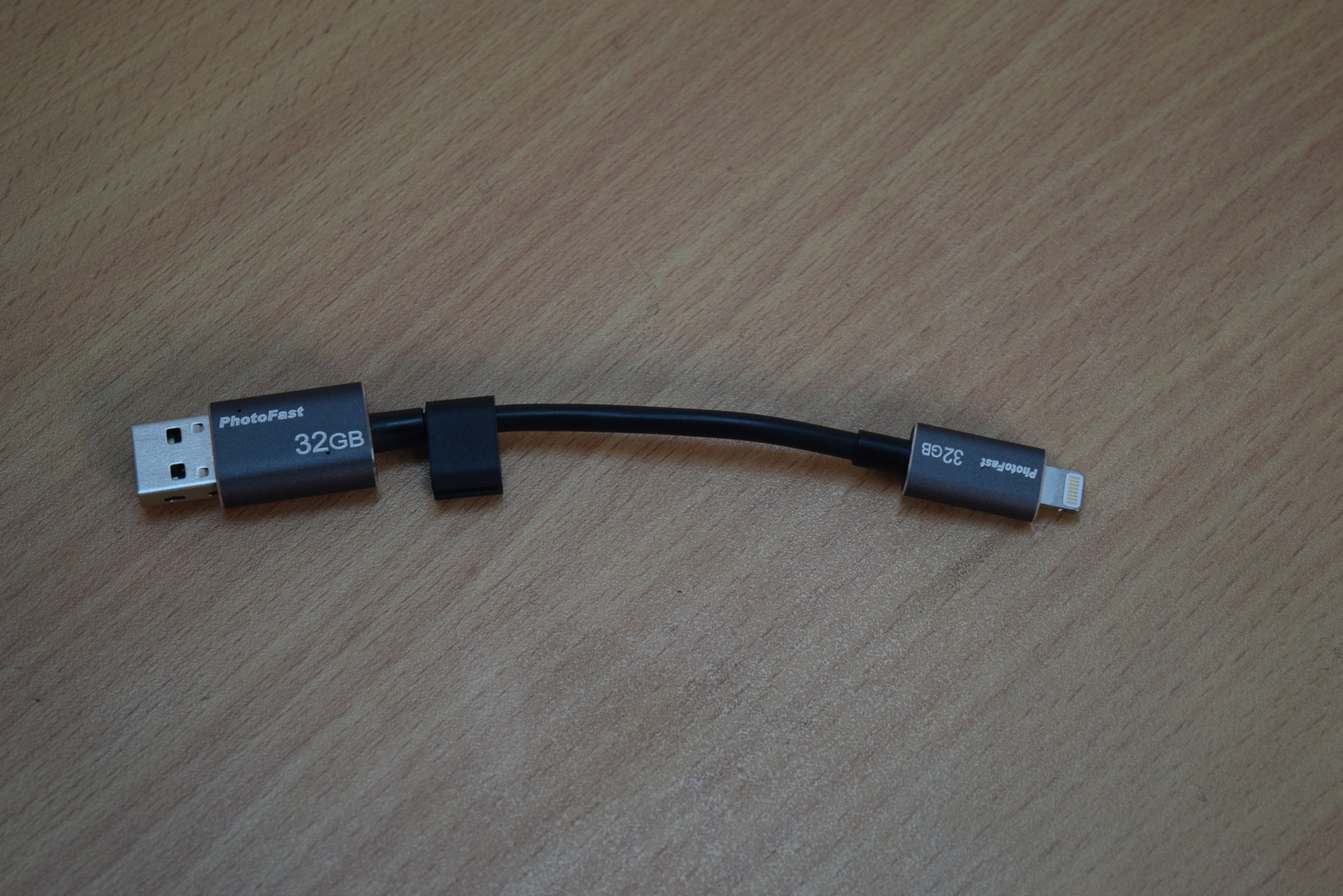
 If you own an iOS device, today I am going to introduce you with an awesome data cable with storage option. This is PhotoFast MemoriesCable, a data cable for iOS devices with memory to backup your device. If you have lots of photos and videos in your iOS device and you want to cleanup, this memorise cable is the best option. You can have your data with you always without need to upload your data to cloud. Your data will be just one plug away. You can also charge your iOS device with this MemoriesCable.
PhotoFast MemoriesCable Review
Design:
It is a small 13 cm long data cable with USB 3.0 port one side and iOS port at other side. It also has bulbous ends which hides storage. Weight of the cable is around 9.5g. It comes in various storage capacities but I tested 32 GB version before writing this review.

Usage:
You can use this single cable for various purposes: These are few:
- Charge your iPhone or iPad
- Backup your iOS device
- Transfer data from iPhone to your system and vice versa.
- Backup your data and protect with password or fingerprint verification (only in iOS devices with fingerprint sensors)
How to use:
To use this cable in your iOS device, you will have to download photofast’s i-FlashDrive ONE app in your iOS device. This app works as an interface to manage the storage inside the cable, transfer files from device to cable’s storage or backup your data. It is compatible with iOS 7.0 or later.
With the available options in the below part of the app, you can take backup of different things. There are options for one tap backup of contacts, photos, instagram, dropbox, calendar, Facebook album, Google drive backup and backup of in-app purchase.
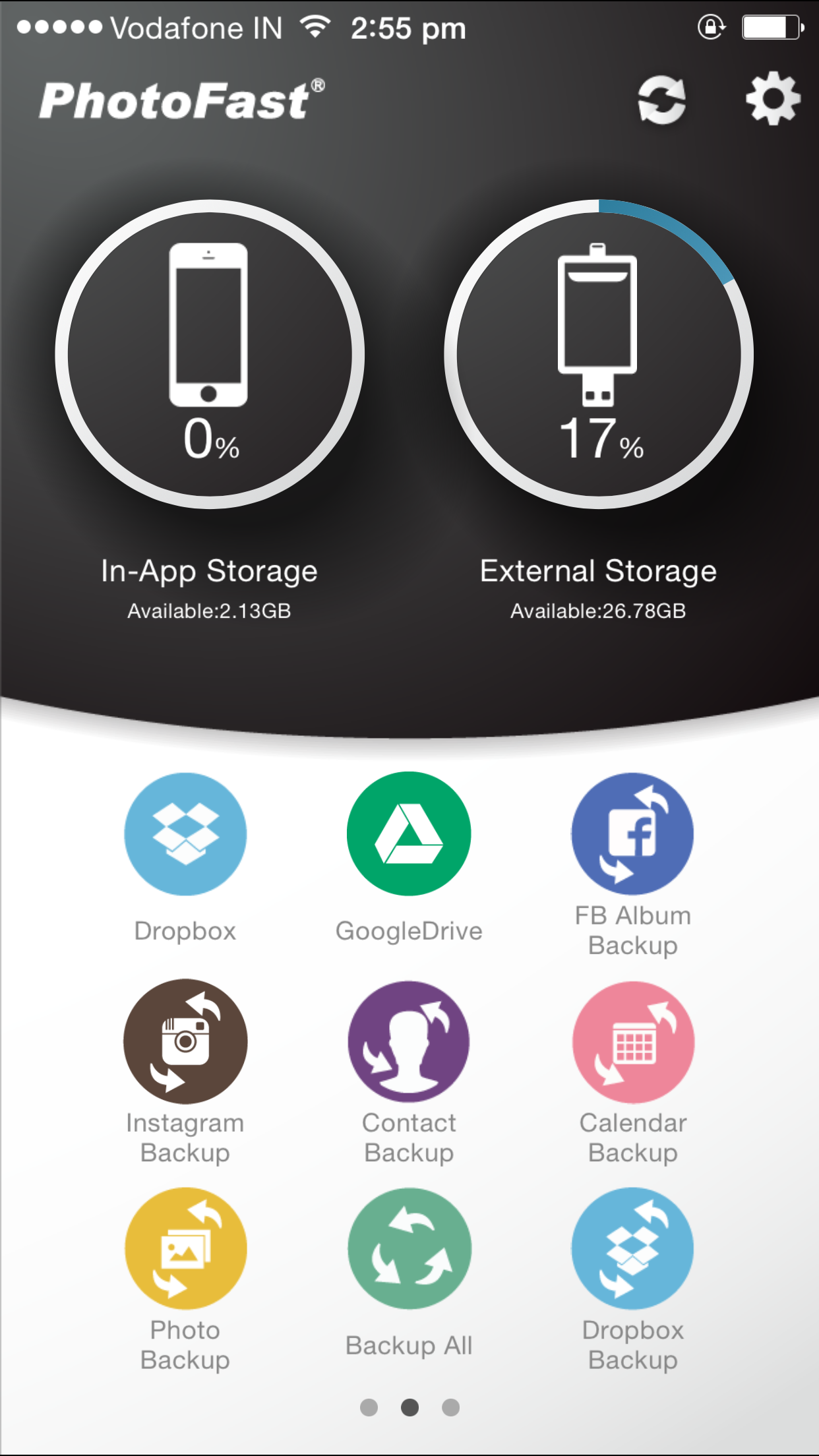
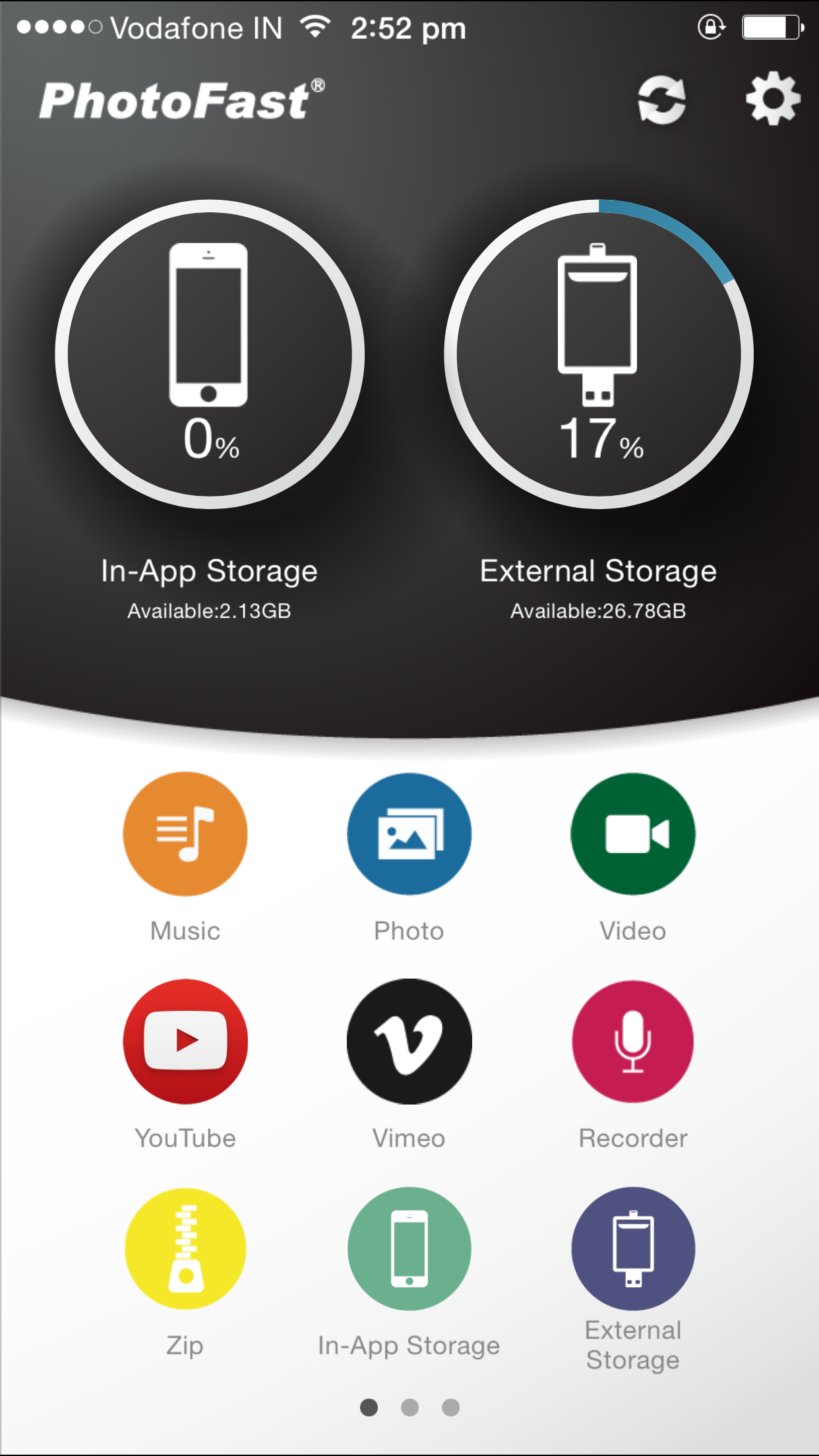

When you will open the app, you will see two storage sections. One is In-app storage and other is external storage. In-app storage is basically your phone’s storage reserved for the app. External storage is actually the storage in the cable.
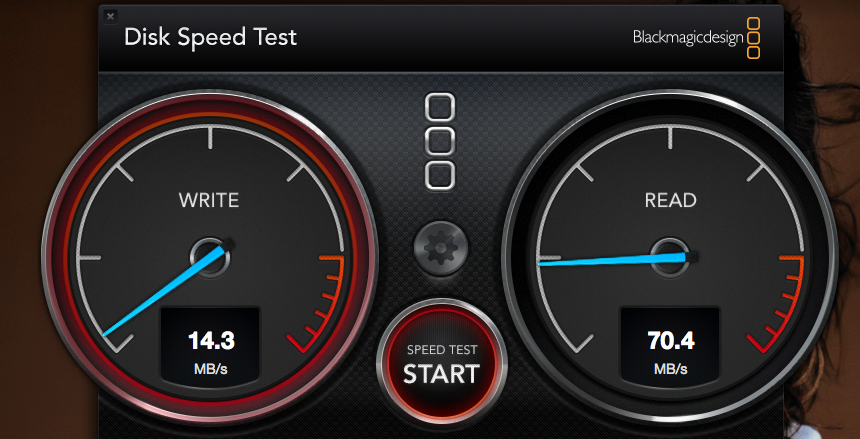
You can also use it as pendrive for your desktop to copy data from one system to other system. I tested its read-write speed in desktop and found it good.
My Verdict:
If you own an iOS device and use your phone for watching video, listening to music or capturing photos, this cable is a must have thing for you. You will never run out of space. It will backup your data which you can also access from system. You can charge your phone and backup data at the same time. Awesome thing created by Photofast.
How to buy
If you want to buy, you will have to order it from Amazon for $89.9 for 32 GB variant. If you prefer buying it online, you can check location of the shop near you by using the map on this page.