YouTube is one of the most visited websites on the Internet. It is also a popular source of entertainment. YouTube has videos from several entertainment studios, media companies, and individual creators. The platform is ad-supported and it also shares ads revenue with creators to encourage them to bring more content to the platform. YouTube shows ads before starting a video and also shows ads in between a video. Many people find videos irritating. This is the reason they ask for different ways to block YouTube ads. Chrome is one of the most popular browsers, this is the reason I am writing an article on how to block YouTube ads on Chrome.
Block YouTube ads on Chrome
Get YouTube Premium

If you do not want to see ads on YouTube, you can buy YouTube Premium. YouTube Premium offers the ad-free experience of YouTube. So, you get uninterrupted YouTube on desktop, mobile devices, and TV. This is the best way to remove ads because you are not hurting creators’ earnings.
Install AdBlock
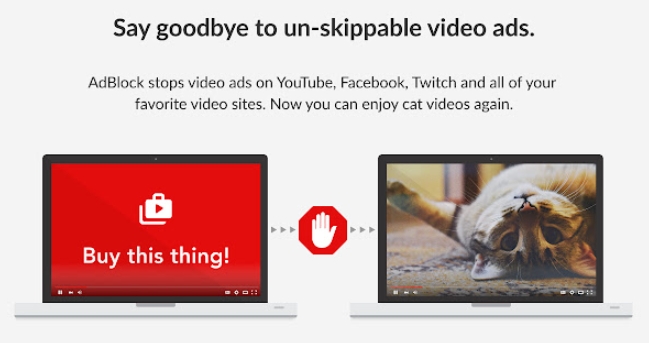
AdBlock is the best ad blocking the extension of Google Chrome. It blocks ads on different websites and also blocks video ads on YouTube, Facebook, Twitch, and other websites. If you want to block YouTube ads on Chrome, Install the Adblock extension of Chrome. This extension also blocks third-party trackers to protect your privacy.
This Google Chrome extension is trusted. It already has over 350 million downloads and over 60 million active users.
Adblock lets you skip YouTube ads everywhere. It skips all YouTube ads including pre-roll and mid-roll video ads. Along with blocking video ads, it also blocks banner ads from the sidebar and other places.
YouTube is the primary source of earnings for many creators. So, blocking ads can hurt your favorite creator. If you enjoy watching videos of a creator, you need not block ads there. Adblock lets you allow ads on specific YouTube channels.

Note: I always recommend my readers to whitelist websites they frequently visit and allow ads on channels they usually watch. We also rely on ads revenue and many of you block ads on the website. This makes us hard to maintain the website and keep putting good content.
Adblock is available for Android and iOS. So, you can block YouTube ads on smartphones. Basically, Adblock offers a browser for smartphones where it blocks ads by default. You can also try the YouTube Vanced app which is a modded version of the YouTube app with no ads and more features like background playback and more.
There are also several other similar Chrome extensions that can block YouTube ads. But this extension does a good job. So, there is no need to look for any other extension.
See Similar Stories
- How to enable dark mode on Wikipedia
- How to Bypass YouTube Age Restriction
- How to Record Calls on an iPhone
- How to bring back YouTube dislike counter
- How to Scan QR Codes on different devices