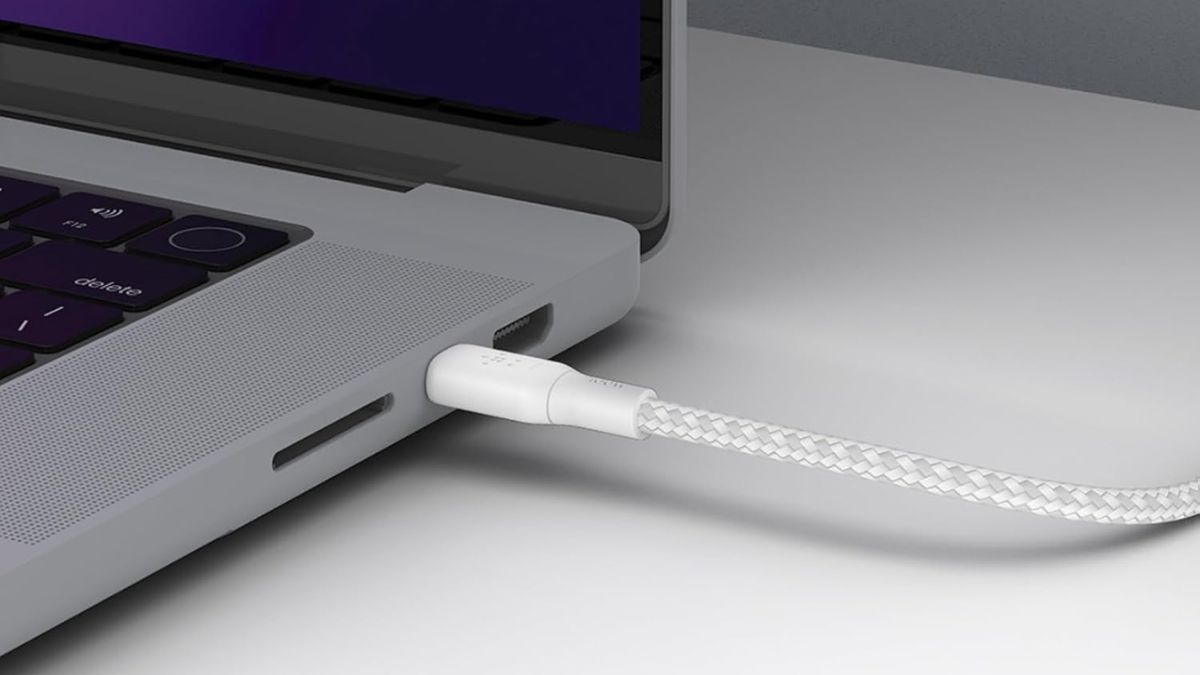

A good USB-C cable is more than a wire. It carries power fast and safely. It moves files quickly. It can also let you use external displays, docks, and hubs. If you own a MacBook Air, choosing the right Type-C to Type-C cable matters. The wrong cable will charge slowly or may not support data and video. This guide explains MacBook Air power needs, what certifications to look for, and the best USB-C to USB-C cables you can buy today. I will keep the language simple and the advice practical so you can decide quickly and confidently.
Apple ships MacBook Air models with different adapters and also recommends higher-wattage adapters for fast charging. Here are the important points you should know.
- MacBook Air (M1, 2020) ships with a 30W USB-C power adapter. It uses a built-in battery rated around 49.9 Wh and charges reliably from a 30W adapter.
- MacBook Air (M2, 2022) 13-inch usually ships with a 30W or 35W adapter, depending on the configuration, and it supports faster charging with higher-wattage adapters. The 15-inch Air (M2) uses a 35W adapter in the box and is fast-charge capable with a 70W adapter.
- MacBook Air (M3, 2024) models follow the same pattern. Apple lists the 13-inch with 30W or 35W adapter options and the 15-inch with a 35W adapter in the box, while recommending the 70W adapter for fast charging to 50% in about 30 minutes.
- Newer MacBook Airs (M4 or later) continue to be compatible with Apple’s range of USB-C power adapters (35W, 67W, 70W and higher). Apple explicitly recommends pairing a higher-watt adapter for the fastest charge. In short: a MacBook Air will charge from a modest 30W supply, but a 67W–70W adapter will fast charge the battery much faster when the model supports it.
It means a stock 30W/35W adapter is fine for regular use and travel. Buy a 67W–70W adapter if you want the quickest top-ups and plan heavy use while on charge.
Also see: Best USB-C Hubs For Macbook
Does MFi certification Matter?
MFi (Made for iPhone/iPad) is Apple’s certification program. It covers accessories made for Apple devices. MFi matters when you use Lightning cables or accessories that rely on Apple-licensed components. However, it doesn’t apply to standard USB-C to USB-C cables for MacBook charging
For USB-C cables, you should look for USB-IF certification and an E-Marker chip. USB-IF is the industry body that governs USB specifications. Cables that meet USB-IF tests provide predictable, safe behaviour. For cables that carry more than 60W, an E-Marker is required. The E-Marker tells the charger and the laptop how much current the cable can safely carry. This prevents overcurrent and heat problems.
What to look for in a Type-C to Type-C cable for MacBook Air
I am sure now you have an idea of what to look for in a Type-C to Type-C cable for MacBook Air. You already know what kind of power rating your device needs. Prefer USB-IF certified cables or cables from trusted brands that explicitly state they include an E-Marker. Always pick a cable that lists USB 3.x, USB4, or Thunderbolt support and the data speed. It is important to note that not all power cables carry high data or video bandwidth.
Best Type-C to Type-C cables for MacBook Air
Here’s the list of cables that balance safety, charging speed, and practical features.
| Type-C cables for MacBook Air | Price | Buy Here |
| Apple USB-C Charge Cable | Rs. 2499 | Buy Here |
| Belkin USB-C to USB-C | Rs. 1299 | Buy Here |
| Anker Zolo USB-C to USB-C Cable | Rs. 899 | Buy Here |
1. Apple USB-C Charge Cable
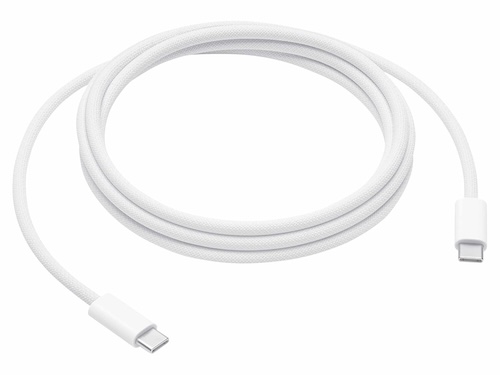
This is the official USB-C cable for MacBook. It works with Apple chargers up to Apple’s 240W adapter and works perfectly with Apple 30W, 35W, 67W, and 70W adapters. The cable is rated for up to 240 watts and transfers data at USB 2 rates. Apple has clearly listed the cable for charging and syncing. It is a simple and reliable choice for Apple users. However, it is a bit costly as compared to other options.
Price: Rs. 2499
Buy Here: Amazon
2. Belkin USB-C to USB-C
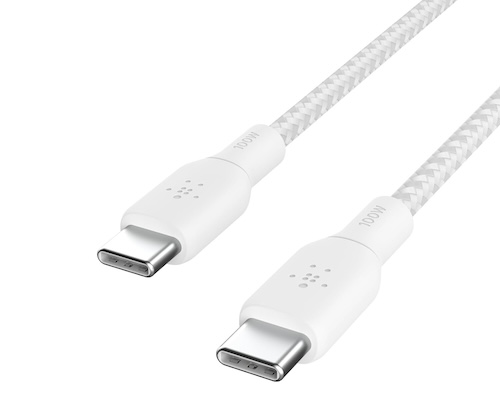
This is a USB-IF certified USB-C to USB-C cable rated for 100W PD fast charging. So, it meets the power requirements of different MacBook models. The cable also comes in 2M or 3M length options. Get one as per your need. This is the braided cable tested to survive over 25,000 bends. It also supports USB 2.0 data transfer speed.
Price: Rs. 1299
Buy Here: Amazon
3. Anker Zolo USB-C to USB-C Cable
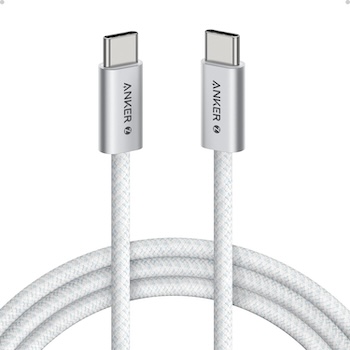
Anker Zolo USB-C to USB-C is a 240W Charging cable that supports all Apple devices with Type-C charging port. It is a dirt-resistant unibody cable offering a stylish design. It measures only 5.8 mm in thickness. The cable is 6ft long and is a braided cable for tangle-free operation. It is certified with the USB 2.0 standard and offers a 480Mbps data transfer speed similar to Apple’s official and Belkin cables.
Price: Rs. 899
Buy Here: Amazon
Wrap Up
Buy the safest cable you can afford. Safety and predictable behaviour matter more than a few rupees saved. For most MacBook Air owners, the best option is either the official Apple USB-C charge cable or a 100W cable from a trusted brand such as Anker and Belkin that clearly lists E-Marker and PD/USB-IF support. If you also need data/video, choose a high-speed certified cable (10Gbps or USB4).
If you want a single recommendation that covers nearly every need, choose a 100W USB-C to USB-C cable with E-Marker from a trusted brand, and pair it with a 67W–70W adapter if you want fast charging. This combination will charge any modern MacBook Air quickly and safely, and it will leave room for future devices.