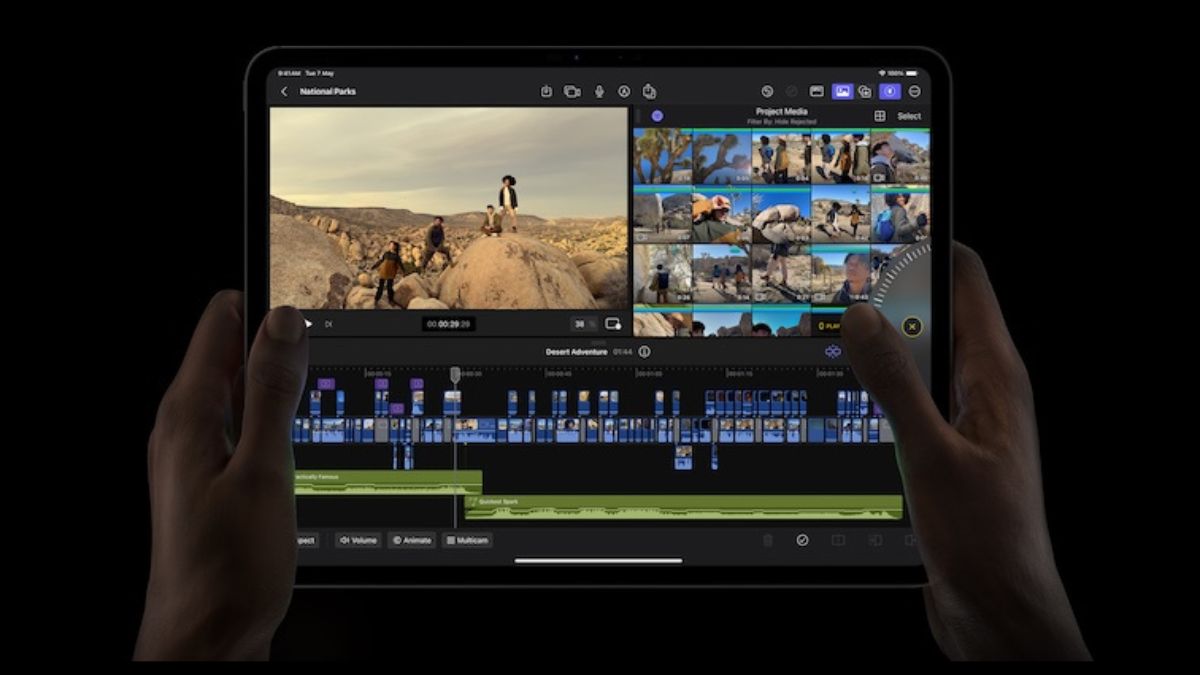

Video content is booming, and with smartphones becoming more powerful, people are turning to mobile video editing apps instead of traditional desktop software. Whether it’s for YouTube, Instagram, TikTok, or personal projects, users want quick and easy ways to edit videos on the go. More people are creating content than ever before—whether it’s influencers making social media clips, businesses crafting promotional videos, or individuals capturing special moments. This demand has pushed developers to create feature-rich mobile video editing apps that offer professional-level tools without needing a computer.
What Makes a Great Video Editing App?
When choosing a video editing app, users look for several features. A well-designed UI makes editing smooth and intuitive. No one wants to spend hours figuring out how to cut a clip or add text. Performance is another important feature people want in video editing apps. Laggy apps ruin the editing experience. Smooth playback and fast exports are essential. The app should get all the editing features people need. Basic cutting and trimming aren’t enough. People want multi-layer editing, effects, transitions, and AI-powered tools. Free apps often add watermarks, which can be frustrating for creators. So people prefer app that does not add watermarks. The last thing is the option to export the video. Quick sharing to social media is a must-have.
Read: Best Free Video Editing Apps For Android
Now, let’s take a look at the best video editing apps for iPhone and iPad.
Video Editing Apps for iPhone and iPad
1. Final Cut Pro for iPad (Subscription – $4.99/month or $49.99/year)
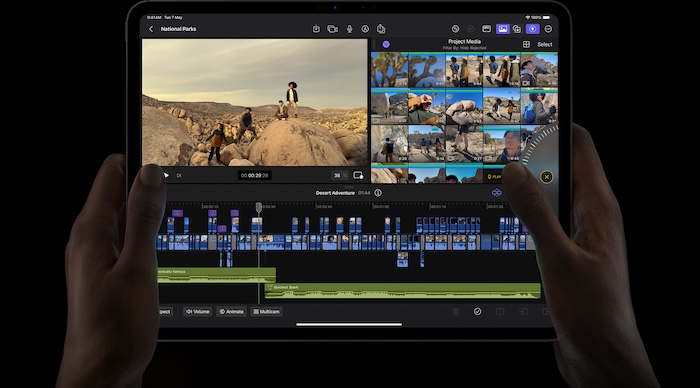
Apple has finally brought Final Cut Pro to the iPad. So, you can now use your iPad for professional video editing. Final Cut Pro is designed specifically for touch controls and the app is perfect for filmmakers and content creators who want advanced editing tools on the go. Dragging clips around, trimming footage, and adding effects feel natural with the Apple Pencil. The inclusion of multicam editing makes it a great tool for filmmakers who need to sync and edit multiple video angles seamlessly. It also supports advanced color grading and high-quality transitions, making it a serious competitor to desktop-level editing software. What makes it even better is the ability to export projects to Final Cut Pro on Mac. So, users can start editing on an iPad and finish the project on a desktop without missing a beat. If you have an M-series iPad and want professional editing on the go, this app is worth every penny.
- Touch-Optimized Interface: A redesigned UI for iPad, allowing drag-and-drop editing with Apple Pencil support.
- Multicam Editing: Sync and edit multiple video angles effortlessly.
- Live Drawing: Use Apple Pencil to annotate or draw directly on videos.
- Advanced Color Grading & Effects: Professional tools like cinematic color correction, keyframing, and high-quality transitions.
- Export to Mac: Seamless integration with Final Cut Pro on Mac for professional workflows.
If you are serious about mobile video editing and own an M-series iPad, Final Cut Pro is a game-changer.
2. LumaFusion (Paid – $29.99)
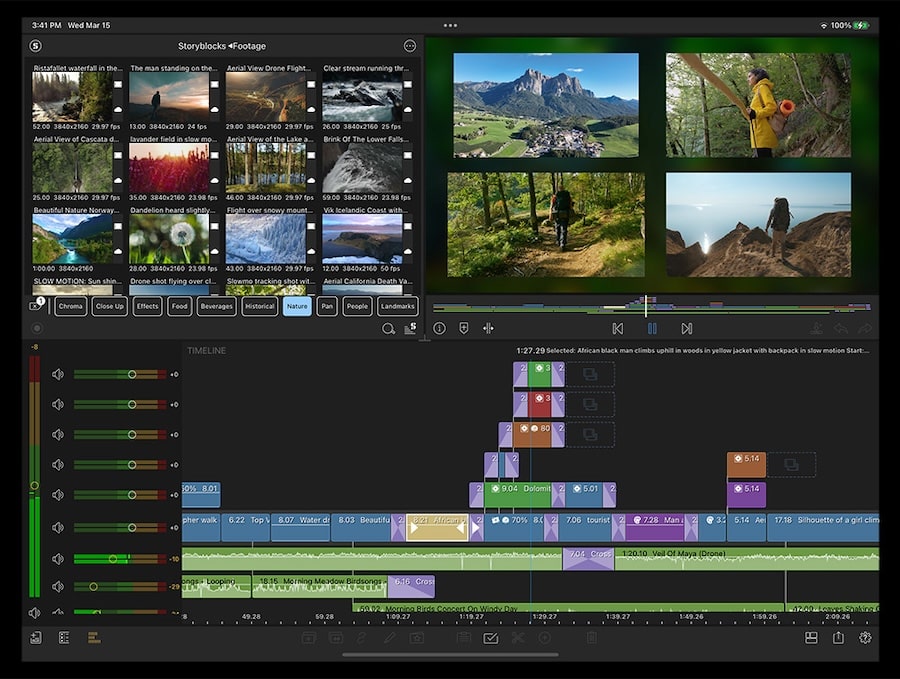
LumaFusion has long been the go-to app for serious video editors who need desktop-level features on an iPhone or iPad. What sets it apart is its multi-track editing, allowing users to layer up to six video and audio tracks. This means you can work on complex projects with background music, voiceovers, and special effects all layered seamlessly. The editing tools feel professional, with keyframing for smooth animations, precise color correction, and slow-motion effects that rival high-end software. Despite its powerful features, the app remains easy to navigate, and the real-time preview helps speed up the editing process. The export options are flexible, supporting various resolutions, frame rates, and aspect ratios, making it perfect for everything from cinematic projects to social media videos. For those who want serious editing capabilities without a subscription, LumaFusion is an excellent investment.
- Multi-track Editing: Supports up to six video and audio tracks, making it great for complex projects.
- Advanced Tools: Offers keyframing, color correction, slow-motion effects, and audio mixing.
- Export Options: Lets you export in different resolutions, frame rates, and aspect ratios.
- Pro-Level Experience: Feels like Final Cut Pro, but optimized for mobile.
While it comes with a price tag, LumaFusion is worth it for serious video creators who need top-tier features on an iPhone or iPad.
3. iMovie (Free)
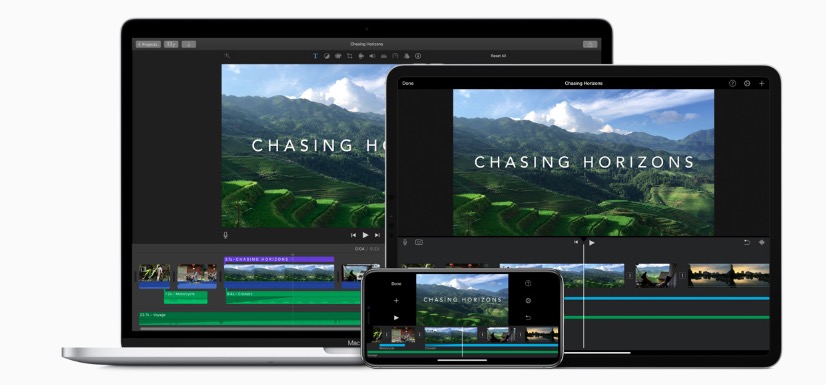
iMovie is Apple’s own video editing app, and while it’s free, it doesn’t feel like a budget option. It’s the perfect app for beginners who want to put together quick, polished videos without any hassle. The drag-and-drop interface makes it incredibly simple to cut clips, add transitions, and include music. One of the standout features is the built-in themes and templates, which allow users to create professional-looking videos with minimal effort. It even includes a green screen effect, making it easy to change backgrounds for creative projects. Since iMovie is deeply integrated with Apple’s ecosystem, exporting projects to Final Cut Pro or saving them to iCloud is seamless. While it lacks the advanced tools found in LumaFusion or Final Cut Pro, it’s a fantastic free option for everyday video editing.
- Drag-and-Drop Editing: Easy to use, making it great for quick edits.
- Pre-made Themes: Comes with stylish templates and transitions.
- Green Screen Effect: Allows background removal for creative projects.
- Seamless Integration: Works smoothly with iCloud, Final Cut Pro, and other Apple apps.
iMovie is ideal for those who want simple yet effective editing without spending money.
4. CapCut (Free)

CapCut has quickly become one of the most popular video editing apps, especially among TikTok and Instagram creators. The reason? It makes editing ridiculously simple while still offering a range of powerful tools. The AI-powered effects and transitions help users create eye-catching videos in just minutes. Auto-captions and background removal make it a great choice for those who don’t want to spend hours fine-tuning their content. The built-in music library is extensive, and the sound-syncing feature ensures that clips match the beat of the song effortlessly. Performance-wise, CapCut runs smoothly even on older devices, making it accessible to a wide range of users. The best part? It’s completely free with no hidden costs, making it a must-have for social media content creators.
- AI Features: Includes auto-captions, background removal, and smart effects.
- Music Library: Free access to a vast collection of music and sound effects.
- Smooth Performance: Edits and exports videos quickly, even on older devices.
- Social Media Optimization: Allows direct uploads in the right format for platforms like Instagram, TikTok, and YouTube Shorts.
Since it’s free, CapCut is a must-have for content creators who want a simple yet powerful editing experience.
5. VN Video Editor (Free)
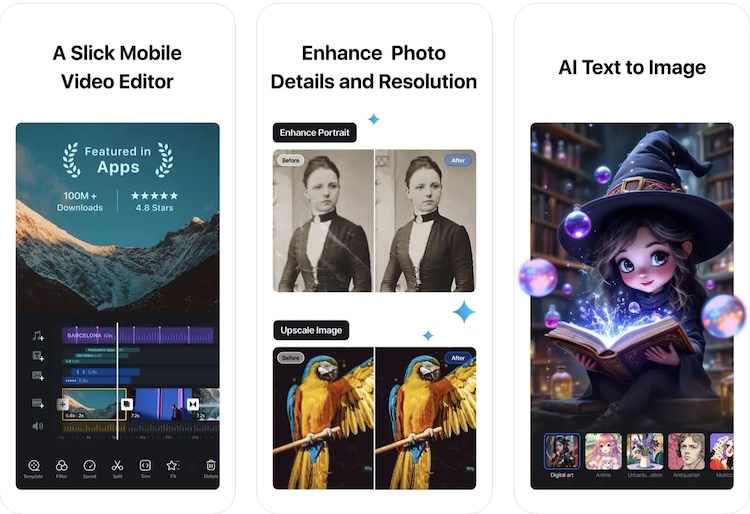
VN Video Editor is an underrated gem that offers pro-level editing tools without any cost. Unlike many free apps, VN doesn’t slap a watermark on exported videos, which is a huge advantage for content creators. The interface is sleek and easy to navigate, making it suitable for both beginners and experienced editors. One of its best features is multi-layer editing, which allows users to add multiple video, audio, and text tracks just like in professional software. The speed control is also impressive, letting users create smooth slow-motion and fast-motion effects. Additionally, VN gives full control over text customization, with stylish fonts and effects that elevate any video. For anyone looking for a free but powerful alternative to paid apps, VN is a fantastic choice.
- Multi-layer Editing: Supports multiple video and audio tracks for professional-grade edits.
- Speed Control: Smooth slow-motion and fast-motion effects.
- Custom Fonts and Text Effects: Great for adding stylish subtitles.
- No Watermark: One of the few free apps that don’t force branding onto your videos.
VN is the best free alternative to premium apps, offering professional tools without charging a cent.
6. Adobe Premiere Rush (Free with In-App Purchases)
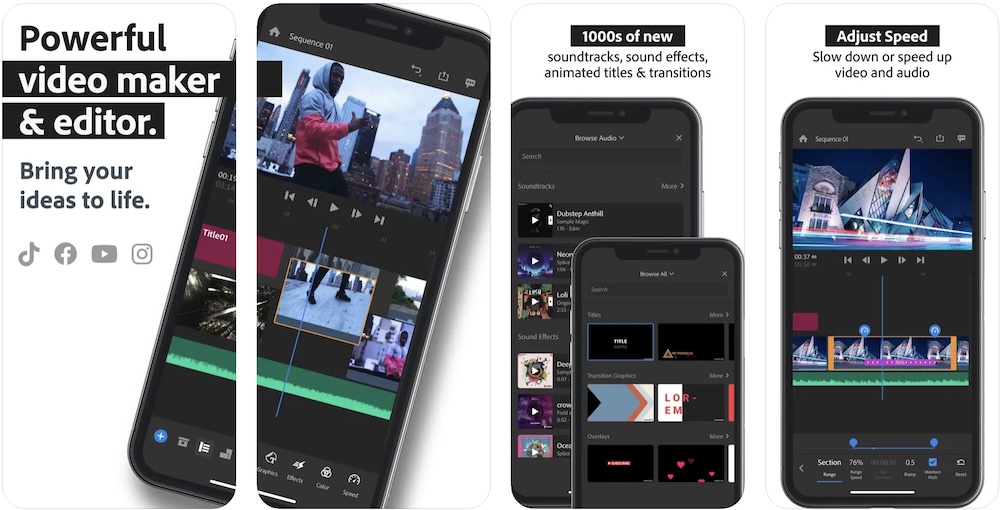
Adobe Premiere Rush is a simplified version of Premiere Pro, built specifically for mobile video editing. It’s a great choice for those who need a balance between professional features and ease of use. The app offers cross-platform editing. So, users can start a project on their iPhone or iPad and finish it on a desktop. The AI-powered auto reframe is a game-changer, automatically adjusting videos for different social media platforms. Cloud syncing ensures that projects are always accessible, no matter what device you are using. While the free version is functional, some of the best tools are locked behind a subscription, which might not be ideal for casual users. However, for those who are already in the Adobe ecosystem, Premiere Rush is a great addition to their workflow.
- Cross-Platform Editing: Works on iPhone, iPad, and desktop.
- AI-Powered Auto Reframe: Automatically resizes videos for different platforms.
- Cloud Sync: Saves projects online so you can edit from any device.
- Direct Social Media Export: Easily exports videos to YouTube, Instagram, and Facebook.
For those who use Adobe’s ecosystem, Premiere Rush is a great choice. However, some advanced features require a subscription.
Wrap Up
Choosing the right video editing app depends on what you need. If you are looking for the most professional experience, Final Cut Pro for iPad and LumaFusion are top choices. iMovie is great for beginners, while CapCut and VN Video Editor offer fantastic free features. Adobe Premiere Rush is perfect for those who need cloud syncing and cross-platform functionality. No matter which app you choose, these options prove that you don’t need a computer to create stunning, high-quality videos.