If you want to cut a part of an audio file, you need an audio cutter tool. There are several good and free audio editing software such as Audacity. If you do not want to install any software, you can try online audio cutter tools. Online audio cutter tools are valuable resources. These web-based tools offer convenience and accessibility. You can access these tools anywhere with any device having a web browser. MP3 is the most popular audio format. This is the reason some websites also provide MP3 cutter tools which are also a kind of audio cutter tools. In this article, I am listing the best online audio cutter tools. You can use these online tools to cut and edit several audio formats including MP3, WAV, WMA, M4A, and more.
Online Audio Cutter Tools
Check these best online audio cutter or MP3 cutter tools. You can use any of these tools to cut or trim audio files as you need. These tools can also be used as ringtone makers.
1. Audioalter’s Trimmer / Cutter

Audioalter is an impressive website that has several tools for manipulating audiophiles. It includes tools like Noise Reducer, 3D Audio, Pitch Shifter, Auto Manner, Bass Booster, Equaliser, and Trimmer. By using The Trimmer tool, you can trim or cut an audio file the way you want. This tool lets you trim audio files with high precision. It also displays the waveform to give you a visual idea of what part of the audio file you might want to cut out. This tool is completely free with no limitations. it also doesn’t ask you to sign up or sign in to any of the tools
2. Media.io Audio Cutter
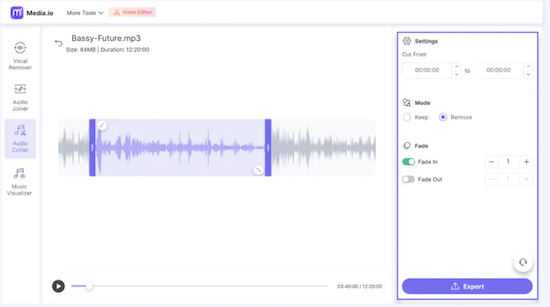
Media.io offers an excellent online audio cutter tool where you can remove unwanted parts from audio clips without affecting their quality. This online audio cutter lets you perform several operations on an audio file such as cut, trim, and more. You can also extract audio from a video file. This tool supports several audio formats. Finally, you can download the audio file after processing it.
The free version limits features and upload sizes. You can purchase the subscription if you enjoy working on the free tool and want to unlock your full potential.
3. Audio Cutter
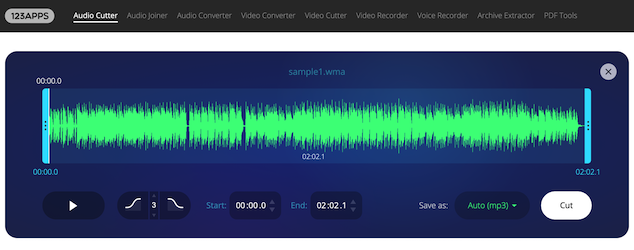
Audio Cutter is a popular online Audio Cutter tool where you can cut audio tracks and get the desired part to use. This tool supports over 300 file formats. You just need to open this tool on your browser, upload the audio file you want to edit, and scary editing. It offers easy options to cut or trim audio files. You can add fade-in and fade-out effects quickly. This tool can also be used to make ringtones. Once you finish editing, you can also export the audio in one of several formats including MP3, M4r, flac, wav, and more. You and also upload a video file to extract audio from it and then work on the audio to edit or trim as per your need.
This tool also confirms that they delete your files once you are done working on them. So, your eta is always private and secure.
4. Mp3cutter.com
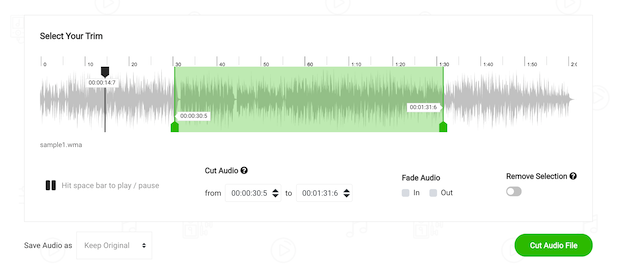
Mp3cutter.com is an online MP3 cutter tool where you can cut or trim audio files. It supports several audio and video file formats including mp3, wma, wav, m4a, and many more. You can cut audio files, and convert audio files. Once you upload a file, it shows a waveform where you can work as per your need. It lets you select start and end points, add fade effects, cut a part or audio, and trim audio. Once you are done, you can export the audio file in one of several available audio formats.
5. Cut MP3 Online
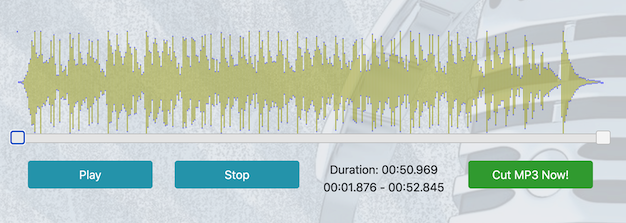
Cut MP3 Online is a simple online MP3 cutter tool that only lets you work on MP3 files. You can upload an MP3 file and then edit it. Cut a part of it. This is a really simple tool and just offers the trimming option. Once the file is uploaded, you can use the silver to select the start and end points of the target audio. Then you can save the target MP3 file. It takes a few seconds to process the file before exporting the audio file.
6. Audio Trimmer
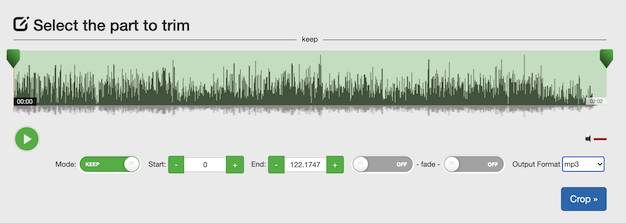
Audio Trimmer is also a simple online tool that lets you trim audio files online. Just upload the audio file and you will see a waveform. It lets you select the start and end of the audio, select fade in our out effects, and export the audio file as MP3 or M4r format. If you do not want to perform any complex editing options, you can use this online tool without installing any audio editing software. This tool is also mobile-friendly and also works on mobile browsers.
7. Audio Cutter Online
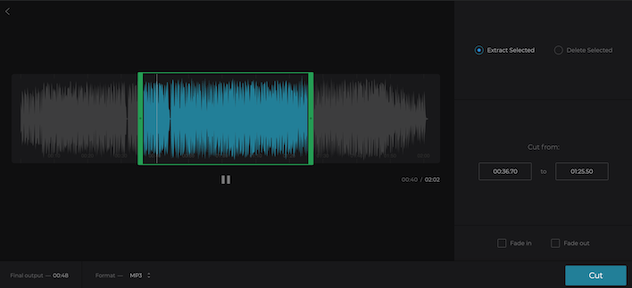
Clideo is an online video editing platform that also offers a good audio cutter online tool. Audio Cutter Online by Clideo is also a good online tool for audio editing. You can use this tool to trim a part of the audio file. Use either to select a part using the slider or enter the start and end time in the text box. It also has fade options for in and out. After selecting the desired part, you can export the file in one of the several available output formats. This tool is free and easy to use. This tool also confirms that your data is secure and private.
8. VEED’s MP3 Cutter
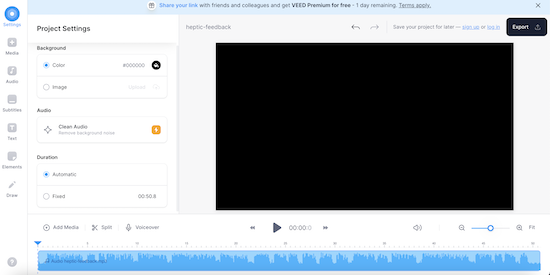
Veed’s MP3 Cutter is also an online audio editor offered by a good video platform Veed.io. It has an easy-to-use interface where you can cut part of an MP3 file to make a ringtone or more. This tool is completely online and you just need a modern web browser to access it. This tool also lets you cut and trim audio files online. You can also use it to combine audio files or clean them.
Wrap Up
A good online audio cutter tool provides an efficient and user-friendly solution for anyone looking to edit audio files quickly. All the tools I added to this article meet the criteria. With a range of features such as customizable cutting options, various file format support, and the ability to preview edits in real-time, these tools offer a good experience. By using any of these audio cutter tools, you can easily create tailored audio clips for your projects,.