
Email is now an important part of our daily lives. If you use an iOS device, you already have Apple’s default Mail app. Apple Mail app is a good email client that lets you set up any email account and manage it. If you are not impressed with the default email app of iOS, you can try other good email apps. There are lots of good third-party email apps available for iPhones and iPads. These apps let you manage your inbox, contacts, attachments, and conversations to boost email productivity.
Third-party email apps for the iPhone offer several advantages over the native Mail app, making them valuable options for users. One of the primary reasons for using third-party email apps is enhanced customization and user experience. These apps often provide a more user-friendly and intuitive interface, allowing individuals to tailor their email management experience to their specific preferences. This includes options for themes, email organization, and custom notification settings. With a third-party app, users can choose an email client that aligns with their personal workflow and style, potentially increasing overall efficiency and satisfaction.
Furthermore, third-party email apps often introduce innovative features and functionality not available in the native Mail app. These may include advanced email filtering, snooze options, email tracking, and integrated calendar and task management features. These additional tools can be especially useful for individuals who rely heavily on email for work and personal communication, allowing them to streamline their email management and boost productivity.
Many third-party email apps also provide robust security and privacy features. With the increasing concern over email security and privacy, these apps offer end-to-end encryption, secure connection options, and better protection against phishing and spam. Users who prioritize the confidentiality of their email content may opt for these apps for added peace of mind.
Another key advantage is the ability to consolidate multiple email accounts from different providers into a single interface. This simplifies the email management process by allowing users to access and respond to emails from various accounts in one place, making it especially convenient for those who use multiple email addresses for different purposes, such as work, personal, and business.
Moreover, third-party email apps often offer seamless integration with other productivity tools and services. This can include integration with note-taking apps, cloud storage services, project management tools, and more. This interconnected ecosystem can help users stay organized and efficiently manage their tasks, emails, and related content from a single app.
In this article, I am listing the best email apps for the iPhone and iPad.
Also see: Email Apps for Android
Best Email Apps for iOS
1. Gmail
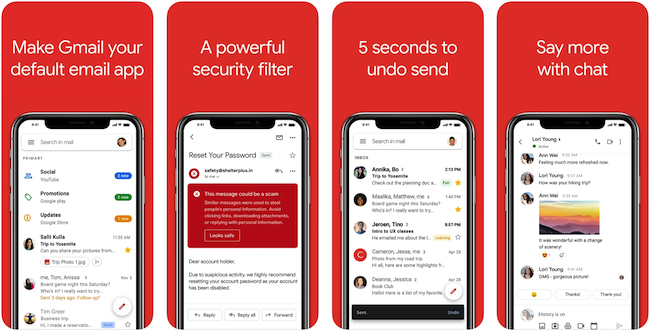
Gmail is a popular email service by Google. The app supports multiple email accounts and offers several notable features like notifications, search, and more. You can also make Gmail your default email app. Even if you don’t want to use a Google account, you can set up any other email account to use with Gmail. Gmail app has good spam and malware detection. It promises to block more than 99.9 percent of spam, phishing, malware, and dangerous links from reaching your inbox. The app supports Siri shortcuts, threaded emails, Auto-complete contact names, email labeling, and more.
Gmail app comes with deep integration of other Google services such as Google Docs, Google Drive, Google Calendar, and Google Meet. So, you can edit documents, share files, manage meetings and make video calls within the app.
2. Outlook
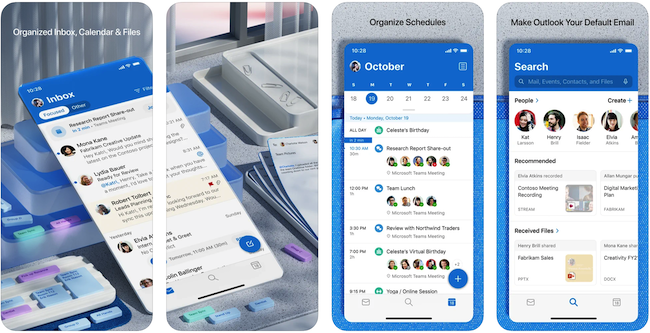
Outlook is a similar email app by Microsoft. This app can be used to access Microsoft’s email account. You can also add other email accounts not associated with Microsoft. So, you can use any email account with the Outlook app. The app is good and lets you access and organize your emails properly. It has a good search to find email content. The app lets you upload a document to an email, and you can also share files directly from cloud storage. Email attachments open in Microsoft apps so you can edit them directly in the corresponding app.
The app also features a Focused Inbox. It prioritizes all emails deemed important. You can toggle this feature off or on as per your need. It also organizes threads, so you can focus on a conversation.
3. Spark
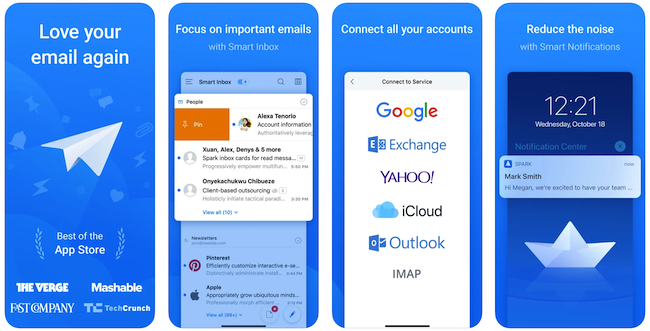
Spark is the best email app for iOS. The app supports multiple email accounts. So, you can manage multiple accounts, and each one receives smart notifications. This email app comes with a modern design and offers a really good user experience. It also has a dark mode to save battery life and a better experience at night. The app includes several features, including quick replies, scheduled emails, smart notifications, smart search, support for cloud services, personalized swipes, and more.
This email app has been made to make collaboration easy. Teams can collaborate within Spark to discuss different things. You can also create secure links to a specific email or conversation. Then you can share the link on other tools like Slack, Skype, and CRM, so your team members can collaborate. It also supports native integration with a lot of third-party apps and services. The app also features a full-featured calendar to stay on top of your schedule.
Spark is free to use, but there is also a premium subscription offering more featrues including unlimited email templates, unlimited collaboration, 10GB per team member, and more.
4. ProtonMail
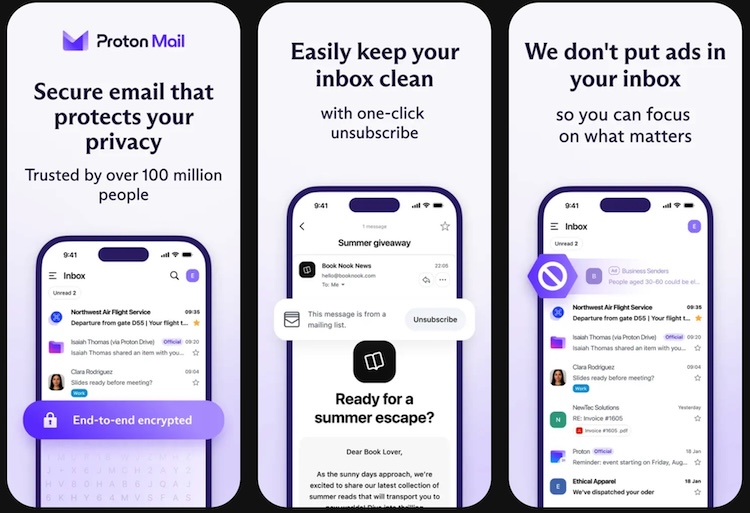
ProtonMail is a secure email app for iPhone and iPad that focuses on privacy and encryption. It is designed to keep your messages safe and protected from anyone trying to read them without permission. The app uses end-to-end encryption, which means only you and the person you are emailing can see the message content.
The interface on iPhone and iPad is clean and easy to use, with simple navigation and clear controls. ProtonMail supports multiple email folders and labels, so you can organize your messages the way you prefer. It also lets you send self-destructing emails, which disappear from the recipient’s inbox after a set time.
ProtonMail works well with major email services and lets you add recovery email options. It also includes strong spam filtering and built-in security features to block phishing attempts. Because it is focused on privacy, ProtonMail does not track your activity or show ads.
5. Edison Mail
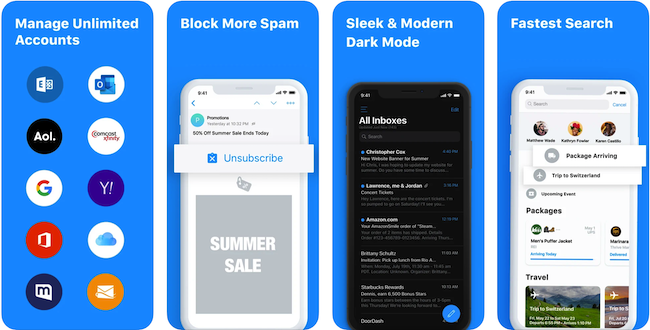
Edison Mail is also a good email app for iPhone and iPad. The app lets you set up any email account including Gmail, Hotmail, iCloud, Yahoo, Outlook, Exchange, AOL, IMAP, and more. It also supports multiple email account. The app offers a simple way to unsubscribe from annoying newsletters. It also comes with features like Smart notifications, quick replies, bulk delete, thread views, snooze, and more. Edison Mail also supports Touch ID and Face ID.
It organizes your important travel, entertainment, receipts, and property purchases. You can also see unsubscribe suggestions and upcoming meetings. Like Gmail, it also offers an undo send feature.
6. Yahoo Mail
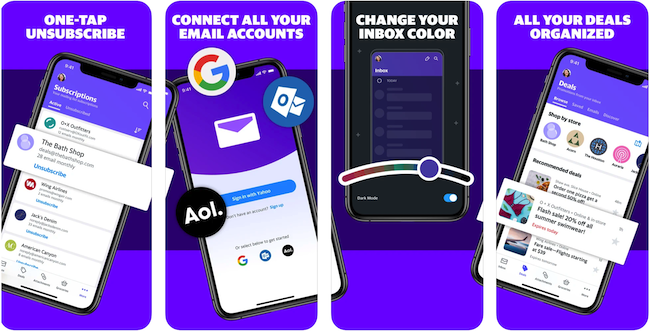
Yahoo Mail is also one of the best email apps for iOS devices. The app lets you set up any email account, including Gmail, Microsoft Outlook, AOL, AT&T, and Yahoo mailboxes. You get a clutter-free mailbox with several features. It has a good Spam detection tech to keep your inbox clean. You can also easily unsubscribe from spam emails. The app also features a powerful search to find emails and attachments. It also offers customization and lets you pick custom sounds, themes, and more. The app also collects coupons you receive in different emails and shows you at a place to make shopping more manageable.
The Yahoo Mail app is free, but there is also a Yahoo Mail Pro app offering an ad-free experience and priority customer support.
7. Airmail
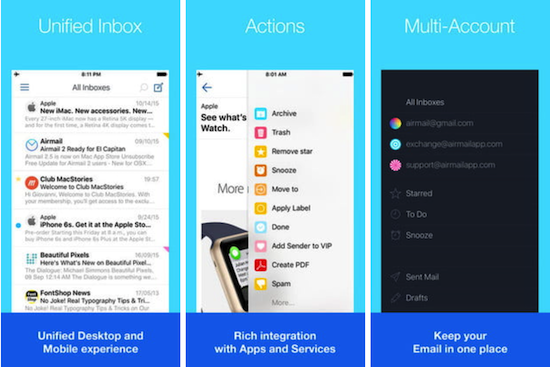
Airmail is also a good email app if you are looking for an email client to use on an iPhone or iPad. Like other email clients, this email app for iOS also supports several email services such as Gmail, Exchange EWS, Outlook 365, IMAP, and POP3. There is also an Apple Watch app, so you get interactive notifications on your wrist. It features customizable swipe, threads, snooze, bulk editing, iCloud sync, draft, multiple signatures, Unified inbox, push notifications, and more. It also comes with a powerful search, bales support, HTML-rich composer, undo actions, contacts, and more.
The Airmail app is free but some notable features are available with Airmail Pro. Airmail Pro costs $3 per month or $10 per year. Pro features include a unified inbox, multiple accounts support, blocking of tracking pixels, Real-time Inbox Monitoring, Snooze, Send Later, and priority support.
8. Zoho Mail
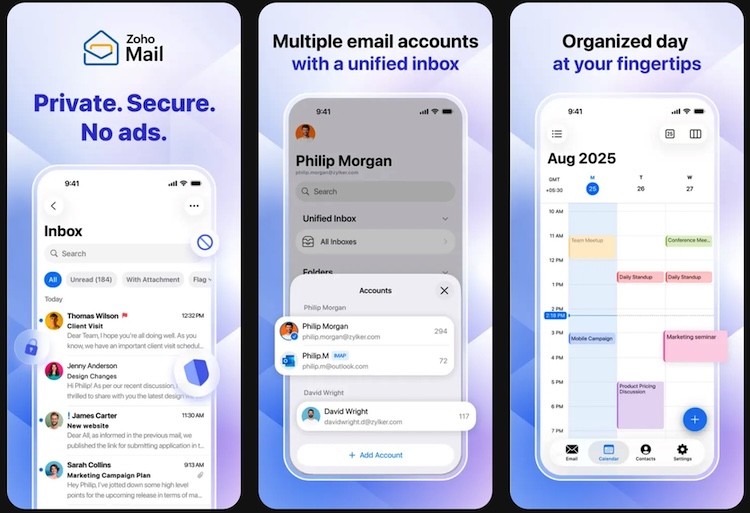
Zoho Mail is a reliable email app for iPhone that is great for both personal and professional use. The app has a clean and simple design that makes it easy to read and manage your emails. You can add multiple email accounts and switch between them without confusion.
One of the strong points of Zoho Mail is its focus on productivity. It lets you organize messages with folders and filters, and you can quickly find emails with its search feature. The app also supports push notifications so you get alerts when new messages arrive.
For business users, Zoho Mail works well with Zoho’s other apps like Calendar and Contacts, making it easier to manage your schedule and communication in one place. It also supports custom email domains, which is useful for small businesses and professionals who want a branded email address.
Zoho Mail includes strong security features like encryption and two-step verification to protect your account. It does not show ads in the interface, which makes the experience cleaner and more focused on your work.
9. Blue Mail

Blue Mail is a popular email app for Android and iPhone that makes managing multiple accounts easy. It works with many email services like Gmail, Outlook, Yahoo, and others, so you can see all your messages in one place. The interface is clean and simple, making it easy to read, reply, and organize your emails.
One strong feature of Blue Mail is its unified inbox. This means you can view emails from all your accounts together or look at them separately if you prefer. The app also includes smart notifications, so you get alerts only for the messages you care about.
Blue Mail offers useful tools like email scheduling, follow-up reminders, and quick swipe actions for archiving or deleting messages. You can also customize how your inbox looks and works with themes, notification settings, and gesture controls.
For people who manage many email accounts, Blue Mail makes it easier to stay organized and responsive. Its mix of flexibility and user friendly design makes it a solid choice for anyone looking for more control over their email on mobile devices.
Wrap Up
There are several good email apps for iPhones and iPads. I have listed the 7 best as per my experience. All these apps offer organized email access and good features. I personally use Gmail to manage all my email accounts. Spark is my other favorite email app. Other email apps listed in this article are also good. Read about all the apps, compare features, and decide what could be your default email app on your iPhone or iPad.