
Microsoft has started rolling out its new “Xbox mode” for Windows 11 PCs. The feature is now reaching users in select markets, with a wider rollout expected soon.
The company had first announced this feature back in March. Now, it is finally becoming available to users.
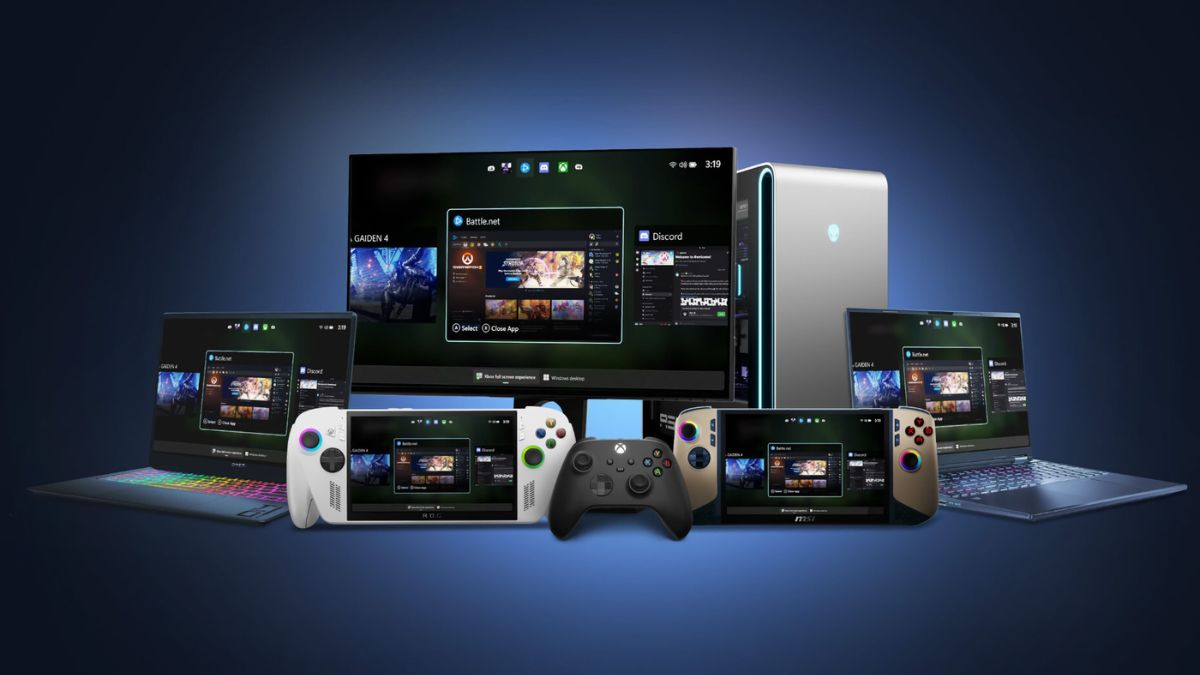
Xbox mode is designed to make PC gaming feel like using a console. When you enable it, your screen switches to a full-screen interface that focuses only on games. It removes most desktop distractions and shows your game library and recently played titles on the main screen. This makes it easier to jump into games quickly.
The interface is also built for controllers. You can browse and launch games using a gamepad, without needing a keyboard or mouse. This is useful for users who connect their PC to a TV or use handheld gaming devices.
Microsoft has made sure that users are not locked into one mode. You can switch between Xbox mode and the normal Windows desktop anytime.
This means you can use your PC for work or browsing, and then switch to Xbox mode when you want a distraction-free gaming session.
One of the most useful features is the combined game library. Xbox mode shows games from different platforms in a single place. It also includes access to the full catalog of Xbox Game Pass. This reduces the need to open multiple apps or launchers. Everything is available in one simple interface.
The feature was first tested on Windows gaming handhelds as a “full screen experience.” Microsoft says feedback from those devices helped shape Xbox mode.
This shows the company is trying to build a unified gaming experience across different devices, including consoles, PCs, and handhelds.
The update is currently rolling out in phases. Only some users will get it at first, and more users will receive it in the coming weeks.
If you want to get it early, you can check for updates:
- Open Settings
- Go to Windows Update
- Turn on “Get the latest updates as soon as they are available.”
Once the update is installed, you will be able to access Xbox mode on supported devices.