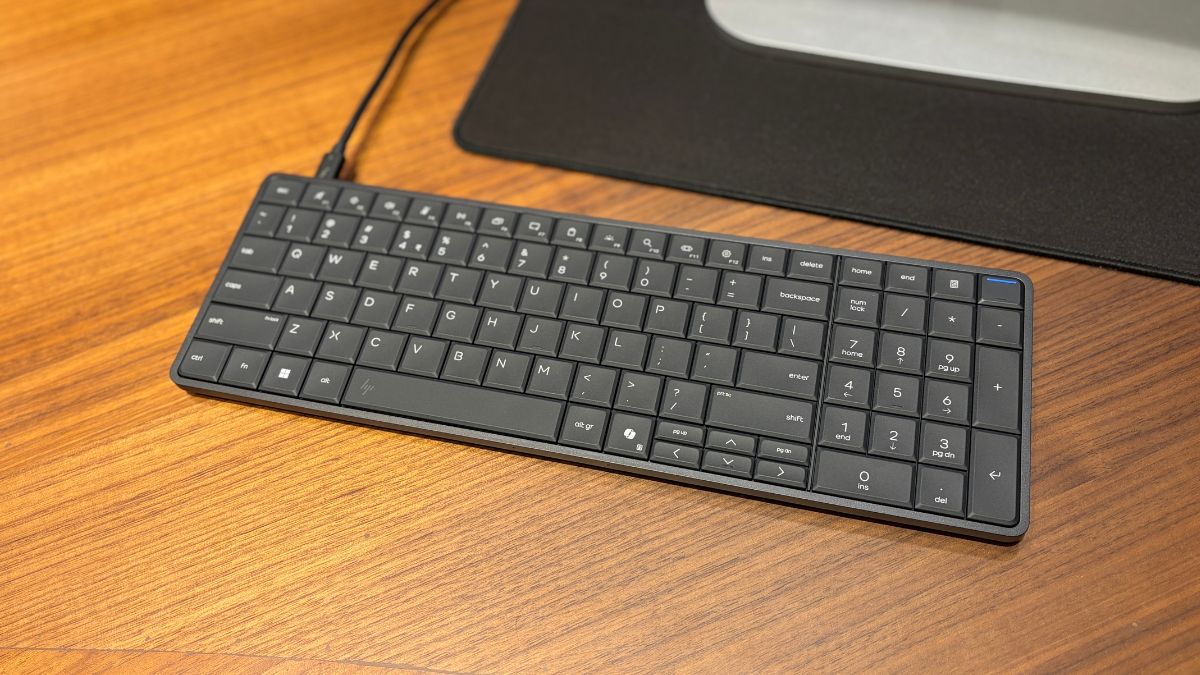

HP has launched the HP EliteBoard G1a in India. The device looks like a full-size desktop keyboard with a number pad. But inside, it is actually a complete Windows Copilot+ PC powered by AMD Ryzen AI processors.
The HP EliteBoard G1a was first introduced during CES 2026 and is now available in India, starting at Rs. 89,900 through HP’s online store.
HP says the idea came from hybrid workers who mostly connect their laptops to external monitors while keeping the lid closed. Instead of carrying a separate CPU or laptop dock, the company decided to combine everything into a single compact device.
The EliteBoard G1a is powered by AMD Ryzen AI 300 PRO processors and includes a dedicated NPU capable of delivering up to 50 TOPS AI performance.
Unlike many compact systems, the EliteBoard G1a does not completely sacrifice upgradeability. The device uses standard DDR5 SODIMM RAM and M.2 NVMe SSD storage, which allows users to upgrade memory and storage later.
The system can also drive up to four 4K monitors at 60Hz, which makes it suitable for multitasking and professional workflows.
The keyboard itself looks clean and minimal, while the overall design feels much more premium than what you normally expect from compact PCs. It also helps reduce desk clutter since there is no separate CPU box sitting beside the monitor.
HP has also designed the internals to be easily accessible through a removable panel. The company even says the keyboard section itself can be replaced in around ten minutes.
That level of repairability is rare in modern compact PCs.
The HP EliteBoard G1a also includes several connectivity options. Depending on the model, users get multiple USB4 and USB Type-C ports.
HP is also offering an optional battery configuration that can provide around three and a half hours of backup. This could become useful for presentations, temporary workstations, or moving the setup between rooms without shutting the system down.