Most apps use different trackers to track your activities to serve you advertisements. Apple’s iOS features App Tracking Transparency that asks users to allow third-party apps and website tracking. Android lacks this feature but there’s an Android app that helps you in blocking 3rd-party trackers of different apps.
DuckDuckGo has launched a new feature called App Tracking Protection in its Android app. This feature is in open beta and can be used to block third-party trackers automatically.
DuckDuckGo for Android app is known for being a privacy-focused search engine. It now offers an App Tracking Protection feature that blocks third-party tracking scripts on the device it is installed. The app aims to protect users’ privacy.
“It’s a free feature in the DuckDuckGo Android app that helps block 3rd-party trackers in the apps on your phone (like Google snooping in your weather app) – meaning more comprehensive privacy and less creepy targeting,” DuckDuckGo announced.
The app will also show what trackers are blocked and what kinds of information these trackers were collecting.
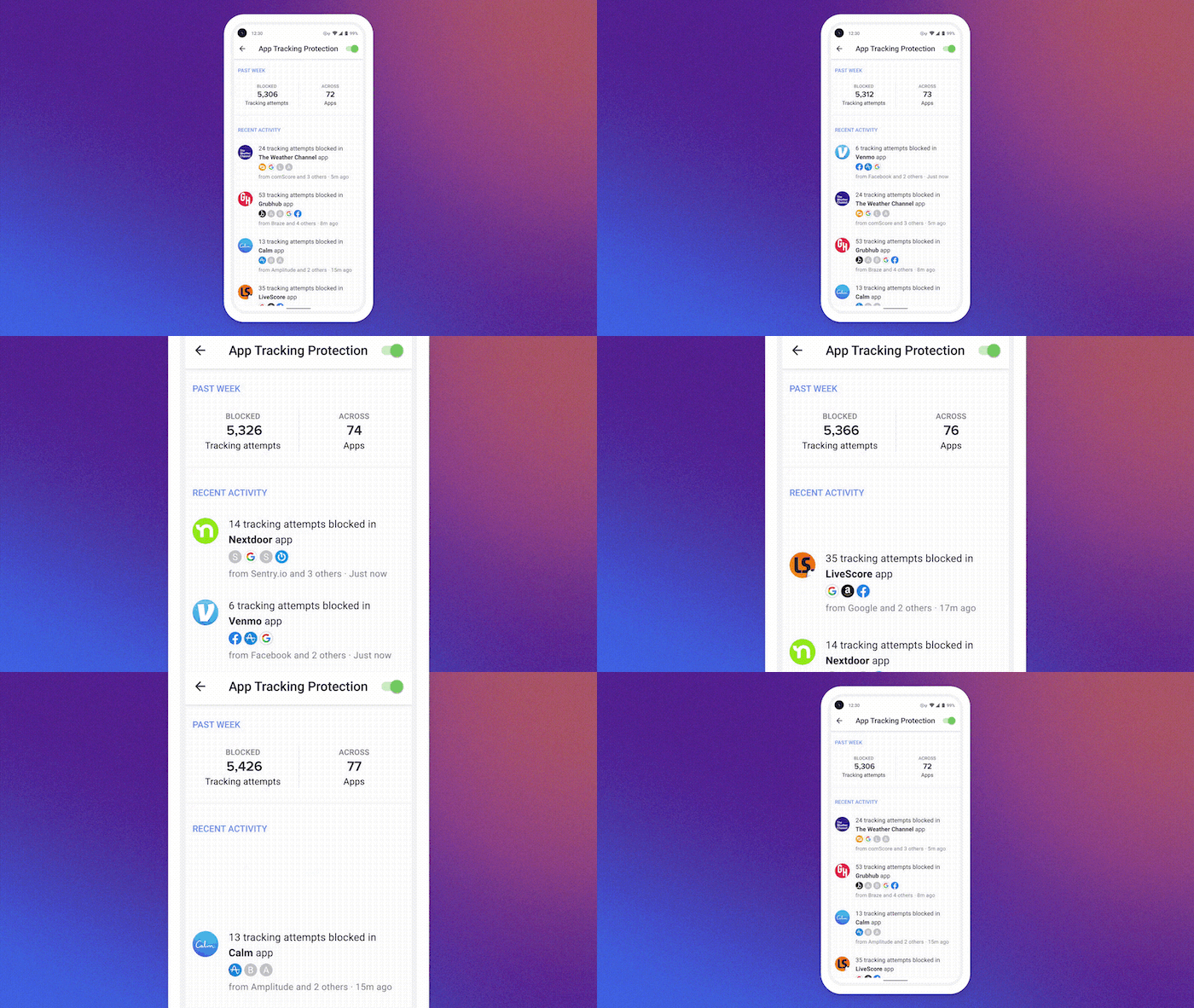
How to enable App Tracking Protection in DuckDuck for Android
The App Tracking Protection feature keeps working in the background to block trackers on different websites and apps. The feature uses a local VPN connection to block apps. No data is sent to DuckDuckGo or other remote servers.
You need to download the latest version of DuckDuckGo for Android (version 5.143.1) app to get the feature. Open Settings and go to App Tracking Protection. Enable the feature and it will start working.
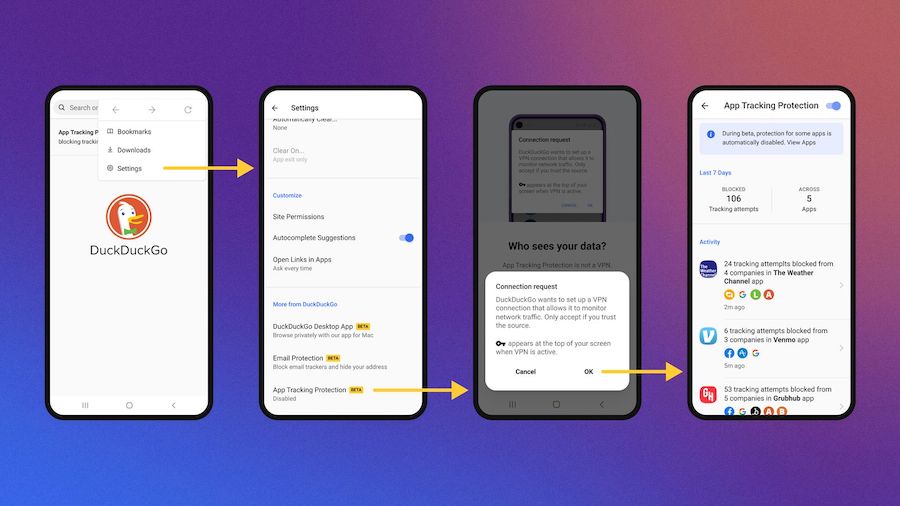
Users can check real-time view to see what trackers have been blocked by the app.
This is a powerful tool to block different websites from tracking you. Some apps heavily rely on trackers. So, you may find issues accessing some sites or apps. The feature is still in beta. If you face any issues, you can disable the feature.