Home » News » Gmail for Android Gets Confidential Mode

Gmail for Android Gets Confidential Mode

Gmail for Android Gets Confidential Mode

Add Techlomedia as a preferred source on Google. Preferred Source

Earlier this year, Google introduced redesigned Gmail with lots of new features including Confidential Mode. Now this Confidential Mode is being rolled out to Gmail for Android starting today. You don’t need to update the app, just have a look in the menu.

Confidential emails are the emails that self-destruct after a given length of time. These email will appear like a regular email in Gmail but for non-Google email, these emails will get a link to open the email in a secure web portal.

Also read: How to Send Confidential Emails on Gmail

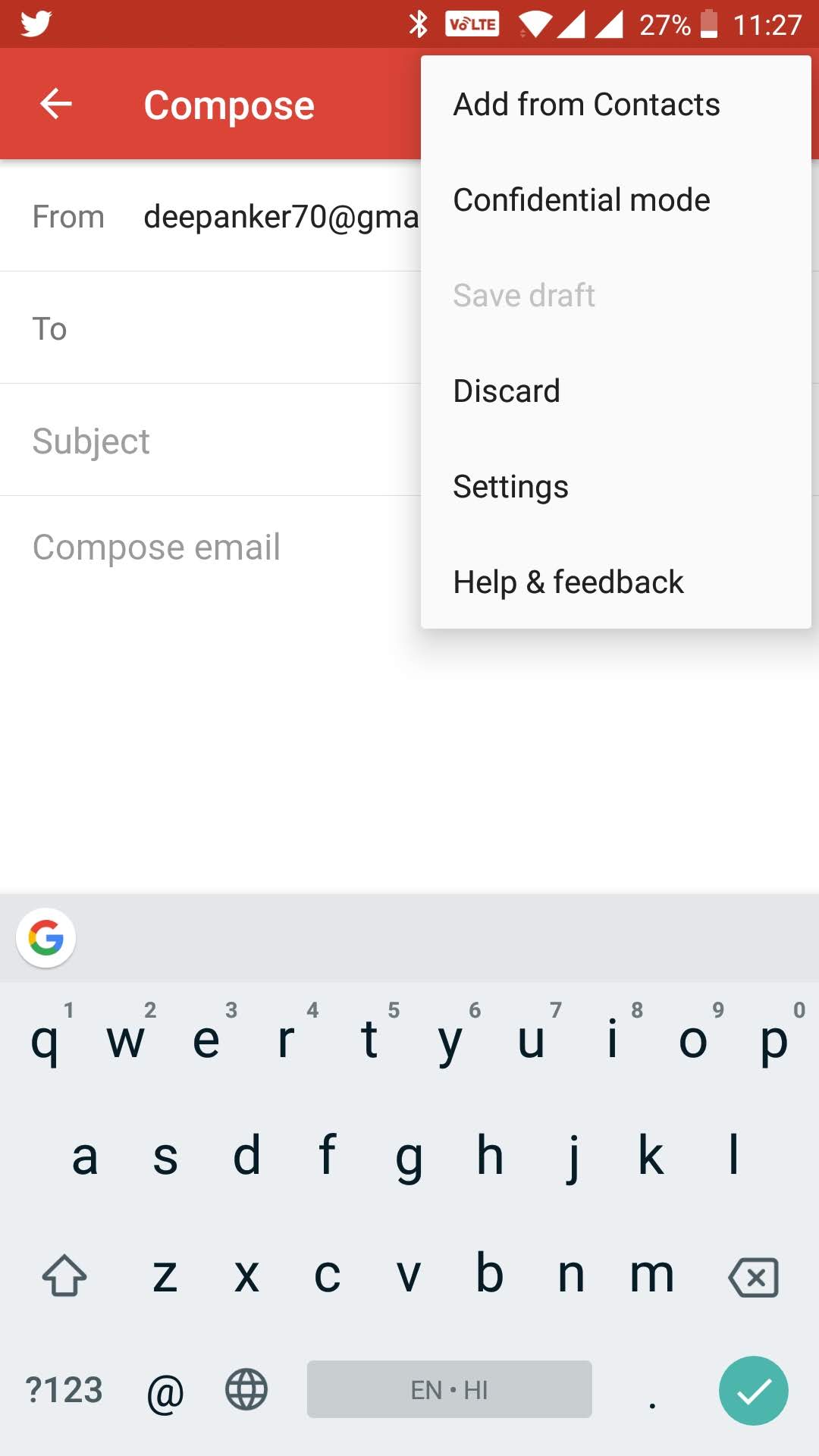
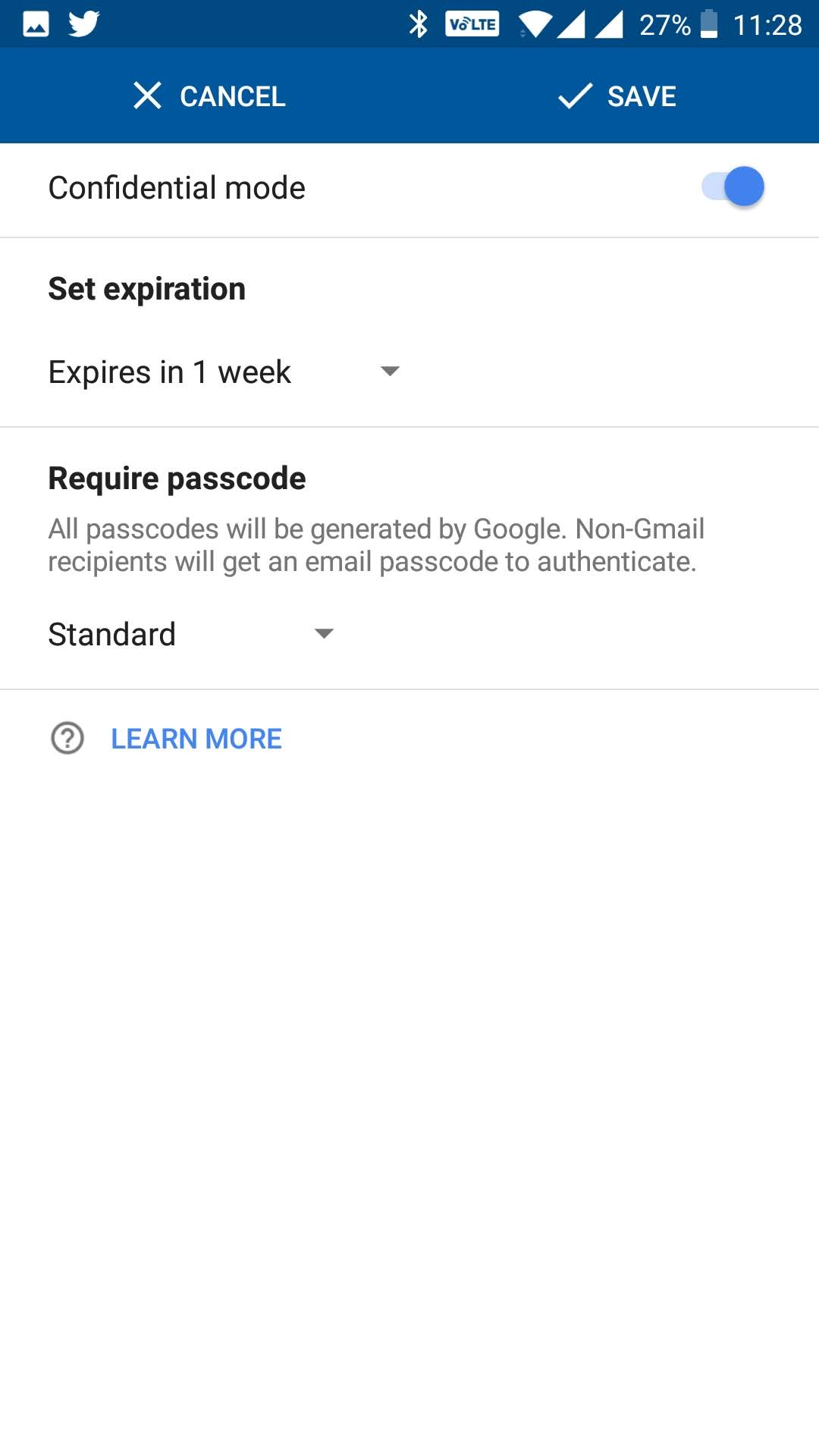
To send a Confidential email, start composing a new email. Then tap on three vertical dots at top right corner and elect the Confidential mode. Here you can set expiration and other things for confidential email.
Now you can compose the email and send it.

This is really helpful when you are sharing sensitive information over email. At least you know that the email will not be available after expiration time. So, your data is safe even if other person’s email gets compromised.

Follow Techlomedia on Google News to stay updated. Follow on Google News

Affiliate Disclosure:

This article may contain affiliate links. We may earn a commission on purchases made through these links at no extra cost to you.

Deepanker Verma

About the Author: Deepanker Verma

Deepanker Verma is the Founder and Editor-in-Chief of TechloMedia. He holds Engineering degree in Computer Science and has over 15 years of experience in the technology sector. Deepanker bridges the gap between complex engineering and consumer electronics. He is also a a known Security Researcher acknowledged by global giants including Apple, Microsoft, and eBay. He uses his technical background to rigorously test gadgets, focusing on performance, security, and long-term value.

Related Posts

Stay Updated with Techlomedia

Join our newsletter to receive the latest tech news, reviews, and guides directly in your inbox.