Home » News » Send Direction from Desktop to Your Phone with Goo...

Send Direction from Desktop to Your Phone with Google Search

Send Direction from Desktop to Your Phone with Google Search
Deepika April 24, 2015 Internet

Add Techlomedia as a preferred source on Google. Preferred Source

google search

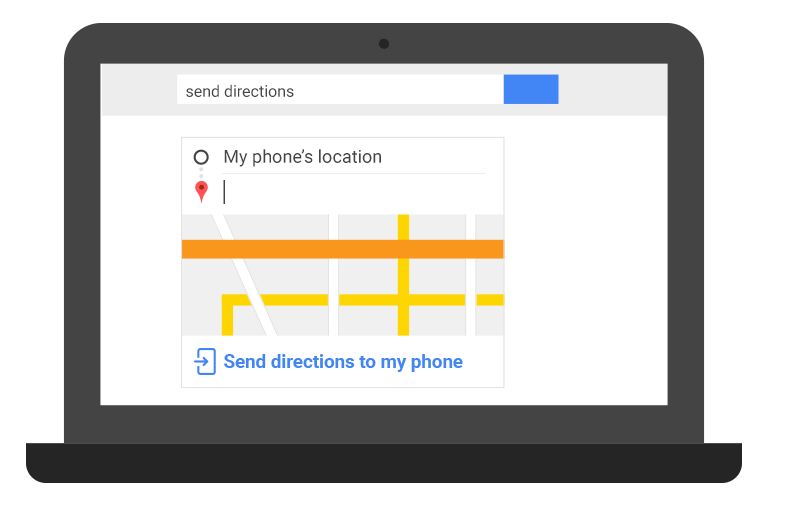
Google just added a new functionality in Google search that will allow its users to send direction that they search in desktop to their phone. All you have to do is just simply search for “Send direction” in Google search and Google lets you pick a location and the a device in which you want to send the location. That’s it, you are ready to go.

Previously, Pushbullet perform same task but this is easier than that because in Pushbutton required to logging in and installation of extensions. This new direction services has a dropdown list with all the android devices. If you do no enter a location, it chooses the location of your active android device.

This new functionality of Google map defiantly will work as a milestone in its popularity as it is very important and creative innovation by Google.

This feature seems to available now only for USA people, but very son this will be available for all other countries.

To remind you, Google also added “find my phone” search query to let you find your Android phone via Google search.

Source: Google+

Follow Techlomedia on Google News to stay updated. Follow on Google News

Affiliate Disclosure:

This article may contain affiliate links. We may earn a commission on purchases made through these links at no extra cost to you.

Deepika

About the Author: Deepika

Deepika Singh is a Senior Tech Analyst at Techlomedia, specializing in mobile ecosystems and application performance. She holds an M.Tech from IIT Dhanbad, where she developed a deep technical understanding of hardware-software integration. Combining her academic background with a passion for Mobile UX and Graphic Design, Deepika provides expert-level comparisons of gadgets and apps. Her reviews go beyond the surface and focuses on real-world use cases. Her 12 years of experience help her draft valuable content for readers.

Related Posts

Stay Updated with Techlomedia

Join our newsletter to receive the latest tech news, reviews, and guides directly in your inbox.