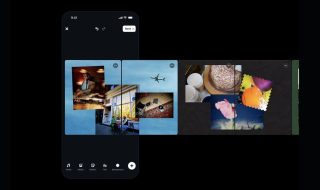
Facebook’s Instagram has launched a new iOS app called Hyperlapse. This app can be used to create time lapse videos using mobile’s camera and Instagram’s stabilization technology. So, you can easily create time-lapse videos even while moving around with your smartphone. With this app, you simply record videos and then choose the speed to play back.
First of all your need to understand what is time lapse video? Time lapse is a cinematography technique in which sequence of frames are recorded of an object at a set of time intervals to capture slow changes of the object over the time period. When these frames are played at normal speed, it appears that time is moving faster. For example, frames are captured in once every second and then played at the rate of 30 frames per second. This kind of videos are used to show cityscape from daylight to night, road trips and other kind of activities.
For example, see the gif image:

(Image source: Wikipedia)
Basically time plapse images are taken of an object over long period of times. But Hyper lapse involves moving camera across a distance while capturing images of an object.
“Today, we’re excited to announce Hyperlapse from Instagram, a new app to capture high-quality time lapse videos even while in motion.” Instagram announced in blog post. “Traditionally, time lapse videos depend on holding your phone or camera still while you film. Hyperlapse from Instagram features built-in stabilization technology that lets you create moving, handheld time lapses that result in a cinematic look, quality and feel—a feat that has previously only been possible with expensive equipment.”
To use this app, you need to login with your Instagram account. With this app, users can record up to 45 minutes of a video. Once the recording is complete, you can set the play back speed with the slider. 1x is for standard speed and 12x is for rapid faster video playback. Videos can be saved in your device or share it on Facebook and Instagram.
Hyperlapse app is now available for Apple devices running on iOS 7 or higher. Instagram is also planning for Android version but no time frame yet.
Here is the demo of the Hyperlapse app in action: