Do you own an Android smartphone? if yes, this post is beneficial. We often need to close an app running on mobile but the app refuses to stop for some reason. So, Android OS also lets you stop an app forcefully. If the app is busy in some process and unable to stop then you can use the force stop method to stop the app.
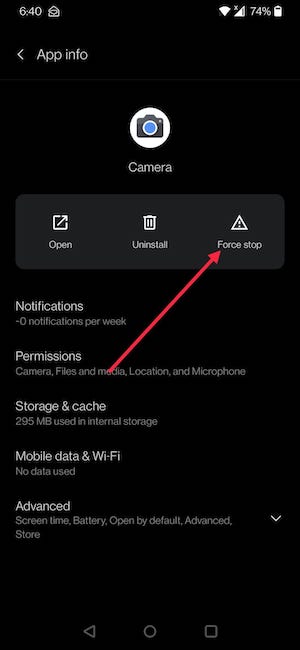
To force stop an Android app on a smartphone, follow these steps:
- Open the Settings app then go to Apps and notifications.
- Now tap ‘See all apps’
- It will open the list of apps you have on your phone.

Now scroll down until you find the app you want to force stop and tap on it. On the new screen, you will see an option to force stop the app.
Is it safe to force stop an app?
It depends on when you are forcing an app to stop. But, it is safe in most cases to force stop the app. I recommend people to use Force Stop on an app only if it is malfunctioning or keeps crashing.
Force stopping an app doesn’t affect your data. So, all the data app has saved on your phone will remain safe. If the app is sending some data to a server and you interrupt the process by force stopping it, you may lose the data the app is trying to save. When you force stop an app, it just fees some RAM.
You can also manage your running applications with some management apps which are available for free on Google Play Store.