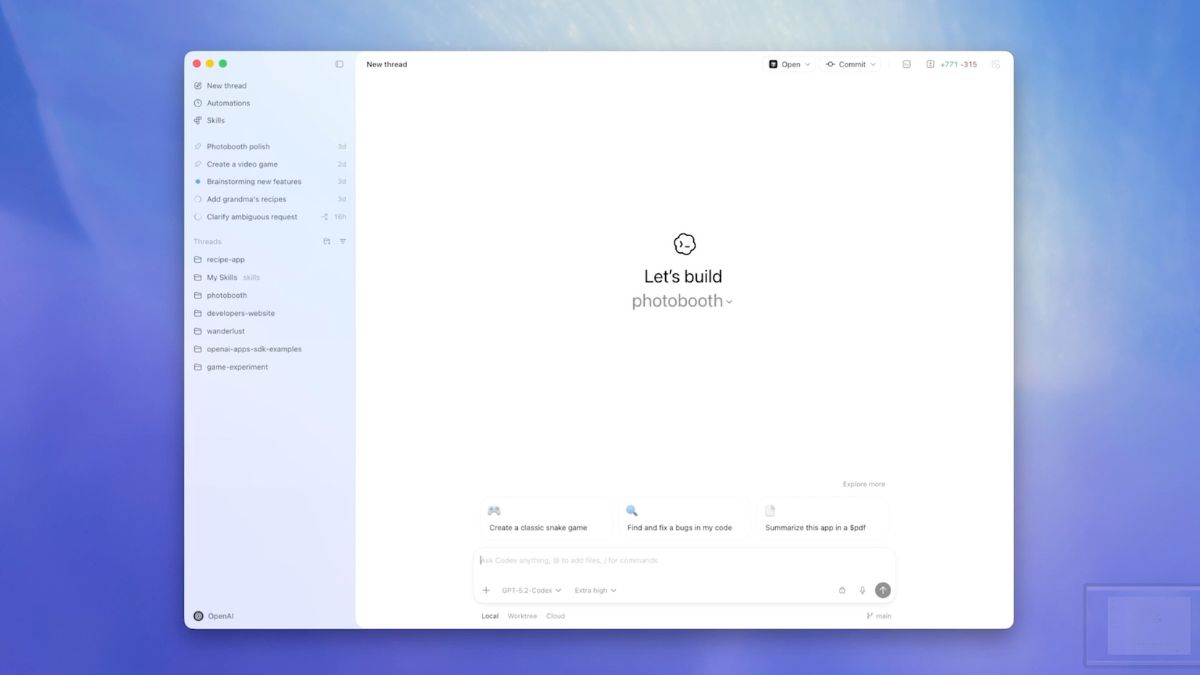

OpenAI has officially released Codex as a native macOS app. Until now, Codex has been mostly used through workarounds like web tools or command-line setups. Now with this release, OpenAI is trying to make AI coding more accessible and more practical for daily developer work.
Codex is OpenAI’s tool for building and managing AI agents. It is designed for what many now call vibe coding, where developers describe what they want and let agents handle large parts of the work. This puts OpenAI directly in competition with Anthropic’s Claude Code, which currently has a strong hold in the AI coding space.
According to OpenAI, Codex is built to manage multiple agents at the same time. Each task runs in its own thread, organised by project. This means you can work on more than one project at once, or let multiple agents handle different parts of the same codebase without breaking context. For developers juggling large projects, this is a meaningful change.
One of the more useful features is how Codex works alongside IDEs and the Terminal. The app keeps context across these environments, so you do not need to repeat instructions every time you switch tools. This makes Codex feel less like a chatbot and more like a real development assistant that understands your workflow.
Codex also introduces something called Skills. These are folders that contain instructions, scripts, and resources that agents can reuse. For example, you can create a Skill for automated code reviews or testing workflows. There are ready-made Skills, but developers can also build their own. This makes Codex more flexible than simple prompt-based tools.
Another helpful feature is that Codex can stay in sync with your IDE and the Terminal. It keeps context across these tools, which means you don’t have to repeat things every time you switch environments. This could speed up development work and make Codex feel more helpful than a chatbot that loses context.
OpenAI has also doubled the rate limits for Plus, Pro, Business, Enterprise, and Edu users to push adoption. It has also opened access to Free and GO users for a limited time. This suggests OpenAI wants quick feedback and wider usage, especially from independent developers.
Anthropic’s Claude Code is the most popular tool in the AI coding space. It is focused on helping generate code, rewrite code, and understand code quickly. It is not just about writing code; it is about being reliable at it. Codex brings more agent-level management. Where Claude Code is strong at writing and understanding code, Codex tries to organise work across tasks and keep context when you switch between your IDE, Terminal, and the app.
Other tools like Google’s Antigravity are also part of this space. Antigravity focuses on deep code analysis and understanding large codebases, often with internal support for Google developers. It has exciting capabilities, but it feels more experimental and tied to Google’s ecosystem. Codex, in contrast, feels more ready for everyday use by regular developers.
There are other newer tools too, such as AI extensions for IDEs from companies like GitHub Copilot and tools like Replit AI. These help inside editors but do not usually offer the kind of multi-agent project management that Codex is promising.