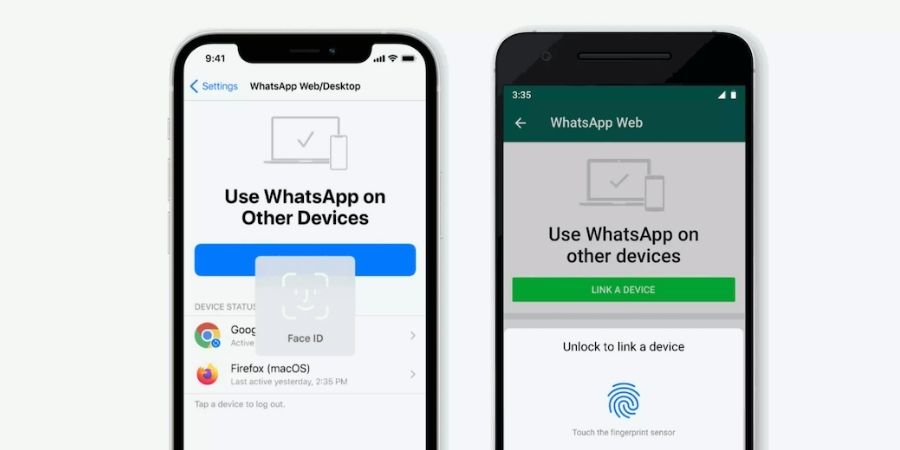

WhatsApp has added an extra layer of security for logging into the WhatsApp desktop app or web. Now you will also be asked to authenticate the log in via fingerprint or face data if available on your phone.
Before this update, one could just scan the WhatsApp web QR code using the WhatsApp app and log into the WhatsApp desktop or web. Now it will also ask to verify fingerprint or face depending on what biometric authentication you have enabled on your phone.
The feature will be enabled by default on iPhone devices running iOS 14 or above and Android devices with biometric authentication support. If you want to disable this new step or biometric authentication, you need to remove it from your phone altogether. If you use fingerprint unlock on your Android or Face ID on your iPhone, you will have to use this authentication for logging into WhatsApp web or desktop.
The feature is being rolled out and will be available to all users soon. Some users have already received this on their phone. When I tried to log into WhatsApp for web, it didn’t ask biometric authentication.