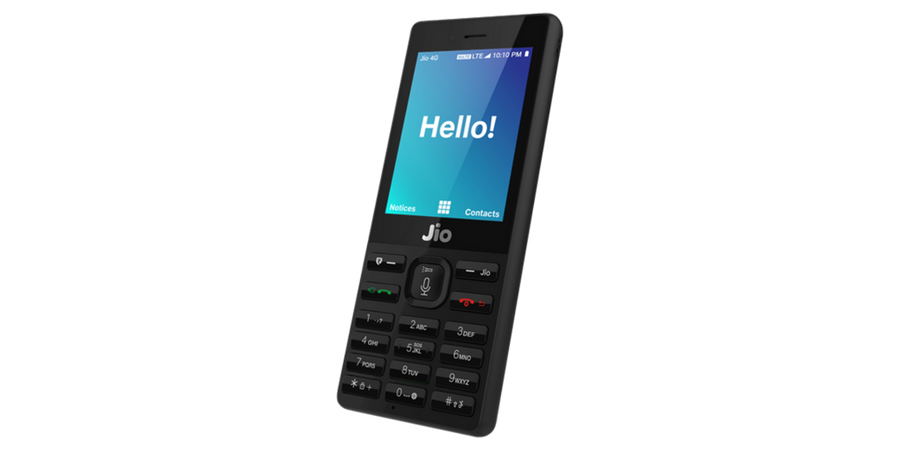

Finally, Reliance Jio has started the booking of JioPhone across the country. The company already asked users to register their interest to get an idea of units it needs to bring in the country.
If you want to buy JioPhone, but have no idea of how to book it for you, you are at the right place. In this article, I will explain how to book JioPhone.

To Book JioPhone using MyJio app, open the app and tap on Pre-book Now option. Next, you will be asked to provide your phone number and the pin code of the area you live in. After proceeding, you will be asked to pay Rs. 500 as an advanced payment. After payment, you will receive booking ID on the app as well as SMS. This booking Id will be asked at the time of phone delivery.
If you want to book it for another person, you need to enter the Phone number and Pincode of that person at the time of booking. Remaining Rs. 1000 needs to be paid while picking the handset.
The company will delivery JioPhone on first come first serve basis. If you need to get it early, you need to book it as soon as possible. Booking of JioPhone started yesterday and Reliance already received millions of booking in less than 24 hours.
Jio Phone Specifications
- 2.4-inch QVGA screen
- Qualcomm 205 Mobile Platform / Spreadtrum SP9820A
- 512 MB RAM
- 4GB internal storage, expandable up to 128GB with microSD
- 2MP rear camera
- 0.3MP (VGA) front camera
- 4G VoLTE, WiFi 802.11 b/g/n, Bluetooth 4.1 LE, NFC, USB 2.0
- 2000mAh battery
The phone will also offer JioMediaCable to connect your JioPhone with any TV. It comes with Dhan Dhana Dhan Rs. 153 per month plan that offers unlimited voice and data. But, you can also opt for Jio Dhan Dhan Dhan 309 pack to enjoy more benefits.
The phone is effectively free with Rs. 1500 security deposit. It comes in Black color.