Dropbox has launched a major redesign which brings a new video and photo viewer along with a simplified file manager. With this new update, users will see a simpler, more powerful, and more beautiful web experience.
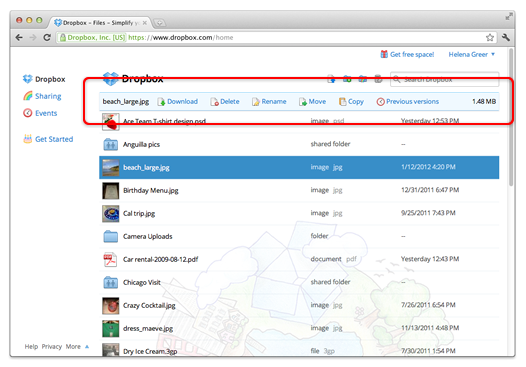
Users will see an action bar on the top of the screen which will allow users to sort files by name, date, size, and type. If user selects a file or folder, the bar will change to let them perform a variety of actions on selection. Users can also perform these actions by right-clicking on a file, which makes Dropbox more similar to Microsoft’s Windows Explorer than ever.
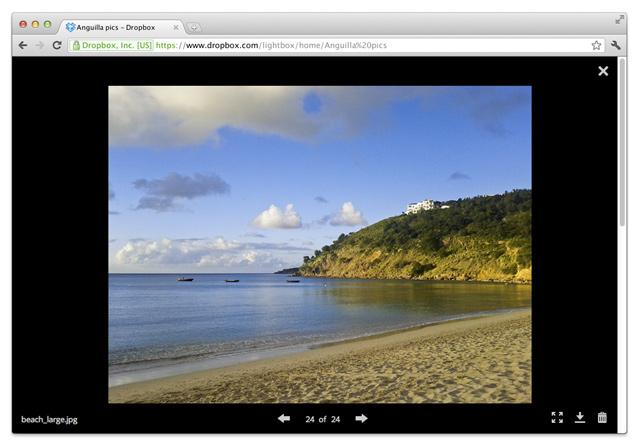
This update also brings a new photo and video viewer which allows users to see videos and photos on the entire screen. it makes easier to preview videos and photos.
Dropbox posted,”We’ve also added thumbnails for image and video files (Photoshop and Illustrator too!) so you can get a preview of your stuff without needing to open or download it. This way, you’ll always know what IMG5083.JPG or final2.PSD actually looks like, and which video to share with grandma.”
This new update also brings drag and drop support which makes it easier to move stuffs as we can do in our desktop. It also added keyboard shortcuts to make browsing more easy with keyboards. Dropbox also improves its search which fetches results as you type.