


We know there are several hidden games on Google. These Google games can be played on Google’s search page without needing to leave Google. I have already made a list of the best Google Doodle games to give you a list of some good Google games to try. Minesweeper is also one of the games that is available on Google. So, you don’t need to go to any third-party website to play Minesweeper.
Minesweeper is a puzzle game that includes a rectangular board containing hidden mines. You will have to uncover cells one by one without detonating any of the mines. Each cell reveals a number confirming how many miles are adjacent to it. It helps you avoid the cell with hidden mines. You will have to use logic and reasoning to identify the cells with mines. When you uncover all cells that don’t have a mine, you win.
The game became popular when Microsoft included it in Windows 3.1 in 1992. I also remember playing this game on in PC running Windows 98 in my early 20s.
If you enjoyed playing Minesweeper, you can still play it on Google. Google Minesweeper is an ideal choice for quickly playing Minesweeper whenever you want.
How to play Google Minesweeper?
Open your preferred web browser on your PC or smartphone. It can be anyone including Chrome, Safari, Firefox, or any other browser. Now open Google.com and search for Minesweeper. At the top of search resists, you will see a playable Minesweeper. It appears with a blue Play button. Click the play button to start the game.

When it opens the game, you have the option to select the game difficulty level by using the dropdown at the top left corner. There are three difficulty levels: Easy, Medium, and Hard.
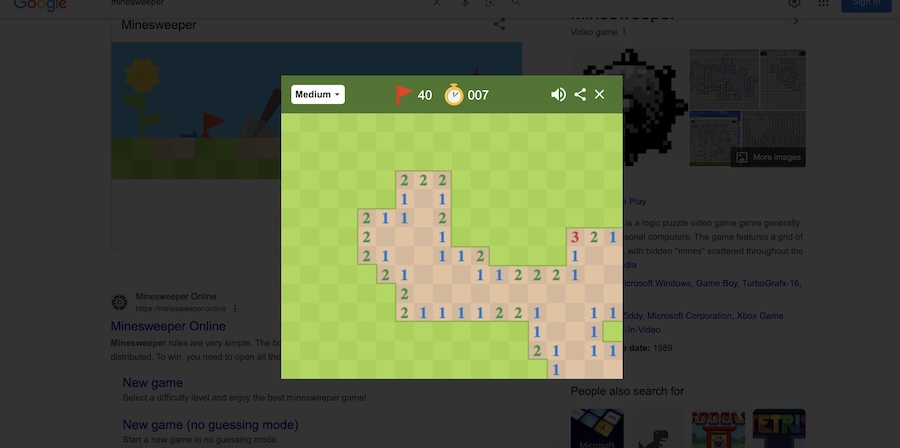
As I already explained, the objective is to uncover all the cells without detonating any mines. Use numbers to understand what cell could contain mine. Left click to mark cells you suspect contain mine. Right-click to uncover a cell.
That’s how you can play Minesweeper on Google. I am not going to explain how to play and win the Minesweeper. If you are a beginner, try playing easy mode.
If you also want to try some other cool games on your browser, check this list of best browser games.







