
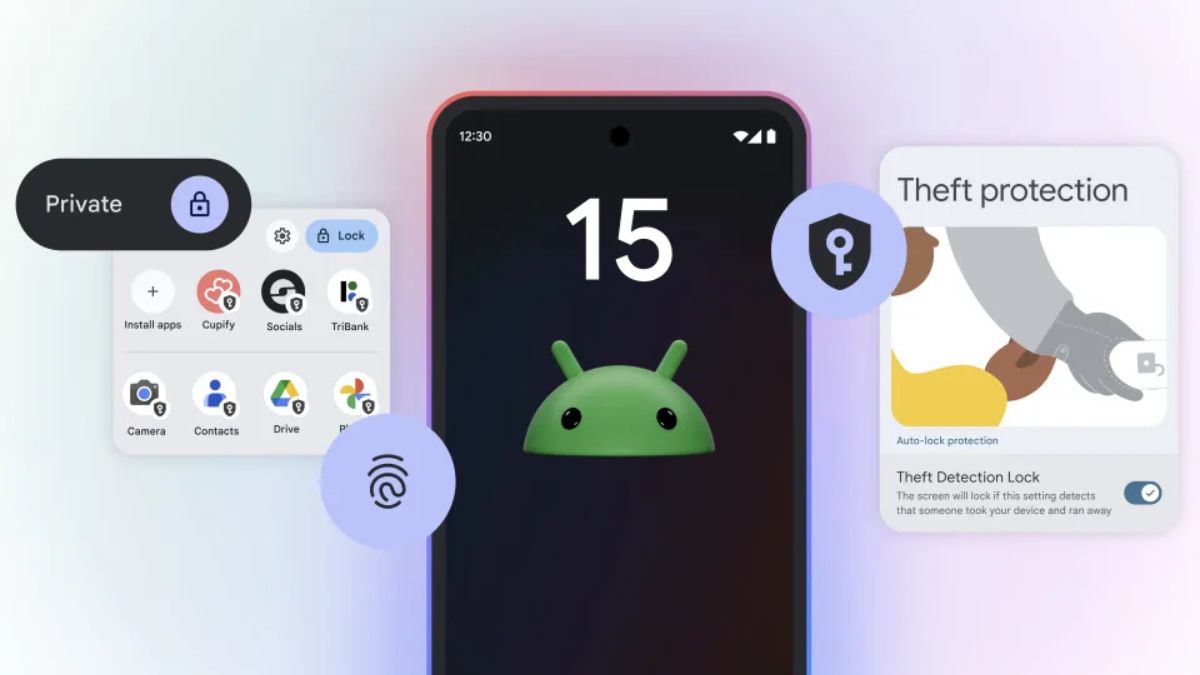

Android 15 is the latest version of Android and it is being rolled out to Pixel devices. Other smartphone manufacturers will also soon start rolling out Android 15 to supported devices. Android 15 also comes with several new features that aim to enhance user experience, privacy, and overall performance. In this detailed article, I will explain some notable features of Android 15.
Android 15 Features
1. Theft Detection Lock
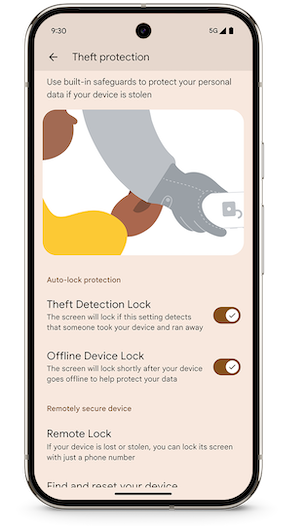
Android 15 comes with an important feature to keep your device safe. The feature is called Theft Detection Lock. It automatically locks your device if it senses that it has been stolen or removed from your possession. The feature uses a combination of sensors and machine learning to detect theft. You can enable the feature from the Theft Protection section.
2. Private Space
Private Space provides an extra layer of protection for your personal information. It lets you create a separate and secure environment within your device where you can store sensitive apps and data. Apps stored in private space will be completely hidden and it will not even allow notifications from the apps kept in Private Space.
3. Sensitive Notifications
Android 15 now allows you to hide sensitive app notifications from the lock screen. This prevents unauthorized access to private information, such as messages or passwords.
4. App Pairs
App Pairs is also a notable feature that lets you use two apps at the same time. You can create app pairs on the Home Screen. Tapping the App pair icon will open both apps simultaneously in split-screen mode. For example, you could open a messaging app and YouTube to watch a video while chatting with a friend. So, make the App pair for WhatsApp and YouTube.
5. Predictive Back Gestures
The predictive back gesture feature offers a more intuitive navigation experience. The system learns your usage patterns and suggests the appropriate action based on your swipes.
6. Circle to Search
With Android 15, you can now use Circle to Search to identify songs with your phone. long-press the Home button or navigation bar to activate Circle to Search, then tap the music button. It will listen to the music and will provide the name of the track and artist. If possible, you will also get a YouTube link to the track.
7. Improved Support For Foldable Devices.
Android 15 brings several UI improvements for foldable devices. It offers enhanced multitasking capabilities, seamless app continuity, and optimized layouts for different screen sizes. For example, it switches the action you are doing on the inner display to the Outer display when you fold the phone. App Pairs feature also makes multitasking even better. There will also be a floating taskbar on foldable and tablets. This makes it simpler to multitask. You can easily pin and un-pin the taskbar.
8. Low Light Boost
Low Light Boost enhances the camera performance in low-light conditions. It captures more light and reduces noise, resulting in clearer and more detailed photos. It also enables enhanced image previews and scanning QR codes in low light. Once enabled Low Light Boost, it automatically turns on when there’s a low light level and turns off when there’s good light around.
9. New Camera Controls
Android 15 brings new camera controls to give you more flexibility and customization options. You can adjust settings like exposure, focus, and white balance to capture the perfect shot. It also lets you control the flash. This option lets you adjust the intensity for both single flashes and continuous flashlight mode.
10. App Screen recording
With Android 15, now you can record an individual app, instead of recording the entire screen. When you are sharing a screen with someone on cal, it will also automatically hide logins and one-time passwords from remote viewers. This feature has been available for Pixel devices but will come to all Android devices with Android 15.
11. HDR Headroom Control
HDR Headroom Control is a feature in Android 15 that gives users more control over the dynamic range of High Dynamic Range (HDR) content. Users can adjust the brightness and contrast levels of HDR content to their preference. It results in a better viewing experience.
12. Bluetooth Auto-On Toggle
If you manually disable Bluetooth for some reason, you need to manually reenable it to use. The Bluetooth Auto-On Toggle automatically turns on Bluetooth the day after you turn it off.
13. Satellite Connectivity Support
Android 15 brings an expansion for satellite connectivity. Some RCS and SMS apps will now be able to send text messages via satellite connectivity. Previously, the feature was limited to emergency use. It is important to note that only the Pixel 9 series supports satellite messaging so far. This feature is particularly useful for outdoor activities, emergencies, or remote locations.
14. App Archiving
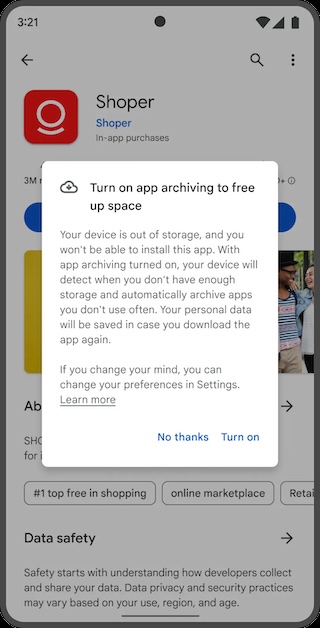
App Archiving is an important feature to save storage on your phone. The feature automatically archives unused apps but keeps the app’s data. Archived apps can be easily restored when needed and you will get back the App data as it was.
15. Third-Party Wallet Support
Until now, the detail wallet app for NFC payments was Google Wallet. With Android 15, you can set a third-party app as your default wallet app. This gives you more choice and flexibility when making contactless payments.
16. Predictive Back Gestures
This feature uses machine learning to anticipate your next action based on your swiping patterns. It reduces the number of steps required to navigate between screens and can prevent accidental swipes or taps.







