
Video content is now booming. YouTube, Facebook, Twitter, and Instagram are some notable platforms where people share their videos and get recognition. Video content creation is not easy. The more quality videos you want to make, the better the investment you need to make. For good video editing, you need a good laptop for video editing. This is because good video editing software is resource-intensive. So, your system must get a good amount of RAM and a better processor. Having a dedicated graphics card makes it even better. The display plays another important role. If the display is not able to show accurate colors, you won’t be able to do proper color grading.
Also see: Best Video Editing Software
When you are thinking of buying a laptop for video editing, you need to consider several factors. I am assuming that you are ready to spend big on a good video editing laptop. Because high-quality video editing is possible only if you have a powerful system. The laptop must feature a powerful processor to handle demanding tasks involved in video editing, such as decoding video files, applying effects, and rendering the final video. There should also be a dedicated GPU to accelerate video editing workflows by handling graphics-intensive tasks like encoding, decoding, and applying effects. The laptop should feature at least 16GB of RAM, but consider 32GB of RAM for professional editing if possible.
The laptop should feature fast storage. So consider PCIe NVMe SSD storage for fast app loading, and rendering. The display is equally important because it should offer good color accuracy. So, consider a good OLED display with higher resolutions. The display should offer good coverage of color gamuts like Adobe RGB or DCI-P3.
Although a high refresh rate is not needed, having a higher refresh rate like 120Hz or 144Hz can provide a smoother viewing experience. If the laptop has Thunderbolt ports, you can easily connect it to external displays. Having an SD Card Reader in the laptop will allow for quick data transfer from SD card to laptop.
The keyboard should also be comfortable for long editing sessions. If there’s a backlit keyboard, it will be helpful in working in low-light environments. In case you want to edit videos on the go, consider a laptop with good battery life.
If you are looking for the best laptop for video editing, you are in the right place. I have compiled a list of the best video editing laptops. You can check this list of good editing laptops and get one for yourself. I have also included budget laptops for video editing as well. So, do not miss this list.
Best Video Editing Laptops
I am including top-spec video editing laptops. If you want budget video editing laptops, you can explore other articles on my website.
| Best Video Editing Laptop | Price | Buy Here |
| Apple MacBook Pro M3 Max | Rs. 2,99,999 | Buy Here |
| Dell XPS 9730 | Rs. 3,54,999 | Buy Here |
| GIGABYTE AERO 16 YE5 | Rs. 2,57,990 | Buy Here |
| Apple MacBook Pro (M3 Pro) | Rs. 2,25,990 | Buy Here |
| ASUS VivoBook Pro 16X OLED | Rs. 1,90,990 | Buy Here |
| Apple Macbook Pro M3 | Rs. 1,59,590 | Buy Here |
| Lenovo IdeaPad Pro 5 | Rs. 1,48,000 | Buy Here |
| ASUS Zenbook 14 | Rs. 1,49,990 | Buy Here |
1. Apple MacBook Pro 14-inch M3 Max
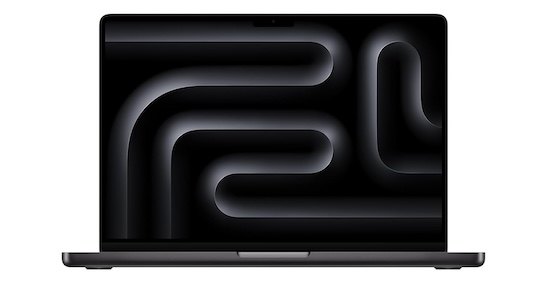
MacBook Pro M3 Max can even handle complex 4K projects with ease. It is also excellent for complex video editing tasks and heavy projects.
- Pros: Excellent performance, beautiful high-resolution XDR display, good battery life (up to 17 hours claimed).
- Cons: Expensive, limited upgradeability (RAM and storage).
Key Specs
- Display: 14.2-inch Liquid Retina XDR (3024×1964)
- Processor: Apple M3 Max Chip
- Graphics: Integrated GPU (Highly Optimized)
- RAM: Up to 64GB
- Storage: Up to 8TB SSD
- OS: macOS Monterey
- Connectivity: 3x Thunderbolt 4 ports, HDMI port, SDXC card slot, headphone jack, MagSafe 3 port
- Battery: Up to 17 hours
- Dimensions: 0.61″ x 12.31″ x 8.71″ (H x W x D)
- Weight: 3.5 lbs (1.
Buy Here: Amazon
2. Dell XPS 9730

Dell XPS 17 9730 can handle 4K projects well. The RTX 4070 is also a powerful GPU to handle color grading and video effects.
- Pros: Large high-resolution OLED display, long battery life (up to 20 hours claimed), good connectivity options.
- Cons: Bulky and heavy, potentially expensive.
Key Specs
- Display: 17.0-inch UHD+ (3840×2400) OLED, 500 nits
- Processor: Intel Core i9-13900HK
- Graphics: NVIDIA GeForce RTX 4070 with 8 GB GDDR6
- RAM: 32GB
- Storage: 1TB SSD
- OS: Windows 11 Home/Pro
- Connectivity: Thunderbolt 4 ports (4), HDMI, SD card reader, headphone jack
- Fingerprint Reader
- Battery: Up to 20 hours
- Weight: 5.5 lbs (2.49 kg)
Buy Here: Amazon
3. GIGABYTE AERO 16 YE5
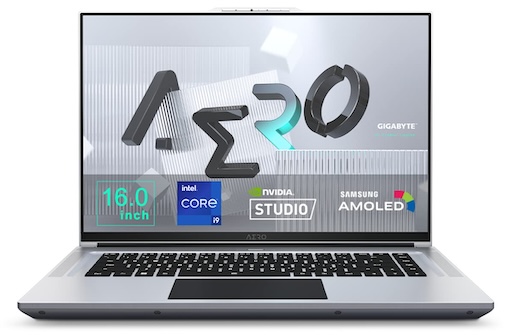
GIGABYTE AERO 16 YE5 is ideal for 1080p, 1440p, or 2K editing. Although complex 4K editing might require some optimization, it can handle most 4K projects. The GPU is also really powerful for video effects and good color grading.
- Pros: Excellent performance for demanding projects, good display, potentially good value for the specs.
- Cons: Short battery life (up to 6 hours claimed), bulky and heavy.
Key Specs
- Display: 16.0-inch UHD+ AMOLED (3840×2400) (may vary)
- Processor: 12th Gen Intel Core i9-12900HK
- Graphics: GeForce RTX 3080 Ti GPU with 16GB GDDR6 video memory
- RAM: 32GB DDR5 RAM
- Storage: 1TB SSD (2x M.2 SSD slots)
- OS: Windows 11 Home/Pro
- Connectivity: Thunderbolt 4 ports (quantity varies), HDMI, SD card reader, headphone jack
- 2x 2W Speaker, Microphone, DTS:X Ultra Audio Technology
- Battery: Up to 6 Hours
- Dimensions: 24.9 x 35.6 x 2.2 cm
- Weight: 2.3Kg
Buy Here: Amazon
4. Apple MacBook Pro (M3 Pro)
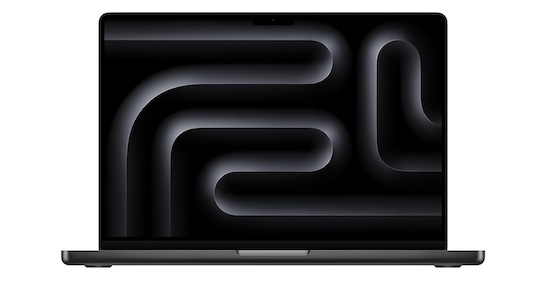
This laptop can smoothly handle 1080p, 1440p, and 2K editing. I also tested it for 4K editing and it was fine. You can also handle video effects, color graphing and complex editing tasks.
- Pros: Excellent performance, beautiful high-resolution XDR display, good battery life (up to 17 hours claimed).
- Cons: Expensive, limited upgradeability, less powerful than the M3 Max.
Key Specs
- Display: 14.2-inch Liquid Retina XDR (3024×1964)
- Processor: Apple M3 Pro Chip
- Graphics: Integrated GPU (Highly Optimized)
- RAM: Up to 36GB
- Storage: Up to 8TB SSD
- OS: macOS Monterey
- Connectivity: 3x Thunderbolt 4 ports, HDMI port, SDXC card slot, headphone jack, MagSafe 3 port
- Battery: Up to 17 hours
- Dimensions: 0.61″ x 12.31″ x 8.71″
- Weight: 1.55 kg
Buy Here: Amazon
5. ASUS VivoBook Pro 16X OLED
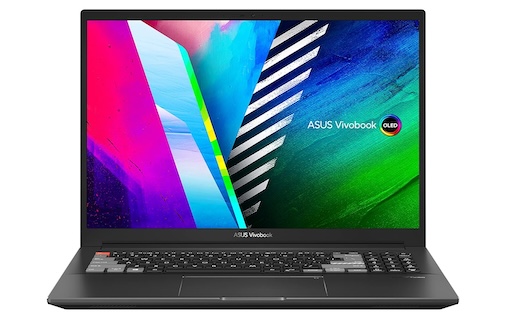
The laptop can smoothly handle 1080p, 1440p, and 2K Editing, but can struggle with complex 4K editing projects. You can also do color grading and video effects.
- Pros: Good balance of performance and portability (for a 16-inch option), beautiful OLED display.
- Cons: Shorter battery life
Key Specs
- Display: 16.0-inch OLED (3840×2400), 400 nits display
- Processor: AMD Ryzen 7 5800H Processor
- Graphics: NVIDIA GeForce RTX 3050 Ti Laptop GPU
- RAM: 16GB DDR4 RAM,
- Storage: 2TB SSD PCIe SSD
- OS: Windows 11 Home/Pro
- Connectivity: Thunderbolt 4 ports (quantity varies), HDMI, SD card reader, headphone jack
- Battery: Up to 8 hours (claimed)
- Dimensions: 1.42″ x 14.17″ x 9.84″
- Weight: 2.4 kg
Buy Here: Amazon
6. Apple Macbook Pro M3
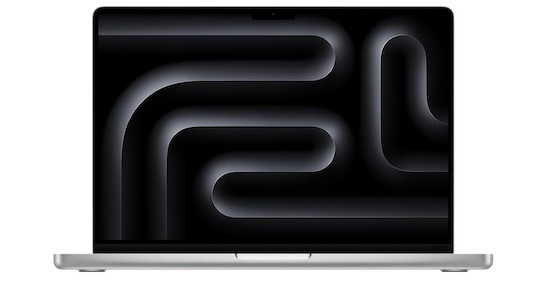
It can handle 1080p, 1440p, and 2K editing. The laptop can also handle color grading and video effects.
- Pros: Lightweight and portable, good battery life (up to 15 hours claimed).
- Cons: It can handle most video editing tasks
Key Specs
- Display: 13.6-inch Liquid Retina (2560×1600)
- Processor: Apple M3 Chip
- Graphics: Integrated GPU
- RAM: Up to 16GB
- Storage: Up to 2TB SSD
- OS: macOS Monterey
- Connectivity: 2x Thunderbolt 4 ports, headphone jack
- Battery: Up to 15 hours
- Dimensions: 0.44″ x 11.97″ x 8.40″
- Weight: 1.22 kg
Buy Here: Amazon
7. Lenovo IdeaPad Pro 5
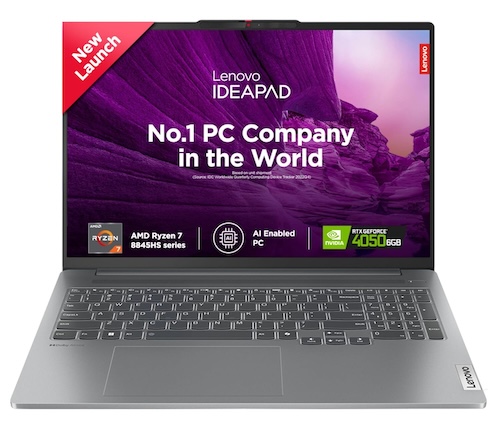
It can handle 1080p and 1440p editing easily, but can moderately handle 2K Editing. Basic 4K editing is also possible. The RTX 4050 can handle basic color grading.
- Pros: Potentially good value for the specs, good battery life (up to 16 hours claimed).
- Cons: Might not be suitable for very demanding video editing projects.
Key Specs
- Display: 16.0-inch QHD+ (2560×1440) IPS (may vary)
- Processor: AMD Ryzen 7 8845HS
- Graphics: NVIDIA GeForce RTX 4050 6GB GDDR6
- RAM: 16GB DDR5 RAM
- Storage: 1TB PCIe SSD
- OS: Windows 11 Home/Pro
- Connectivity: USB-A ports (3), HDMI, SD card reader, headphone jack
- Battery: Up to 16 hours
- Dimensions: 50.9 x 32.7 x 7.8 cm
- Weight: 1.9kg
Buy Here: Amazon
8. ASUS Zenbook 14
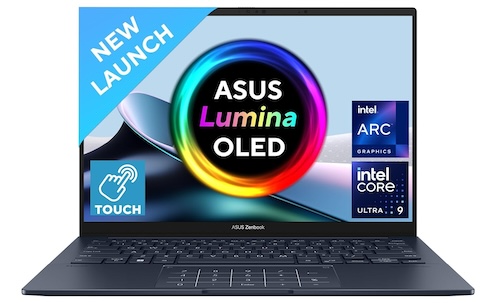
It can be good for 1080p Editing. It lacks dedicated graphics, so not recommended for 1440p, 2K, or 4K editing.
- Pros: Lightweight and portable, Good display, good battery life (up to 16 hours claimed).
- Cons: Lacks dedicated GPU, so not ideal for demanding video editing
Key Specs
- Display: 14″ inch 3K (2880 x 1800) OLED 120Hz, 500nits HDR peak brightness
- Processor: Up to Intel Core i7-12700H
- Graphics: Integrated Intel Iris Xe Graphics
- RAM: 32GB LPDDR5X
- Storage: 1TB M.2 NVMe PCIe 4.0 SSD
- OS: Windows 11 Home/Pro
- Connectivity: 1x USB 3.2 Gen 1 Type-A, 2x Thunderbolt 4 supports display/power delivery, 1x HDMI 2.1 TMDS
- Battery: Up to 16 hours
- Dimensions: 0.55″ x 12.3″ x 8.2″
- Weight: 1.28 kg
Buy Here: Amazon
Final Words
All the laptops added to this list are powerful and feature good displays. So, you will have a good video editing experience and performance. I have included video editing laptops for every segment. So, you can select based on your budget and requirements. Previously, this list also included budget laptops for normal video editing. Now, this list only includes laptops where you can edit professional videos to share on YouTube. For making videos for social media apps, you already have smartphone apps. I have also made a list of the best video editing apps for Android.
Do let us know which laptop are you selecting for you. Stop the comments and let us know.
Which laptop brand is best for video editing?
Apple is known as the best laptop brand for video editing.
Which laptop supports 4K video editing?
MacBook Pro M3 Max, Dell XPS 9730, and GIGABYTE AERO 16 YE5 are powerful enough for 4K video editing.
What laptop do most YouTubers use?
Most YouTubers use MacBook Pro for video editing.
How much RAM is needed for video editing?
Having 24GB or more RAM is recommended for good video editing. Your laptop must have at least 16GB of RAM.
How do I choose a laptop for editing?
You should consider several factors including a Good display, a Powerful CPU, a discrete GPU, at least 16GB RAM, and fast SSD Storage.