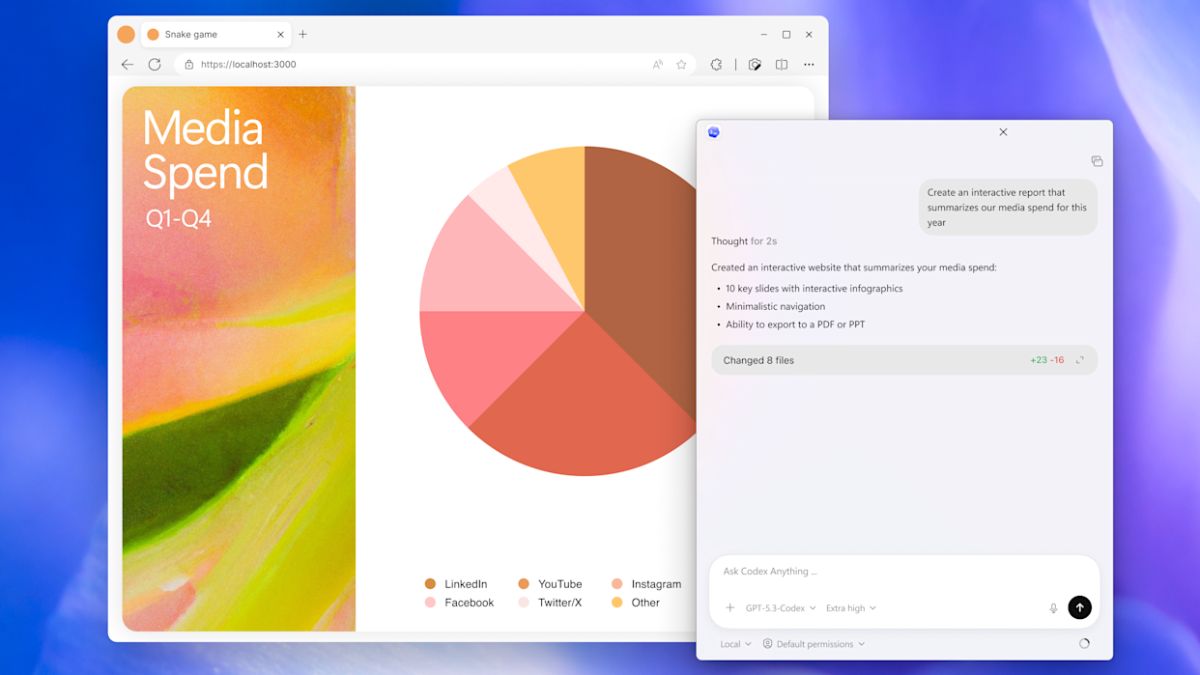

OpenAI has finally released a Windows app for its Codex coding tool. The new app brings the same features that were earlier introduced in the standalone macOS version.
Earlier in February, OpenAI upgraded Codex with the ability to manage multiple AI agents. These agents can work together on different parts of the same coding task. Along with that update, the company also launched a standalone Codex app for macOS. Now, Windows users can access the same experience through a native app.
The Codex app allows developers to coordinate multiple AI agents to assist with coding. These agents can help with writing code, reviewing changes, and handling different parts of a project. This can make development faster, especially when working on complex tasks.
The app also supports automation for repetitive development tasks. For example, developers can automate processes like bug testing or routine checks during development. This helps reduce manual work and saves time.
To make things easier for users, Codex includes a feature called Skills. Skills combine instructions, scripts, and resources that help the AI agents connect with specific tools and workflows. Developers can use these Skills to automate certain development processes or integrate with their existing tools.
OpenAI has also added native sandboxing in the Windows app. This allows developers to test code in a controlled environment before applying changes to a project.
The Codex app is available to users across several ChatGPT plans, including Free, Go, Plus, and Pro. OpenAI also saves session history to the user’s account. This means developers can start working on a project on one device and continue it later on another without losing progress.





![Mivi DuoPods Vibe Earbuds [New Launch], 60 Hours Playtime, AI-ENC for HD Calls, 13mm Drivers, IPX 4.0, BT v5.3, Made in India True Wireless Bluetooth Ear Buds](https://m.media-amazon.com/images/I/41t+S6k05XL._SL160_.jpg)