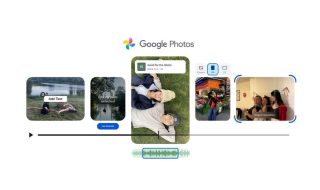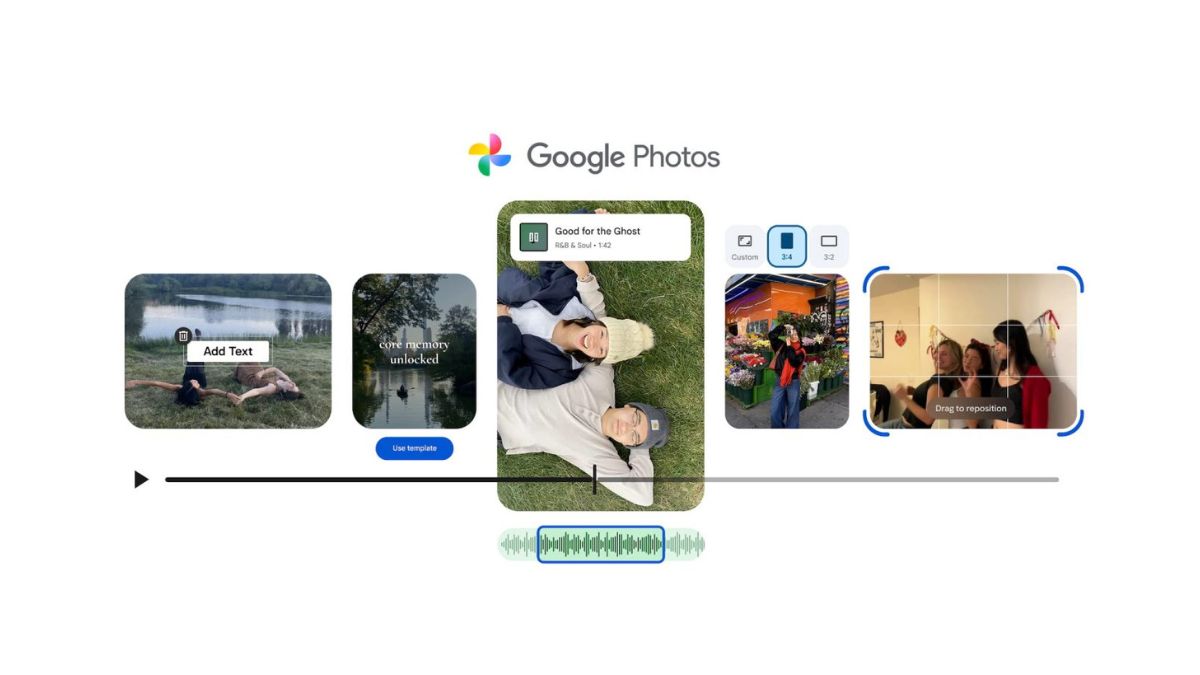

Google Photos has started rolling out a major redesign of its video editor on Android and iOS. The new interface matches the recently updated image editor and brings a simpler, carousel-style layout that makes video editing feel more organised and easier to use.
The updated editor uses Google’s Material 3 design theme. It includes new expressive containers, smooth animations, and a compact layout that keeps most tools within quick reach while giving more space to the video preview.
Users now get several editing sections. The Auto tab offers Enhance and Stabilize options. The Crop tool lets you change framing. The Adjust section includes sliders for brightness, contrast, tone, white point, highlights, shadows, black point, vignette, saturation, warmth, tint, skin tone, and blue tone. There is a refreshed set of Filters, including Vivid, Playa, Honey, Isla, Desert, Clay, Palma, Blush, Alpaca, Modena, West, Metro, Reel, Bazaar, Ollie, Onyx, Eiffel, Vogue, and Vista.
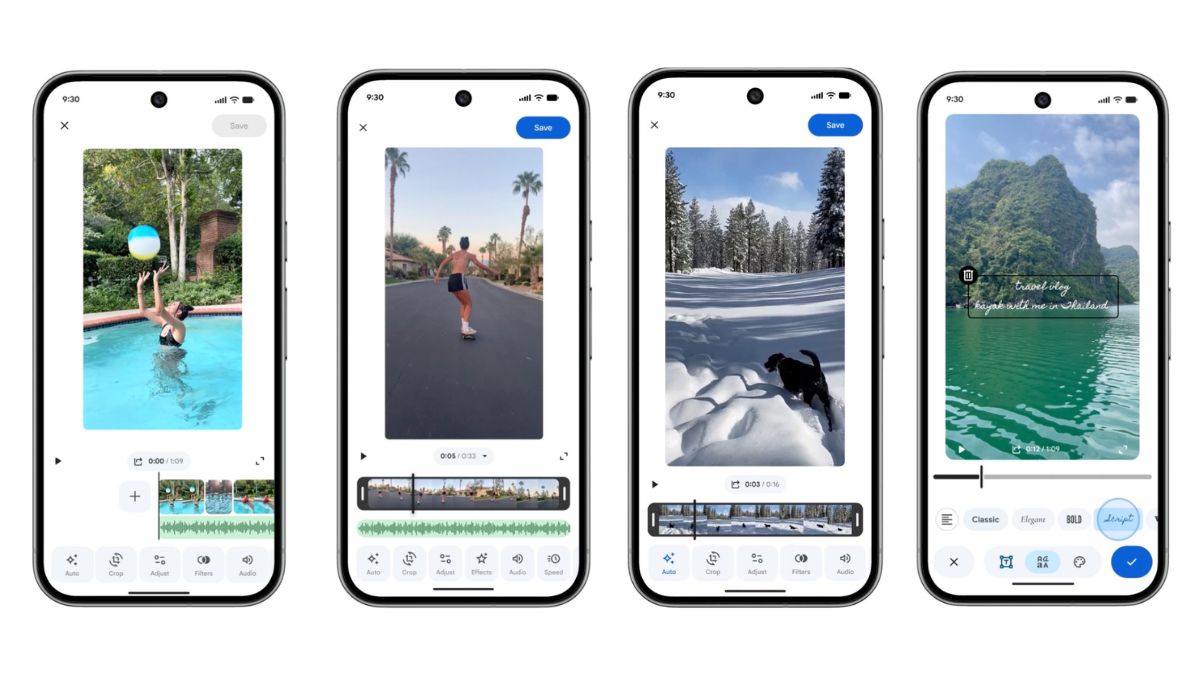
The Audio panel adds mute, music, and Audio Eraser. This also integrates with the dedicated Music tool, where users can browse Google’s soundtrack library. The music is categorized into Bright, Chill, Dramatic, Funky, Inspiring, Romantic, and Sad. After selecting a track, users can choose the exact portion of the clip and adjust volume levels for both video and music.
There are more options for Speed control, including 0.25x, 0.5x, 1x, 2x, and 4x playback.
Text editing also gets an upgrade, with new fonts, colours, and background styles.
Google says the new editor is built around a universal timeline that supports multi-clip editing. Users can add clips from the left side and drag them around to reorder. This layout is also available when editing a single standalone video, which makes the experience consistent across tasks.
To simplify things further, Google Photos for Android is adding templates. These templates come with preset music, text, and cuts that sync automatically with the soundtrack. Users only need to pick a style and then select the photos and videos they want to include. The option appears under the Create tab as Highlight video.
The redesigned video editor is already widely available on Android, and Google says the update is rolling out now to more users on both Android and iOS.