
Video editing is now a basic need for most people. Everyone wants to post videos on TikTok, YouTube, or Instagram. Whether you are making YouTube videos, Instagram reels, tutorials, or product demos, raw footage usually needs some editing before it looks good. The problem is that most good video editors require installing heavy software or paying a monthly subscription.
There are also a few online video editors where you can edit videos without installing any software. These online video editors offer basic features for free but require monhtly subscription for advanced features. Even in the free version, you get limited minutes for editing and a watermark that ruins the video. Canva is a good video editor, but it lacks proper editing options.
This is where OpenReel becomes interesting. It is an open-source video editor that runs completely inside your browser. You do not need to download anything, install any application, or create an account. Just open the website and start editing.
I tried OpenReel to see how capable it really is. Surprisingly, it offers many powerful editing tools while still keeping things simple.
What is Open Reel?
Open Reel is a full video editor that runs directly in your web browser. The entire editing engine works locally on your computer instead of sending files to a remote server. This means you can open the editor in Chrome, Edge, or any modern browser and start editing instantly. Your files stay on your device, which is good for privacy and also speeds up editing because there are no large uploads. This is the most important thing about Open Reel.
Many online editors rely on cloud processing. You upload a large video file, wait for the server to process it, and then wait again for the final export. Open Reel avoids all of that by using your browser and computer hardware for processing.
Getting Started is Simple
When you open Open Reel, it asks what type of project you want to create. You can select formats such as vertical videos for short content, horizontal videos for YouTube, or square format for social media posts.
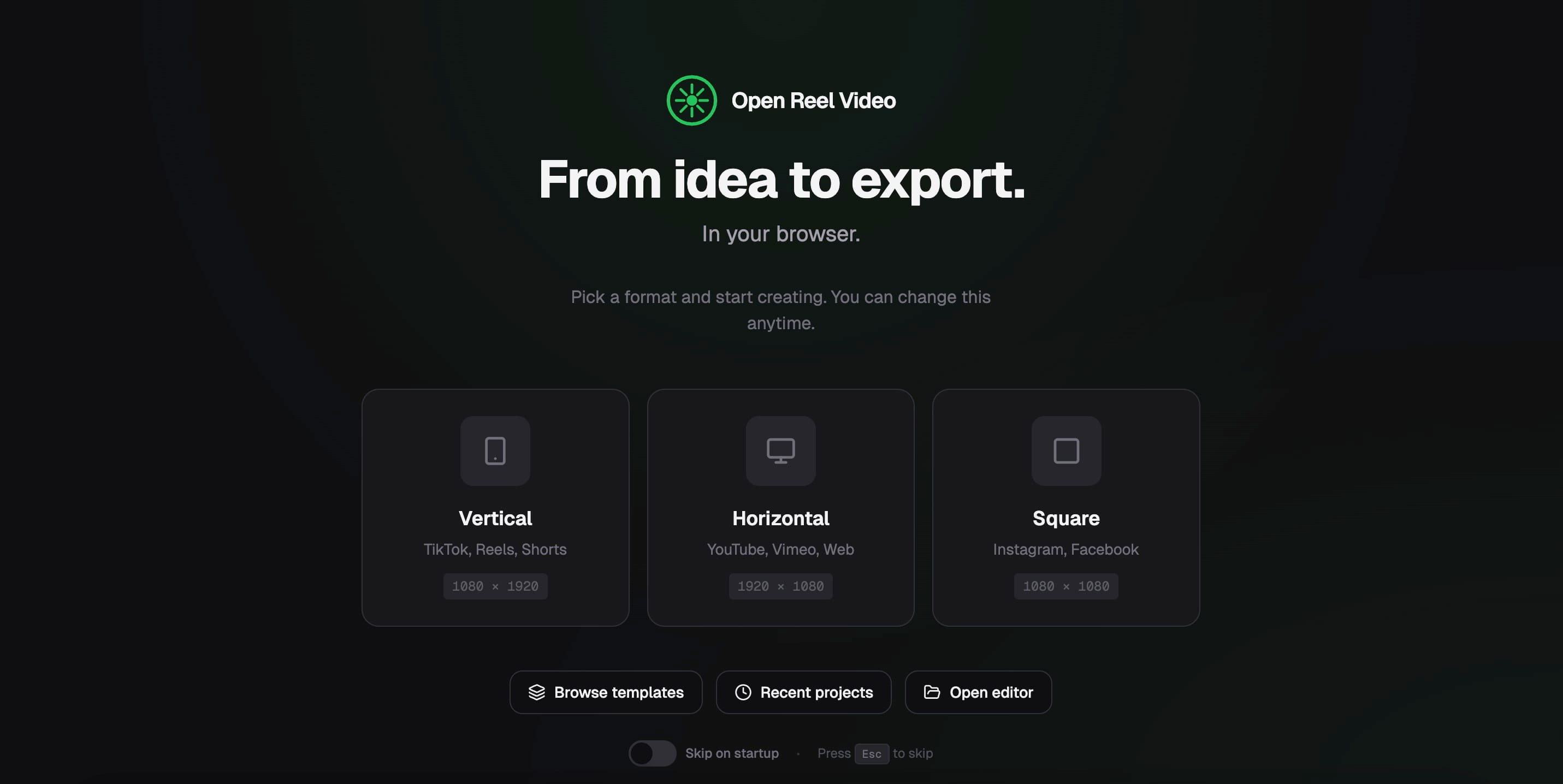
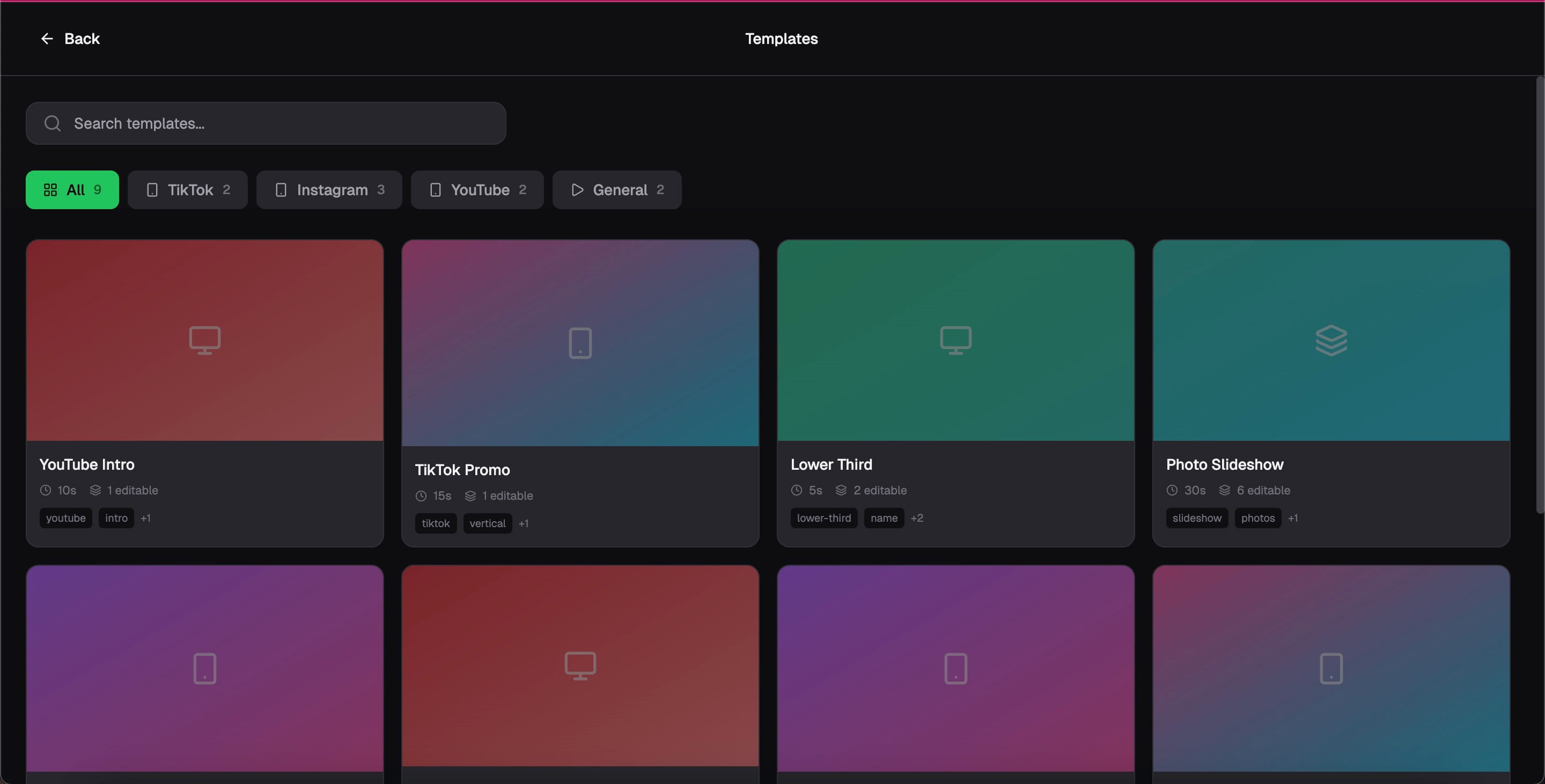
There are also templates and recent project options.
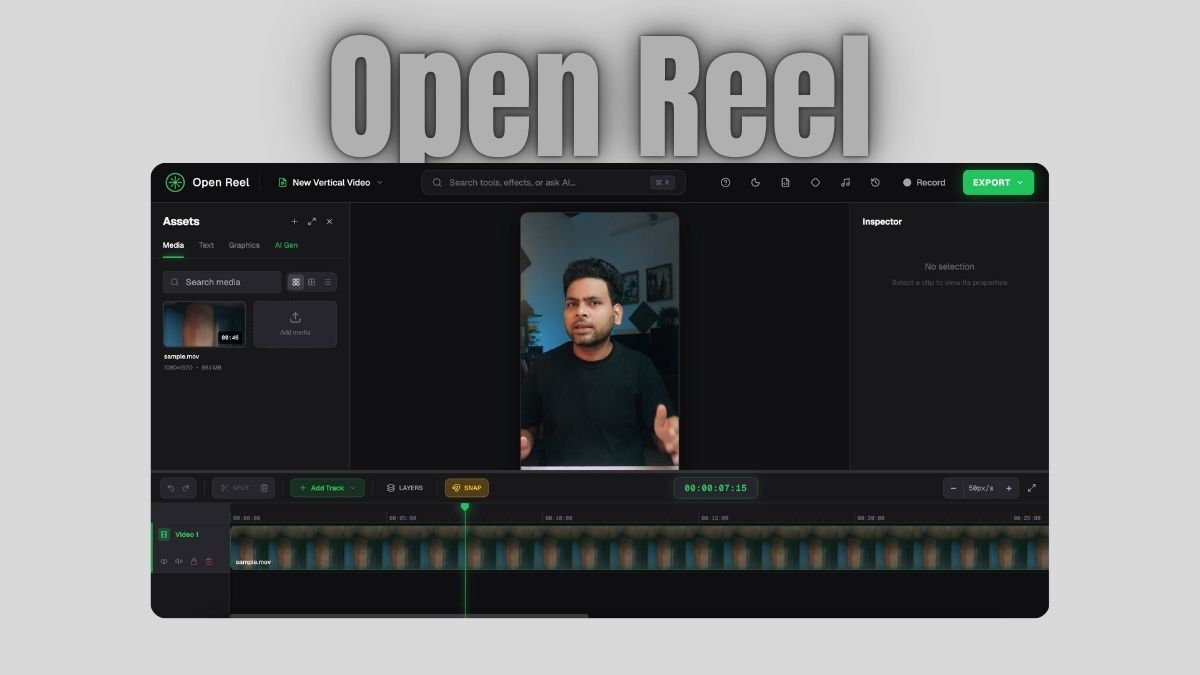
Once inside the editor, the interface feels familiar. The asset panel is on the left, the video preview is on the right, and the timeline sits at the bottom. Files can be added with simple drag and drop.
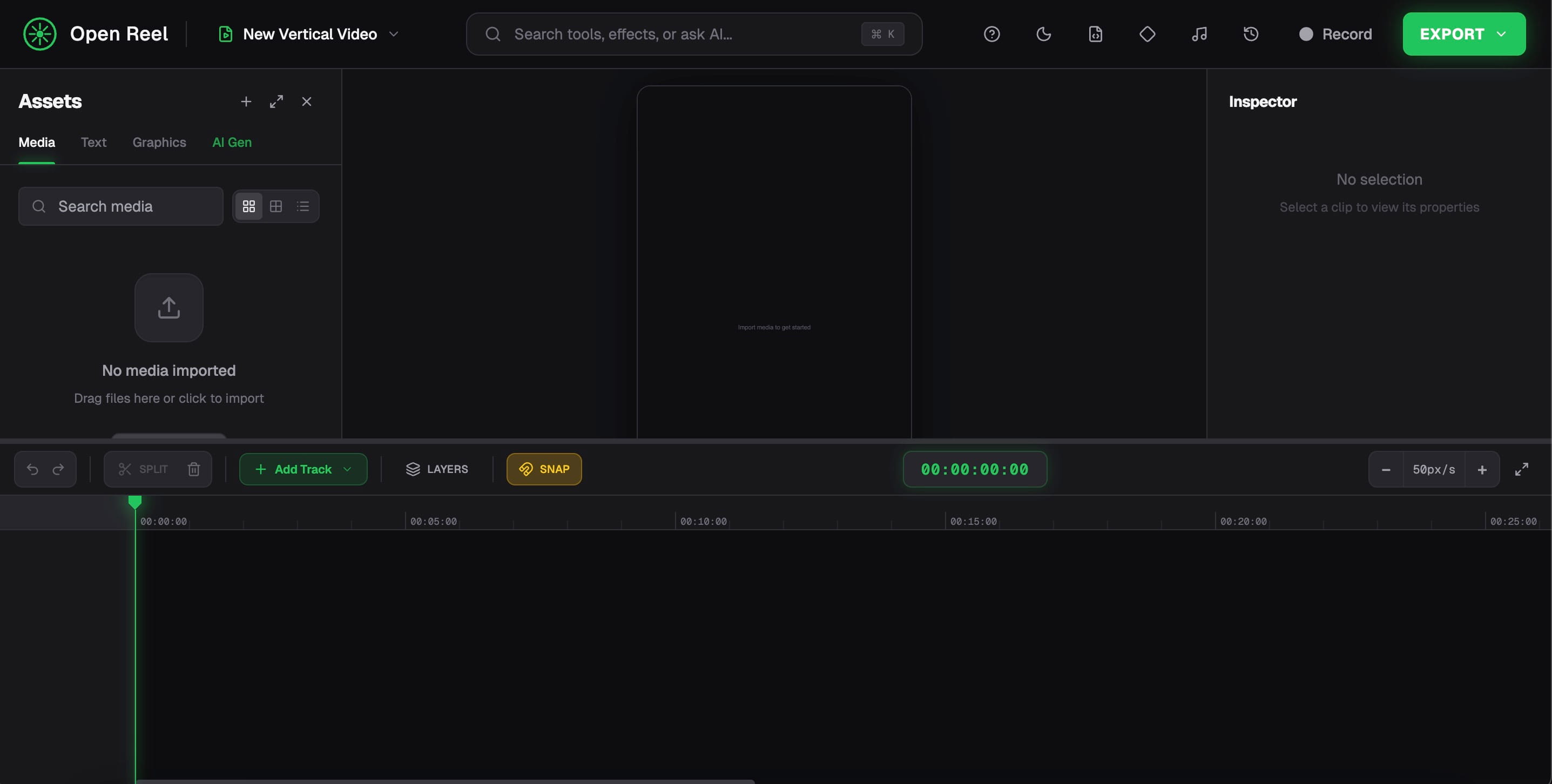
Even beginners can start editing within minutes without watching tutorials.
Professional Timeline Editing
One of the strongest parts of OpenReel is its professional timeline system. Most video editors want the timeline to have control over editing. It supports multi-track editing, which means you can stack multiple elements in layers. For example, you can place your main footage on one track, B-roll on another track, add background music, and place text overlays on top.
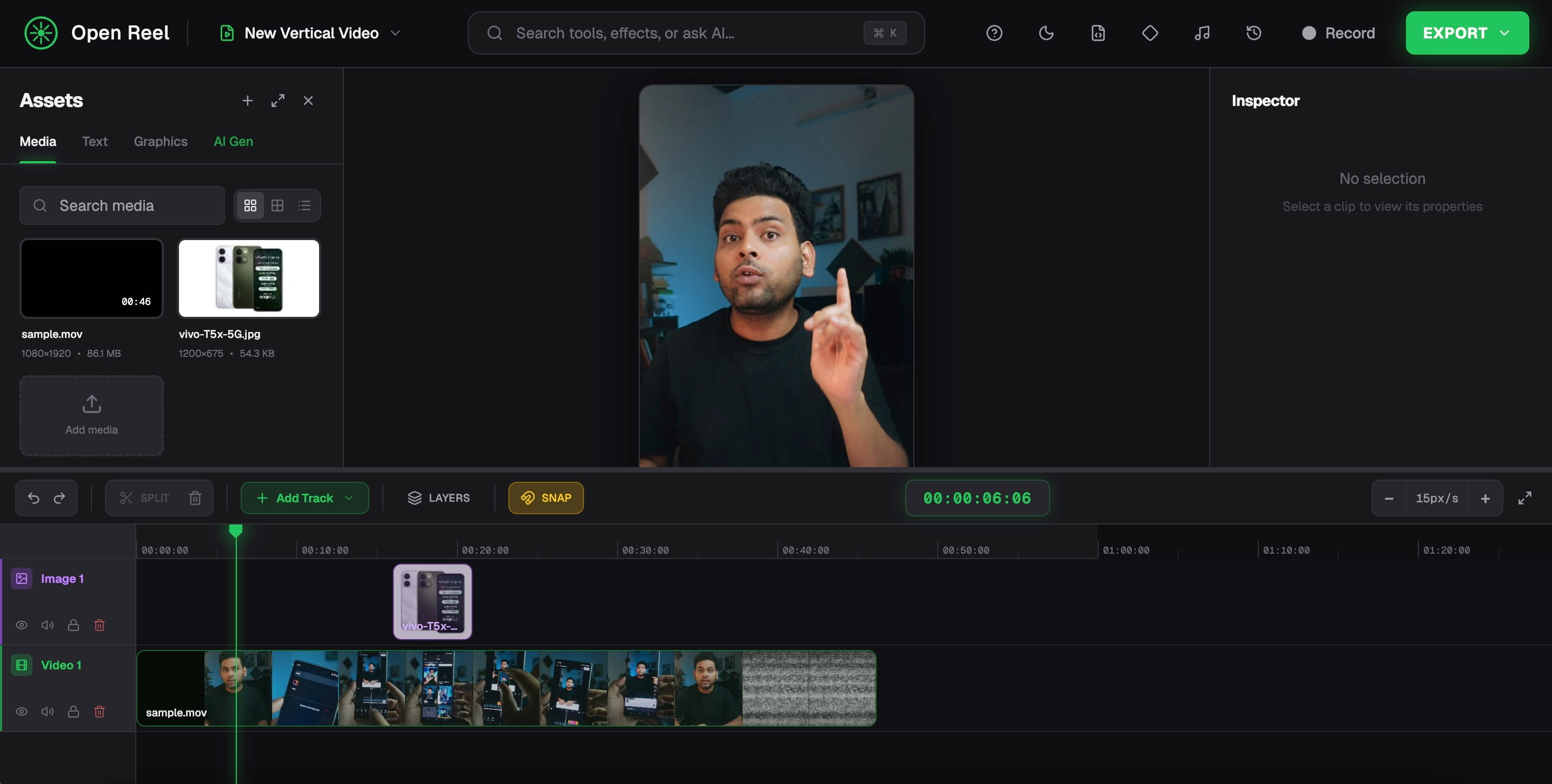
Tracks can be muted, hidden, or locked easily. This makes it easier to organize complex projects.
For a browser editor, the timeline feels fast and responsive. I mainly used it for editing a 55-second reel, and it was a smooth experience.
4K Video Export
Most free editors limit the export resolution. Some restrict you to 720p or 1080p. OpenReel allows exporting videos up to 4K resolution. This is helpful if you are creating high-quality YouTube videos or detailed screen recordings.
Because processing happens locally, export speed depends mostly on your own computer.
Keyframe Animations
Keyframes are important for making videos look professional. They allow you to animate elements over time. For example, you can move text across the screen, zoom into a clip, or slowly rotate an object. OpenReel supports keyframes for position, scale, rotation, and opacity. This gives you much better control over motion and animation in your edits.
Built-in Screen Recording and webcam support
OpenReel is not only a video editor. It also includes a built-in screen recorder. You can record your screen at up to 4K resolution with 60 frames per second. This makes it useful for creating tutorials, walkthroughs, or software demonstrations. Since recording and editing are in the same tool, the workflow becomes much simpler.
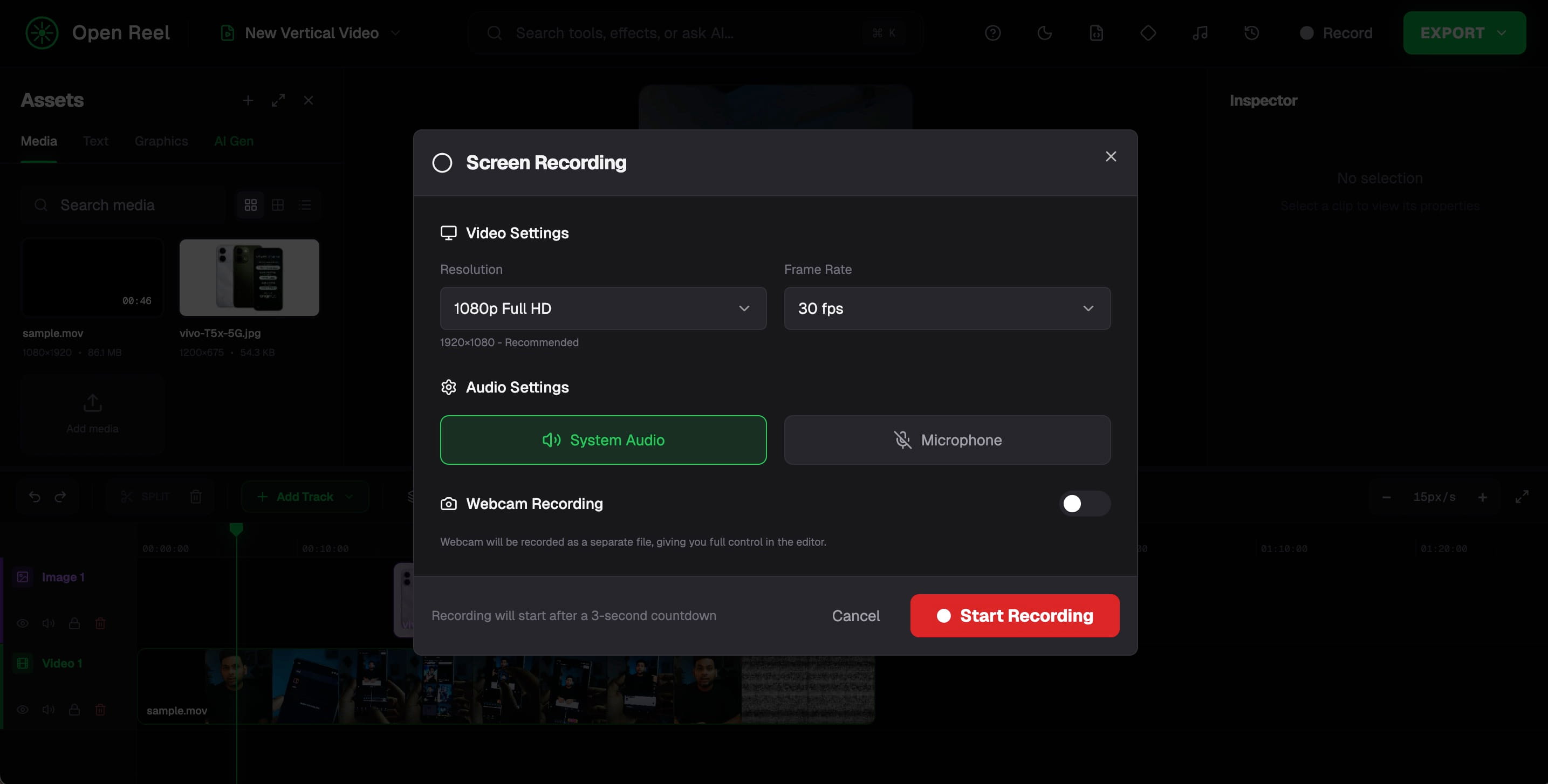
It also has an option to use your webcam for recording a video and to use it directly in the video editor.
Advanced Color Grading
Color grading tools are also included in this online editor. You can adjust brightness, contrast, color tones, and other parameters to improve the look of your video.
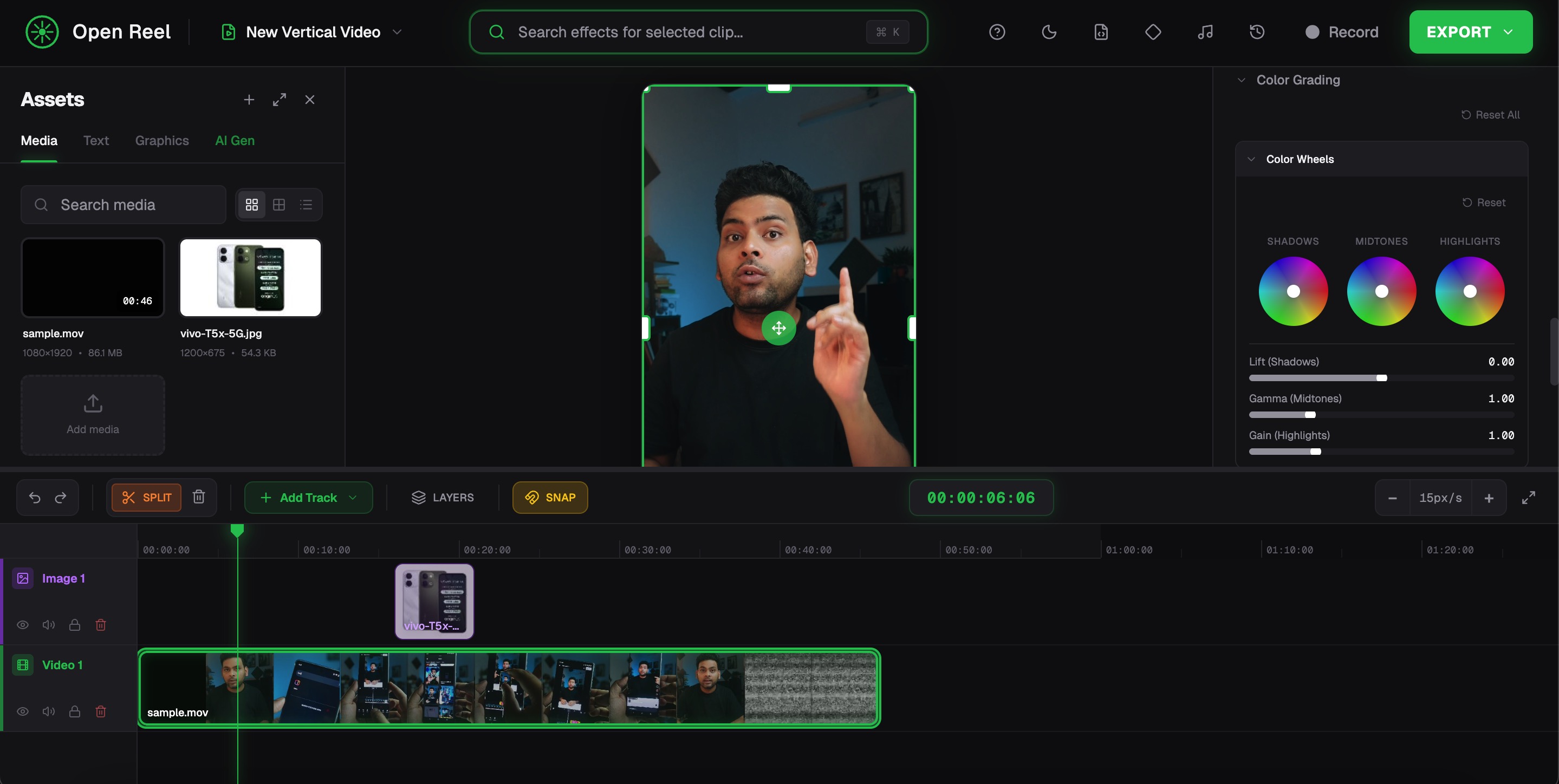
There are also built-in filters that help beginners quickly apply cinematic styles without manually adjusting every setting.
AI Powered Editing Tools
OpenReel also includes several AI-powered features that can save time during editing. These include automatic caption generation, text-to-speech, background removal, and translation tools. Captions are especially useful for social media videos where many people watch without sound. There are also karaoke-style subtitles, which highlight words as they are spoken.
These tools help creators produce polished content faster.
Audio Mixing and Sound Control
OpenReel includes audio mixing tools that allow you to control volume levels, adjust multiple audio tracks, and balance background music with voice recordings. This makes it easier to create videos where dialogue remains clear even when music is playing.
Social Media Ready Editing
The editor is designed for modern content formats. You can easily create vertical videos for reels or shorts, square videos for social platforms, and horizontal videos for YouTube. This helps creators quickly adapt content for different platforms without manually adjusting the canvas size.
Fast Performance With Web Acceleration
OpenReel uses browser acceleration and modern web technologies. This allows it to handle editing tasks directly on your computer hardware. The platform uses an action-based editing engine that keeps operations fast and responsive, even while working with multiple clips. Because everything runs locally, editing feels smoother than many cloud-based editors.
Other notable features
OpenReel also includes several advanced editing features that help improve workflow and add creative effects to videos.
- Inspector Panel: A dedicated control panel that lets you adjust clip properties such as timing, position, and other parameters in a single place.
- Auto Reframe: Automatically adjusts the framing of a video when converting between vertical, horizontal, or square formats.
- Auto Cut Silence: Detects silent parts in recordings and removes them automatically. This is useful for tutorials, presentations, and talking videos.
- Alignment Tools: Helps align clips, text, and elements properly within the frame when working with multiple layers.
- Blending Modes: Allows you to combine different layers with blending styles to create unique visual effects.
- 3D Transforms: Adds depth-based transformations that allow clips to rotate or move in a 3D space.
- Motion Presets: Ready-made animation presets that can be applied to clips or text with a single click.
- Motion Path: Lets you move elements across the screen along a custom animation path.
- Particle Effects: Adds visual effects such as particles to make scenes more dynamic.
- Emphasis Animations: Special animations that highlight important elements in the video.
- Motion Tracking: Tracks moving objects in a clip and lets you attach text, graphics, or effects to them.
- Picture in Picture: Place one video inside another, which is useful for reaction videos, tutorials, or commentary content.
- Masking: Allows you to hide or reveal specific parts of a video frame using custom shapes.
- Nested Sequences: Combines multiple clips into a single sequence to keep complex timelines organized.
- Adjustment Layers: Apply effects or visual changes to multiple clips at once without editing them individually.
Open Source and Privacy Friendly
As I already mentioned, OpenReel is that it is open source. Anyone can view or contribute to the code. More importantly, your files never leave your device. Videos are not uploaded to external servers, which improves both privacy and security. For creators working with sensitive footage, this can be an important advantage.
Completely Free to Use
OpenReel does not require subscriptions or sign-ups. Since processing happens on your device instead of cloud servers, the developers do not have large hosting costs. Because of that, the editor is available completely free. You get access to all features without worrying about locked tools or upgrade prompts.
Wrap Up
After testing it for editing a few videos, I found OpenReel to be a surprisingly powerful browser-based video editor. It offers many professional features like multi-track editing, keyframe animations, screen recording, AI captions, and 4K export. At the same time, it remains simple enough for beginners to start editing immediately. If your system is powerful enough, you will surely enjoy it.
If you want a free way to edit videos online without installing software or uploading large files to the cloud, OpenReel is definitely worth trying. It turns your browser into a complete video editing workspace.