
Home » News » Twitter Fleets are getting stickers

Twitter Fleets are getting stickers

Twitter Fleets are getting stickers

Add Techlomedia as a preferred source on Google. Preferred Source

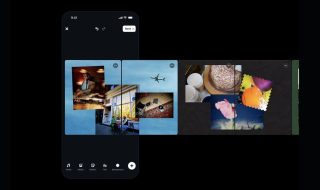
Social media company Twitter is now adding stickers to its Fleets. Users who use Twitter’s Snapchat Stories-like Fleets can now tap on the smiley icon to add stickers, GIFs, and ‘Twemoji’ to tweets on both Android and iOS apps.

When you are creating a new Fleet, tap on the smiley face icon on the bottom row of your screen to add stickers. Here, you will see a collection of animated stickers and emojis. You can also search for something specific using the search bar. Twitter pulls search results from Tenor and Giphy.

https://twitter.com/TwitterSupport/status/1377387235952181251?ref_src=twsrc%5Etfw

This is similar to Instagram Stories where you can add stickers and GIFs. If you are Instagram and Snapchat Stories, you will find it quite familiar.

Fleet is a Stories-like feature on Twitter and was released for all users back in November. Not many people are using it but the company thinks it can increase user engagement on the platform.

Follow Techlomedia on Google News to stay updated. Follow on Google News

Affiliate Disclosure:

This article may contain affiliate links. We may earn a commission on purchases made through these links at no extra cost to you.

Deepanker Verma

About the Author: Deepanker Verma

Deepanker Verma is the Founder and Editor-in-Chief of TechloMedia. He holds Engineering degree in Computer Science and has over 15 years of experience in the technology sector. Deepanker bridges the gap between complex engineering and consumer electronics. He is also a a known Security Researcher acknowledged by global giants including Apple, Microsoft, and eBay. He uses his technical background to rigorously test gadgets, focusing on performance, security, and long-term value.

Related Posts

Stay Updated with Techlomedia

Join our newsletter to receive the latest tech news, reviews, and guides directly in your inbox.