
Remote work is now a normal part of professional life. But working from home is not as simple as opening a laptop and getting started. Your setup plays a big role in how productive, comfortable, and focused you feel throughout the day.
A well-planned remote work setup helps you avoid distractions, reduces physical strain, and improves overall efficiency. In this guide, I will explain everything you need to build a complete and practical work-from-home setup.
Start with a Dedicated Workspace
One of the most common mistakes people make is working from anywhere in the house. Sometimes it is the bed, sometimes the sofa, and sometimes the dining table. This may work for a short time, but it affects both focus and posture.
You should create a dedicated workspace, even if it is just a small corner of your room. This helps your brain separate work from personal time. It also reduces distractions and makes your work routine more structured.
Pick a spot with good lighting and minimal noise. Keep it clean and avoid mixing it with entertainment or relaxation areas.
Choose the Right Desk
Your desk is the base of your entire setup. It should have enough space to keep your laptop, accessories, and a few essentials without feeling cramped. If you work long hours, a spacious desk is always better. Size depends on your preferences. If you also want to keep a monitor, you need to consider a bigger size.
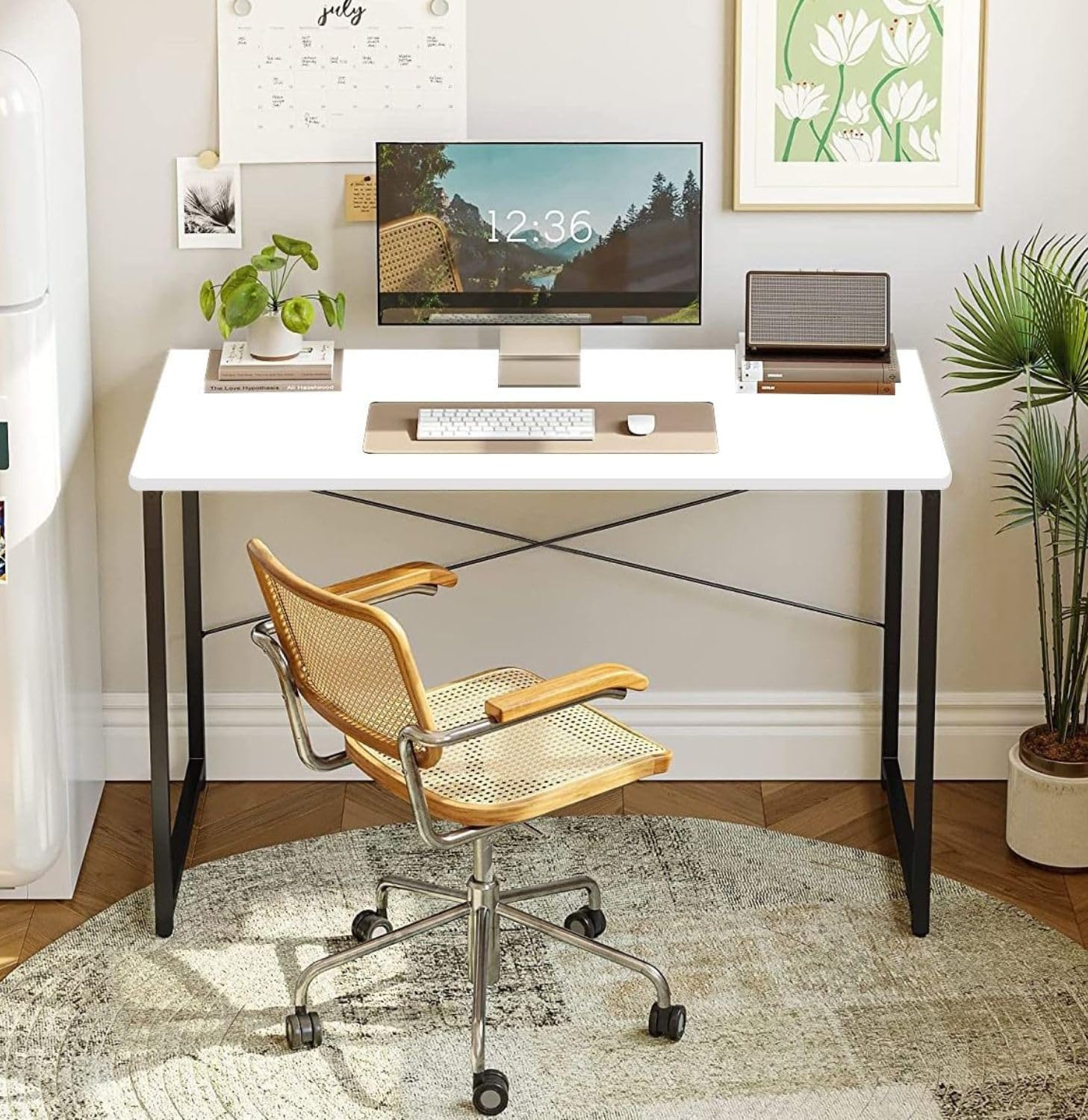
Check this table: QARA Wood Laminated Study Table Some people also prefer height-adjustable desks so they can switch between sitting and standing. This is useful, but not necessary for everyone. I found an adjustable table by GreenSoul good.
The main focus should be stability, comfort, and enough surface area to work properly. So, do proper research before buying one.
Invest in a Good Chair
This is one area where you should not try to save money. A poor chair can lead to back pain, neck strain, and long-term posture issues. An ergonomic chair with proper lumbar support can make a huge difference. It keeps your spine aligned and reduces fatigue during long working hours.
If you spend most of your day sitting, this will be your most important investment. If your budget allows, get a good gaming chair. These chairs are optimized for proper body support.
Keyboard and Mouse Matter More Than You Think
Many people continue using their laptop keyboard and trackpad for everything. It works, but it is not ideal for long hours. A proper keyboard and mouse improve comfort and speed.
Mechanical keyboards offer better feedback and durability. I recommend the Epomaker mechanical keyboards because I also personally use them. If you want a quieter and more affordable option, you can go with a Membrane keyboard.
You can get a wireless keyboard & mouse combo, but I would recommend getting wired for reliability. You are already getting a proper desk, so why compromise here? If you work long hours, consider an ergonomic mouse to reduce wrist strain.
Upgrade Your Laptop Setup
A laptop is enough to get started, but it is not ideal for long-term productivity. Working on a small screen for hours can be tiring. You can improve your setup with a few simple additions. A laptop stand helps bring the screen to eye level. Recently, I reviewed Alogic Elite Power Laptop Stand. It is a good one to try.
An external keyboard and mouse make typing more comfortable. But it purely depends on your need. Not all people are comfortable using an external keyboard with laptops.
If your work involves multitasking, adding a second monitor can make a big difference. It allows you to keep multiple windows open and reduces the need to switch constantly.
Choosing the Right Monitor
If you are adding a monitor, do not just pick any random one. A 24-inch monitor is good for most users. A 27-inch display works better if you need more screen space. Full HD is enough for basic work, but 2K or 4K offers sharper visuals. It depends on the kind of work you do. For most people, a Full HD monitor with a 24-inch screen size is better. But if your work involves graphics editing or design work, you need to get a good monitor where you get better colors.
An IPS panel is generally better for color accuracy and viewing angles. This matters if your work involves design or content creation.
Do Not Ignore Internet Quality
A stable internet connection is the backbone of remote work. Slow or unstable internet can interrupt meetings, delay work, and create unnecessary frustration. So, get the connection from a reliable telecom operator. A good Wi-Fi router also helps if you are working wirelessly. If possible, use a wired connection for better stability.
It is also a good idea to keep a backup option like a mobile hotspot in case your primary connection fails.
Manage Cables and Keep Desk Clean
Cable management is often ignored, but it makes a big difference. Too many loose wires make your desk look messy and distracting. Use cable clips, sleeves, or organizers to keep things tidy. A clean setup not only looks better but also improves focus.
Set Up Proper Audio and Video
Video calls are now a regular part of work. Your audio and video quality directly affect how you communicate. A good pair of headphones helps reduce background noise and improves clarity.
If your laptop camera is not good enough, consider using an external webcam.
Lighting also matters. Sitting in a well-lit area makes you look more professional during meetings.
Fix Your Background for Video Calls
Your background is part of your professional image. Keep it clean and simple. Avoid clutter behind you. If your space is not ideal, you can use virtual backgrounds, but real backgrounds always look more natural. Also try to reduce background noise as much as possible.
Plan for Power Backup
Power cuts can disrupt your workflow, especially if you are in the middle of important work or meetings. Most people already use an inverter at home to avoid interruption during power cut. If you use a desktop, a UPS is essential. Even for laptop users, keeping backup power for your Wi-Fi router can help you stay connected during short outages.
Improve Lighting and Environment
Lighting affects both your comfort and productivity. Poor lighting can cause eye strain and headaches. Try to use natural light as much as possible. If that is not enough, add a desk lamp with soft lighting. You can also make your workspace more comfortable by adding small things like plants or minimal decor. Just make sure it does not become distracting.
Focus on Digital Tools
Your physical setup is only one part of the equation. The tools you use daily also matter. Use reliable apps for communication, file sharing, and task management. Keep your files organized and backed up. This helps you work smoothly without wasting time searching for things.
Build According to Your Budget
You do not need to buy everything at once. Start with the basics and upgrade slowly. A simple setup with a decent desk, chair, and laptop is enough in the beginning. As your work demands grow, you can add better accessories, monitors, or even a dedicated workspace. The idea is to build a setup that fits your needs, not just follow trends.
Common Mistakes to Avoid
Many people ignore ergonomics and end up with health issues. So, never compromise with chair quality. I understood this only after I realized how badly a poor chair affected my body posture. Some rely on poor internet connections and struggle with meetings. Others work in cluttered spaces that reduce focus.
Avoid these mistakes early. A little planning can save you from bigger problems later.
Final Thoughts
A good remote work setup is not about expensive gadgets. It is about creating a space where you can work comfortably and stay productive for long hours.
At Techlomedia, we take productivity and technology seriously. We regularly cover tools, gadgets, and setups that help people work better. Through Techlomedia Gaming, we also explore how setups evolve for gamers and creators, where performance and comfort become even more important.
If you are setting up your workspace, focus on comfort, reliability, and usability. Once your setup supports your workflow, everything else becomes easier.