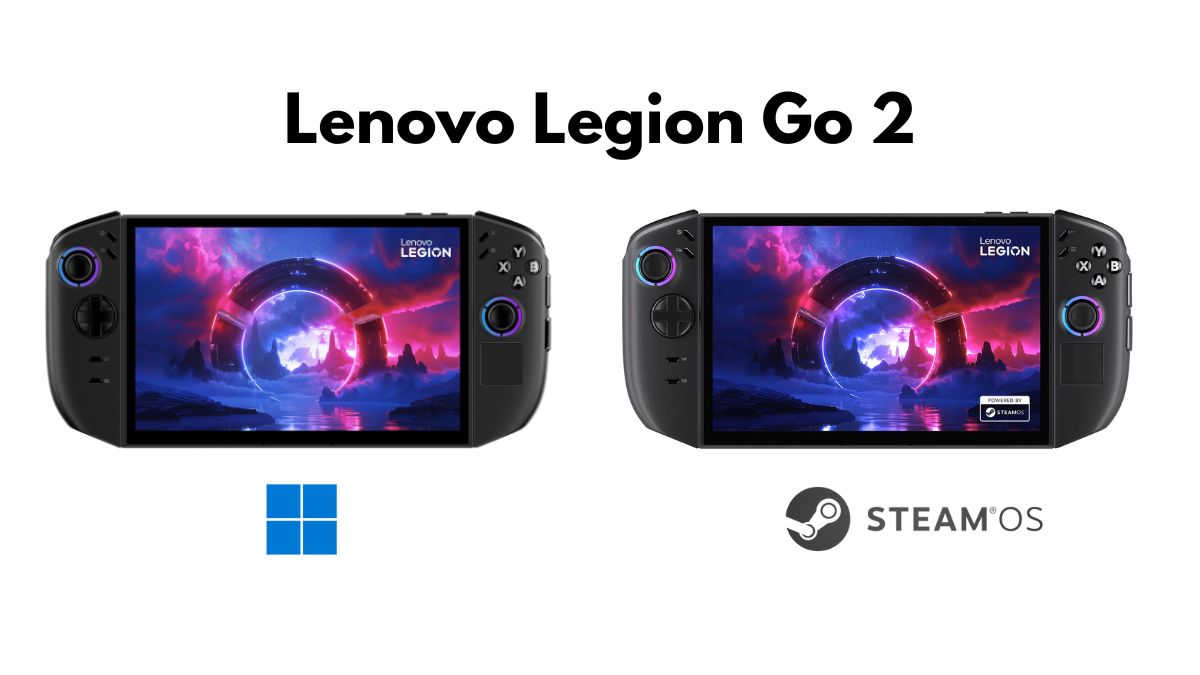

At CES 2026, Lenovo unveiled the Lenovo Legion Go 2 with Steam OS, with a promise to offer a proper console experience on the handheld. But this also led to confusion among gamers. Lenovo Legion Go 2 is already one of the most powerful handheld gaming PCs available right now. Now that it has two variants, it is important to understand the differences.
Both have the same hardware, but the experience is very different depending on the operating system. Choosing the right one depends on how you plan to use it.
Same Hardware, Different Experience
Both versions share the same core specs:
- Processor: AMD Ryzen Z2 Extreme
- RAM: Up to 32GB LPDDR5X
- Storage: Up to 2TB PCIe Gen 4 SSD + microSD slot
- Display: 8.8-inch OLED touchscreen, 1920×1200, 144Hz, VRR support
- Design: Detachable controllers, built-in kickstand
- Battery: 74Wh
This means both models can handle demanding games. The difference comes from how the system uses that power.
SteamOS Version – Built for Handheld Gaming
The SteamOS version is designed like a console in your hands. You turn it on and go straight into your games. The interface is clean, controller-friendly, and distraction-free. Key advantages include:
- Fast boot directly into Gaming Mode
- Quick resume: pick up right where you left off
- Optimized performance for handheld gaming
- Better battery efficiency
- Clean, simple interface
However, it is not perfect. SteamOS works best if most of your games are in Steam. Non-Steam games can run via Proton, but compatibility is hit or miss, especially online games with anti-cheat. Some advanced features like FSR 2.1 or lossless scaling are not available, and you may need some Linux knowledge to tweak settings. Official Legion Go support is limited for now, so some functions may not work perfectly.
Windows 11 Version – Full PC Flexibility
The Windows version is for people who want maximum versatility. You can run any PC game launcher, including Steam, Epic Games, EA, Game Pass, and more. It also works for emulation, productivity apps, and any Windows software. Key points include:
- Full compatibility with all PC games and software
- Official drivers for best hardware performance
- Can be used as a mini PC for gaming and work
- Supports all peripherals and software
The downsides are that Windows is heavier. Boot takes longer, battery drains faster, and there is no quick resume for games. Frequent updates and notifications can also interrupt your gaming sessions.
Which One Should You Pick?
If you are mainly looking for handheld gaming, the SteamOS version is the better choice. It gives a smooth and focused gaming experience, with games launching quickly and battery lasting longer. The interface is simple, clean, and built for controllers, so you can pick up the device and start playing without dealing with menus or settings.
The Windows 11 version is ideal if you want more flexibility. It lets you access all PC game stores like Steam, Epic Games, GOG, and Xbox Game Pass. You can also run desktop apps, browse, or use productivity software, essentially turning the Legion Go 2 into a mini PC. The trade-off is that battery life is shorter, and some games may not run quite as smoothly as on SteamOS. The Windows interface can feel a bit crowded on a handheld screen.
If I summarize, go for the SteamOS variant if you want a dedicated gaming handheld, and choose the Windows 11 variant if you want a powerful all-in-one device that can do more than just gaming.