
If you play Counter-Strike 2 regularly, you already know that skill is not just about aim. Practice, settings, and understanding the game mechanics matter a lot. This is where console commands become very useful. Console commands let you control the game in ways that normal settings do not allow. You can improve FPS, practice smokes, train aim, or test game mechanics in a controlled environment.
In this guide, I will explain everything in a simple way so you can actually use these commands in your daily gameplay.
How to Enable Console in Counter-Strike 2
Before using any command, you need to enable the developer console.
Open Settings, go to the Game tab, and enable Developer Console (~).
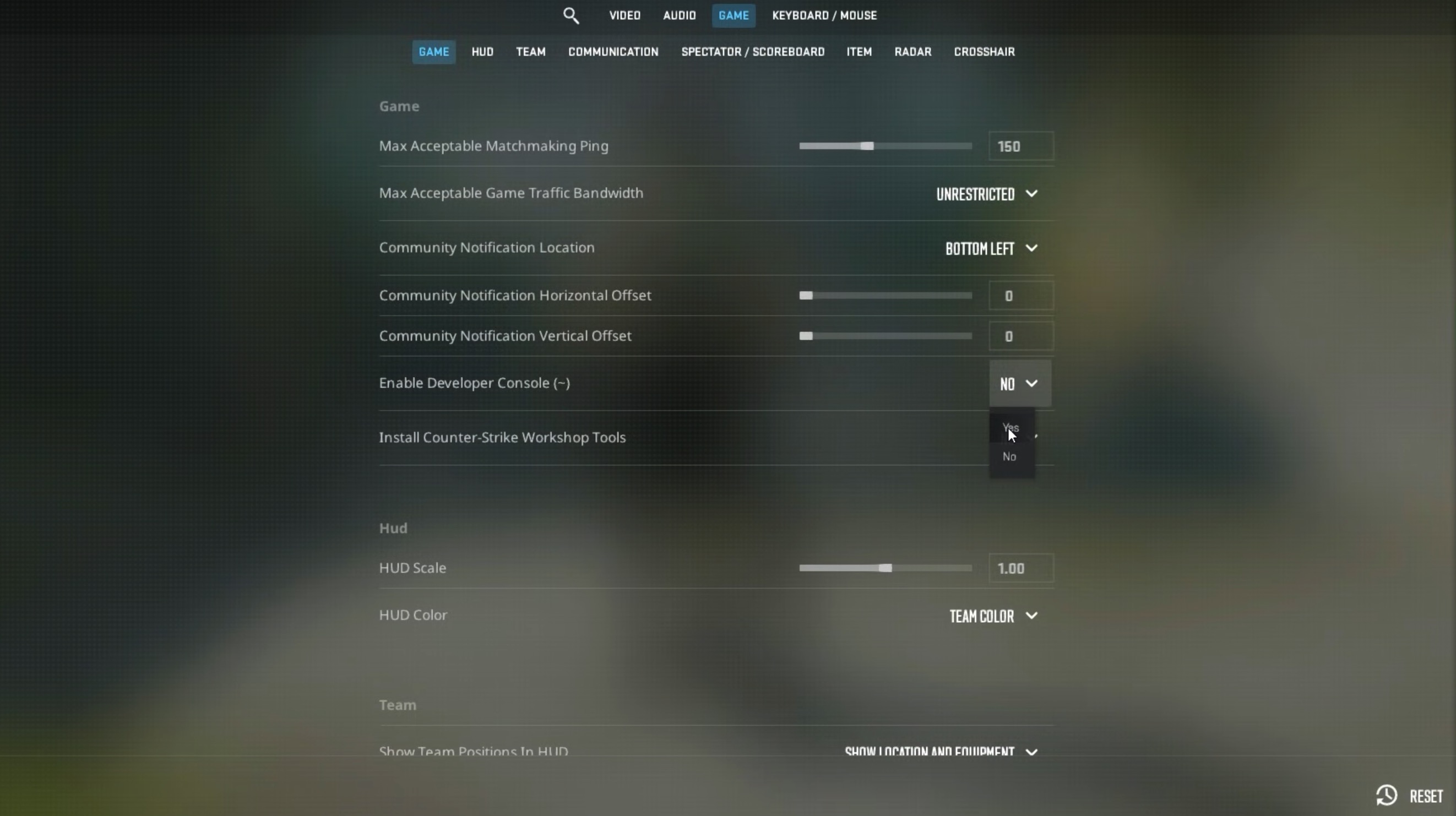
Once enabled, press the tilde (~) key to open the console.
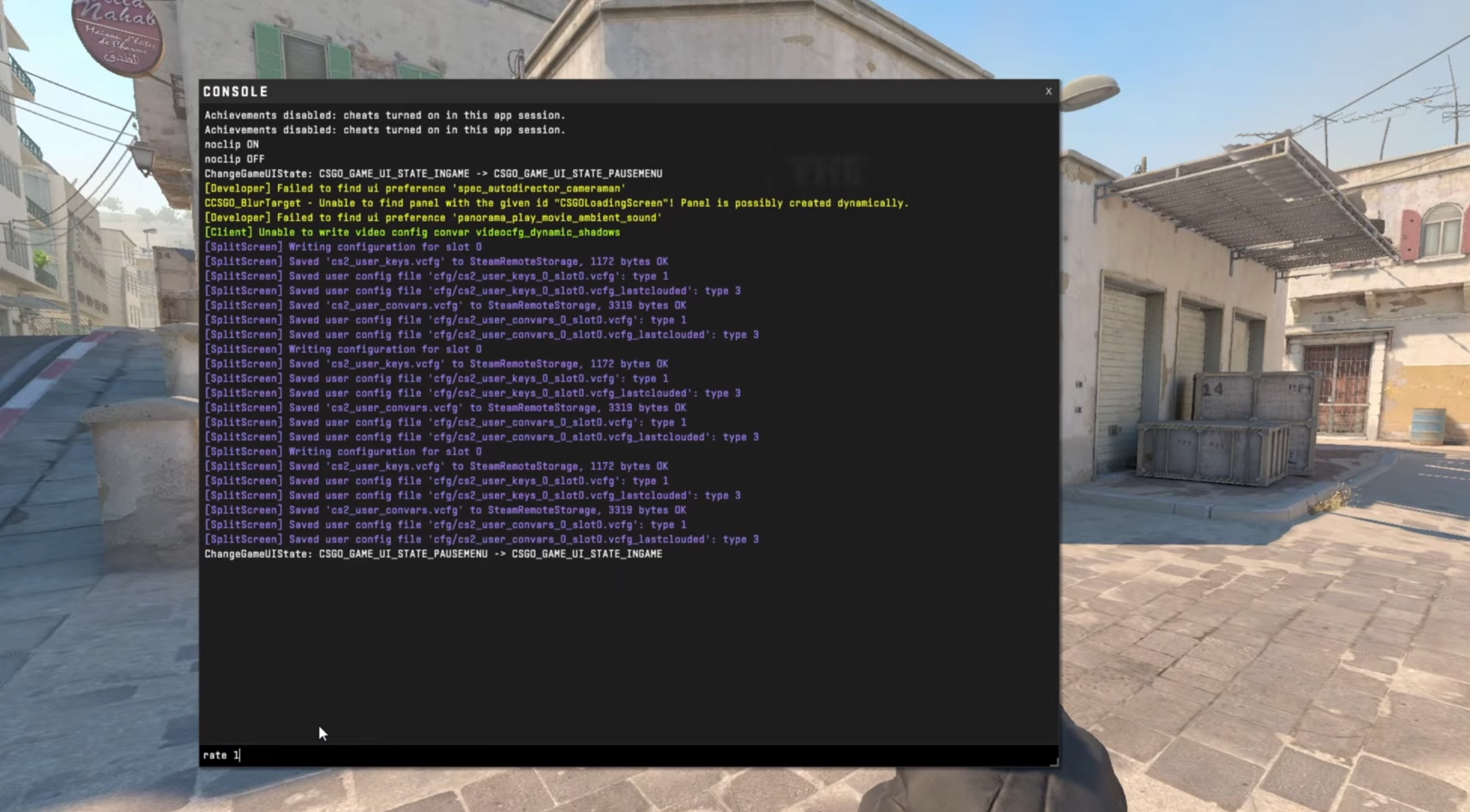
If it does not open, check your keyboard layout or key bindings.
How to Enable Cheats
Most advanced commands require cheats to be enabled.
Start a practice match, open console, and type:
sv_cheats 1
Important thing to remember, this only works in offline matches or private servers. You cannot use cheats in competitive matchmaking.
FPS and Performance Commands
These commands help you get better performance and smoother gameplay.
cl_showfps 1 – Shows FPS on screenfps_max 0 – Removes FPS limitfps_max 144 – Limit FPS to your monitor refresh rater_drawtracers_firstperson 0 – Removes bullet tracersmat_queue_mode 2 – Enables multi-core renderingcl_disable_ragdolls 1 – Removes ragdoll physics for better FPS
If you are playing on a mid-range PC, these commands can make a noticeable difference.
Network and Ping Commands
These commands help you monitor connection quality.
net_graph 1 – Shows ping, loss, and tickratecl_interp 0 – Improves hit registrationcl_interp_ratio 1 – Keeps interpolation optimalrate 786432 – Sets max data rate
Good network settings can improve your gunfights.
Mouse and Sensitivity Commands
Every player has a different preference, but these commands help fine-tune controls.
sensitivity 2.5 – Adjust mouse sensitivityzoom_sensitivity_ratio_mouse 1 – Scoped sensitivitym_rawinput 1 – Enables raw mouse inputm_customaccel 0 – Disables mouse acceleration
Disabling acceleration is important for consistent aim.
Practice and Training Commands
These are the most important commands if you want to improve.
sv_cheats 1 – Enable cheatsnoclip – Fly through mapgod – Become invinciblesv_infinite_ammo 1 – Unlimited ammosv_infinite_ammo 2 – No reloadmp_roundtime_defuse 60 – Longer roundsmp_startmoney 16000 – Max moneymp_buy_anywhere 1 – Buy anywheremp_freezetime 0 – Remove freeze timemp_restartgame 1 – Restart match
These commands create the perfect practice environment.
Aim Practice Commands
If you want to improve aim, use these:
sv_showimpacts 1 – Shows bullet impactssv_showimpacts_time 10 – Duration of impact marksweapon_accuracy_nospread 1 – Removes bullet spreadweapon_recoil_scale 0 – Removes recoil
These are useful to understand how weapons behave.
Grenade and Smoke Practice Commands
Utility is very important in Counter-Strike 2, especially in competitive matches.
sv_grenade_trajectory 1 – Shows grenade pathsv_grenade_trajectory_time 10 – Shows it longersv_rethrow_last_grenade – Re-throw last grenadeammo_grenade_limit_total 5 – Carry more grenades
These commands help you master lineups quickly.
Bot Commands
You can control bots to simulate real matches.
bot_add – Add botbot_kick – Remove all botsbot_stop 1 – Freeze botsbot_mimic 1 – Bots copy your movementbot_place – Place bot at crosshair
These are useful for practice scenarios.
Viewmodel and HUD Commands
These commands change how your weapon and HUD look.
viewmodel_fov 68 – Weapon field of viewviewmodel_offset_x 2.5 – Move weapon left/rightviewmodel_offset_y 2 – Move forward/backviewmodel_offset_z -2 – Move up/downcl_hud_radar_scale 1.2 – Bigger radarcl_radar_always_centered 0 – Better map awareness
These settings help improve visibility.
Movement and Misc Commands
These commands help with movement practice.
sv_autobunnyhopping 1 – Auto bunny hopsv_enablebunnyhopping 1 – Enable bhopsv_airaccelerate 1000 – Better air control
These are mostly for fun and training.
Important Things to Keep in Mind
Console commands are powerful, but they have limits. You cannot use cheat commands in official matchmaking. The game blocks them for fair play. Always use them in offline or private sessions.
Also, do not try random commands without understanding them. Some commands can break your settings.
Wrap Up
Learning console commands in Counter-Strike 2 is one of the easiest ways to improve your gameplay. You do not need to use all commands. Start with practice and performance commands. Once you get comfortable, try advanced ones.