
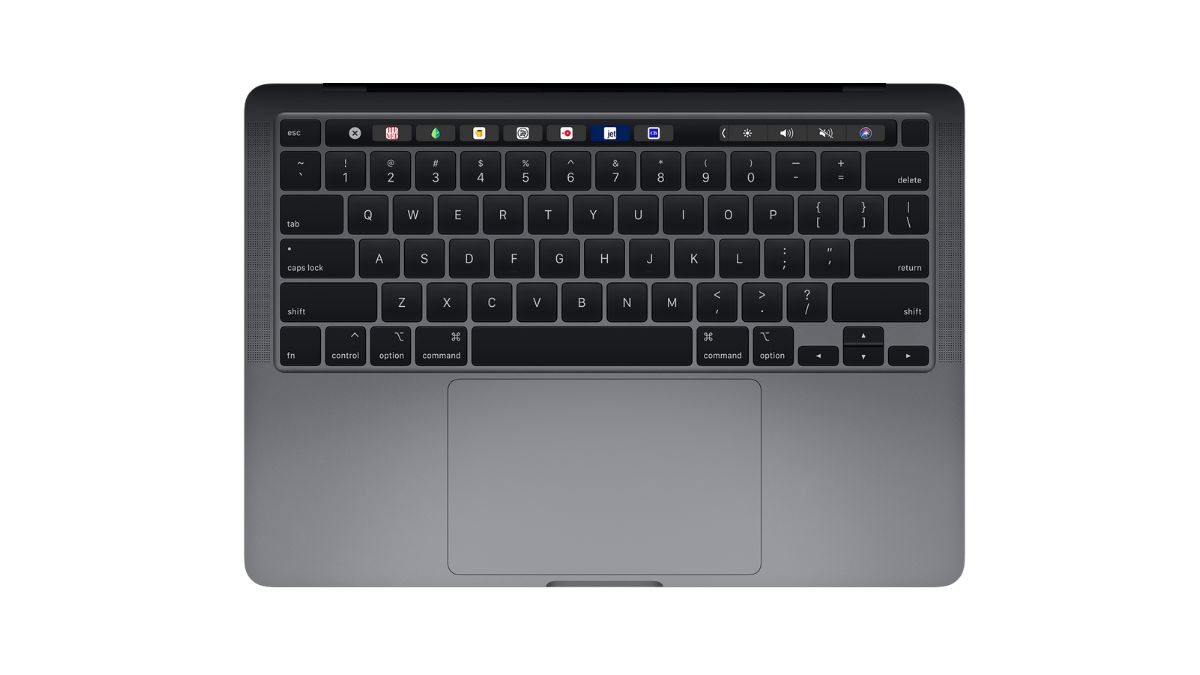

Apple’s butterfly keyboard still remains one of the most debated changes in laptop design. It was introduced with much promise and later remembered for widespread controversy. Years after Apple officially abandoned it, the butterfly keyboard continues to be discussed for its engineering significance and lessons learned. In this article, I will take a look at the butterfly keyboard.
What Is the Butterfly Keyboard?
The butterfly keyboard is a low-profile key mechanism that Apple designed to make laptops thinner while maintaining a precise and stable typing experience. Traditional laptop keyboards use a scissor-switch mechanism, where each key sits on two interlocking plastic pieces that open and close like scissors.
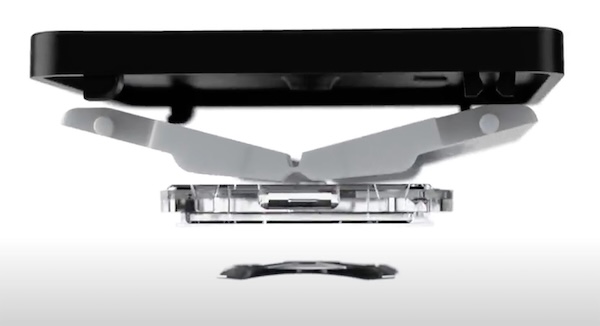
Apple’s butterfly mechanism uses a single hinge with two wings that open and close like a butterfly’s wings when pressed. This design allows the keyboard to be 40% thinner than a scissor-switch keyboard while giving each keycap more lateral stability.
In theory, it was a brilliant idea to produce thinner laptops with less key wobble and a modern, crisp feel. But in practice, it became one of Apple’s most criticized hardware decisions.
Apple has already prioritized sleek design and minimal thickness in its laptops. This is the reason it created the butterfly keyboard. The design allowed it to make its MacBooks slimmer while giving them a distinct, crisp typing sound and feel. Unfortunately, it also introduced new mechanical vulnerabilities that everyday users later faced.
How the Butterfly Mechanism Works
To understand why the butterfly keyboard felt different and caused so many issues, it helps to look at how it was built.
Each key on a butterfly keyboard sits on a wide, wing-shaped hinge. When pressed, the hinge collapses inward symmetrically, similar to how a butterfly’s wings close. The hinge transfers pressure directly downward to a silicone dome switch that registers the keystroke electronically.
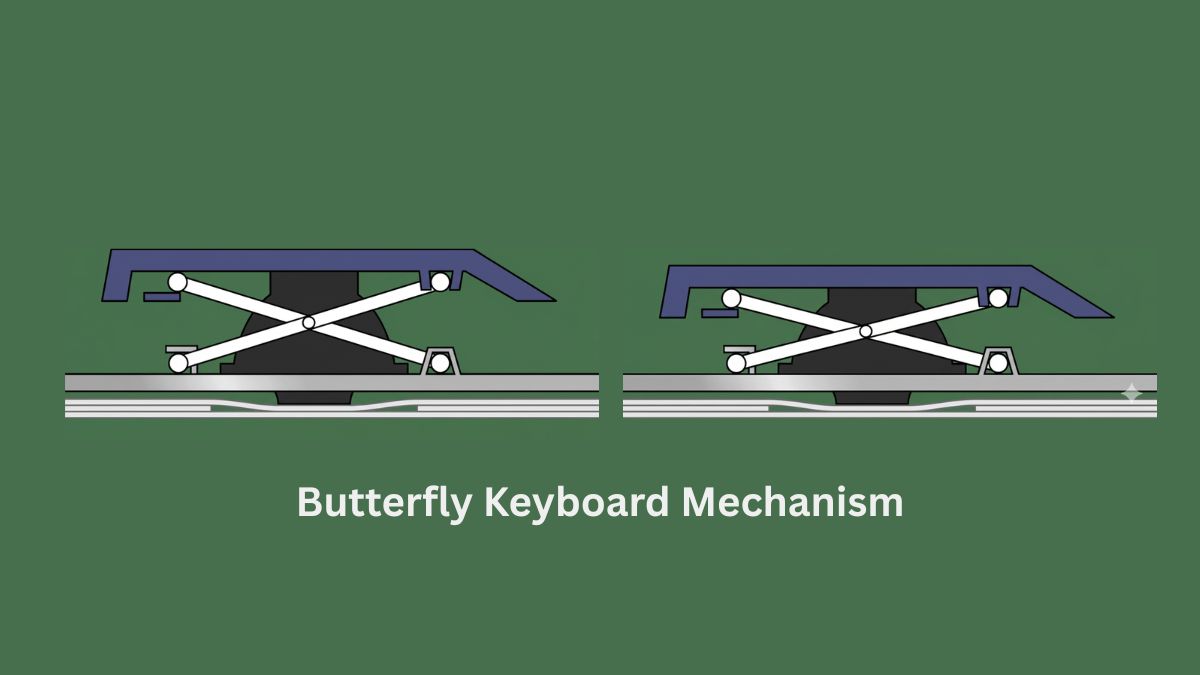
Butterfly keyboard keys offer extremely low-key travel. Typically around 0.5–0.7 mm, compared to 1.2–1.5 mm in scissor-switch keyboards. Since the hinge covers more surface area under each keycap, it improves lateral stability. There’s also a polymor layer to reduce height and noise, but they made the mechanism delicate. Later, Apple also added a Membrane protection to prevent dust from entering, but this was not always effective.
The Typing Experience
The butterfly keyboard was polarizing. Some users appreciated its firm, stable feel and fast response, especially for short bursts of typing. Others found it uncomfortable for long typing sessions due to its shallow travel and limited feedback.
The sensation was almost like tapping on a hard surface, but lacking cushion or depth. Over time, even many loyal Apple users began preferring the older scissor-switch or the newer Magic Keyboard for their tactile comfort.
Problems with the butterfly keyboard
The butterfly keyboard faced widespread criticism because of its unreliability. Here’s the list of main issues users reported.
- Stuck keys: Even tiny dust particles could block a key’s movement.
- Repeating or unresponsive keys: The key switches would sometimes double-type or not register.
- Difficult repairs: Since the keyboard was part of the laptop’s top case, fixing even one key required replacing the entire upper chassis.
- Short key travel: Many users disliked the typing experience, calling it “harsh” or “unnatural.”
- Noise: The mechanism produced a sharp clicking sound, especially on earlier models.
Apple tried several hardware revisions, but none completely solved these problems.
The History of Apple’s Butterfly Keyboard
In 2020, Apple replaced the butterfly keyboard with the Magic Keyboard, a redesigned scissor-switch mechanism with better travel and reliability. This marked the official end of the butterfly era.
Persistent issues lead to global outrage. Apple eventually launched a keyboard service program that offered free repairs for affected MacBooks.
Apple quietly revised the butterfly keyboard multiple times between 2018 and 2019, each time claiming improvements. The 2018 version added a silicone membrane under the keys to reduce typing noise, but it also served to block dust and debris.
The butterfly mechanism expanded to the MacBook Pro lineup in 2016. Apple claimed the second-generation version was more refined, but users soon began reporting problems like keys sticking, repeating characters, or not registering at all.
Apple introduced the butterfly keyboard in 2015 with the ultra-thin 12-inch MacBook. The company promoted it as a revolutionary typing mechanism that offered greater precision and stability. The keyboard helped Apple achieve the incredibly slim profile of that MacBook. But it also came with noticeably shallower key travel.
Apple’s Response and Controversy
As complaints mounted, Apple initially downplayed the issue, calling it a problem that affected only “a small percentage of users.” However, reports from customers, tech journalists, and repair professionals suggested otherwise.
The controversy led to class-action lawsuits in the United States and other regions. In 2022, Apple agreed to a $50 million settlement to compensate affected users. While Apple did not admit wrongdoing, the settlement effectively closed one of the most public product controversies in the company’s recent history.







