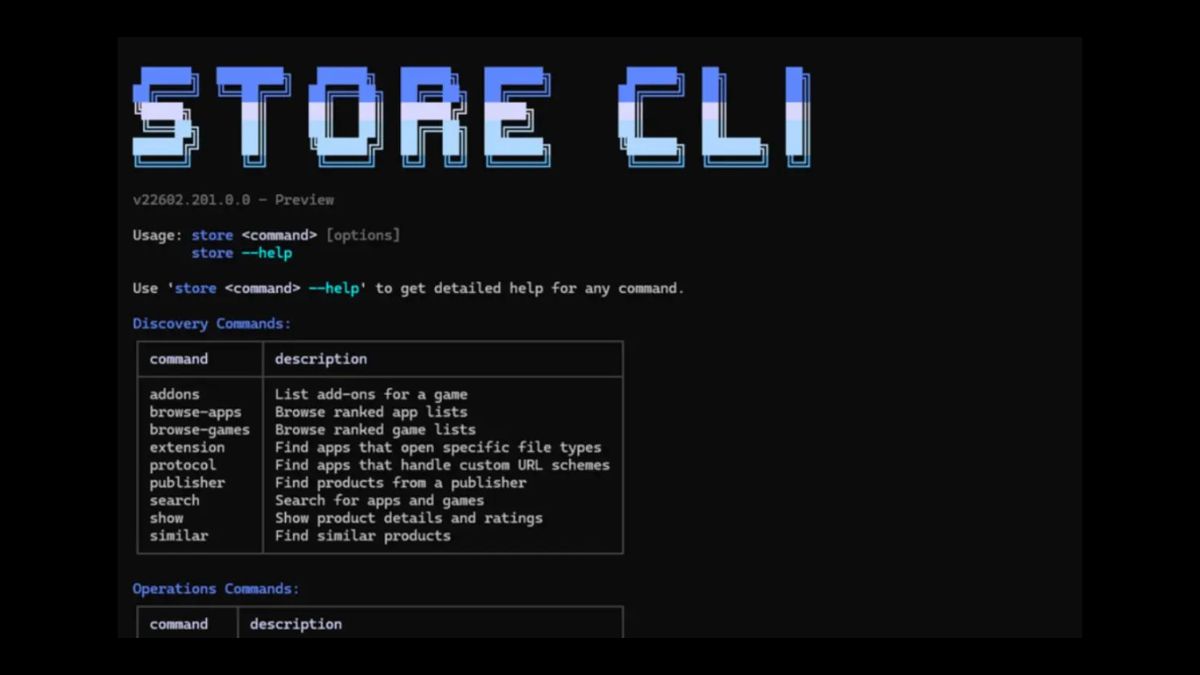

Microsoft has introduced a new command line interface for the Microsoft Store. The new tool allows users to browse, install, and update apps directly from the terminal without opening the Store app interface.
The feature is mainly targeted at developers and power users who prefer working with command-line tools instead of graphical interfaces. With this update, Microsoft is trying to make app management faster and more flexible on Windows systems.
The new Store CLI supports several basic commands in its first version. Users can browse apps using the browse command and filter results by category, market, language, and listing type, such as top free or new releases. Apps can be installed directly using a single install command. Updates can also be triggered from the terminal for specific apps. Running the help command will show a full list of supported options.
It is important to note that this CLI works only on Windows devices where the Microsoft Store is already enabled. It is not a standalone replacement for the Store. Instead, it acts as an additional access layer.
This move was expected because developers often rely on command line tools for automation, scripting, and remote management. Platforms like Linux and macOS already offer strong package management systems through terminal commands. Windows has improved in this area over the years, especially with tools like winget. Adding a dedicated Store CLI makes the ecosystem more complete.
However, one could also argue that this may overlap with existing tools. Microsoft already offers Windows Package Manager, which allows app installations via command line. So the new Store CLI might feel like an extra layer rather than a completely new need. The real value will depend on how deeply it integrates with Store specific features and developer analytics.
Alongside the CLI, Microsoft has announced updates for developers in Partner Center. Health Reports now provide deeper insights into app stability. Developers can filter reports by app version, device architecture, and Windows build. This makes it easier to identify crash patterns and reliability issues. A new anomaly alert system will notify developers if there is a sudden spike in crashes or hangs.
Microsoft has also introduced a new Summary Dashboard. It combines key metrics such as installs, ratings, engagement, and stability in one place. The redesigned Usage Dashboard now includes more detailed engagement data, including active devices and session counts. These additions are clearly aimed at helping developers understand how their apps are performing over time.
The Microsoft Store Web Installer has also been improved. Win32 apps can now automatically open after installation, which reduces extra steps for users. There is also better support for enterprise managed devices, which should help improve installation success rates in business environments. Microsoft has also refreshed the Store Badge creator to make it easier for developers to generate official badges for their apps.