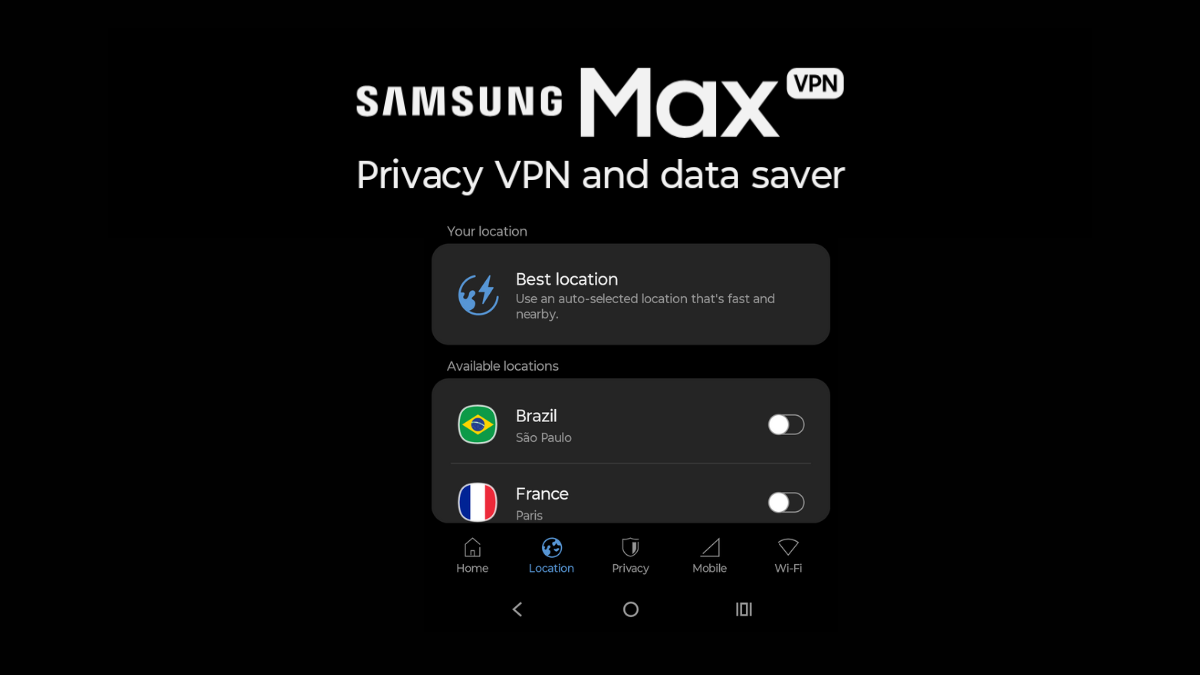

Not many people know that Samsung also offers a VPN app for Android. Although the app was launched for Samsung Galaxy devices, it now seems the app is available for other devices as well. I was able to download the app on my Motorola phone. This is a free VPN app offering unlimited data, so it is important for users to understand if the app is worth trying. Soon after I checked the privacy policy, I realized I should only treat it as a free VPN app. So, the review will mainly focus on checking if it is good enough as a free VPN or not.
Samsung Max VPN is not like most VPN apps you find on the Play Store. It is made mainly for Samsung Galaxy users and is deeply connected with One UI. Instead of trying to be a powerful global VPN, Samsung Max focuses on two main things. It helps you save mobile data and gives you basic privacy protection. I have used both the free and paid versions, and this review shares a clear and honest look at what you actually get.
The free version of Samsung Max is clearly built for people who do not want to spend money on a VPN but still care about privacy and data usage. Since it comes preinstalled or is well supported on Samsung phones, getting started is very easy. You just open the app, turn it on, and it starts working in the background without much setup. If you don’t have a Samsung phone, you can try checking if the app is compatible with your phone.
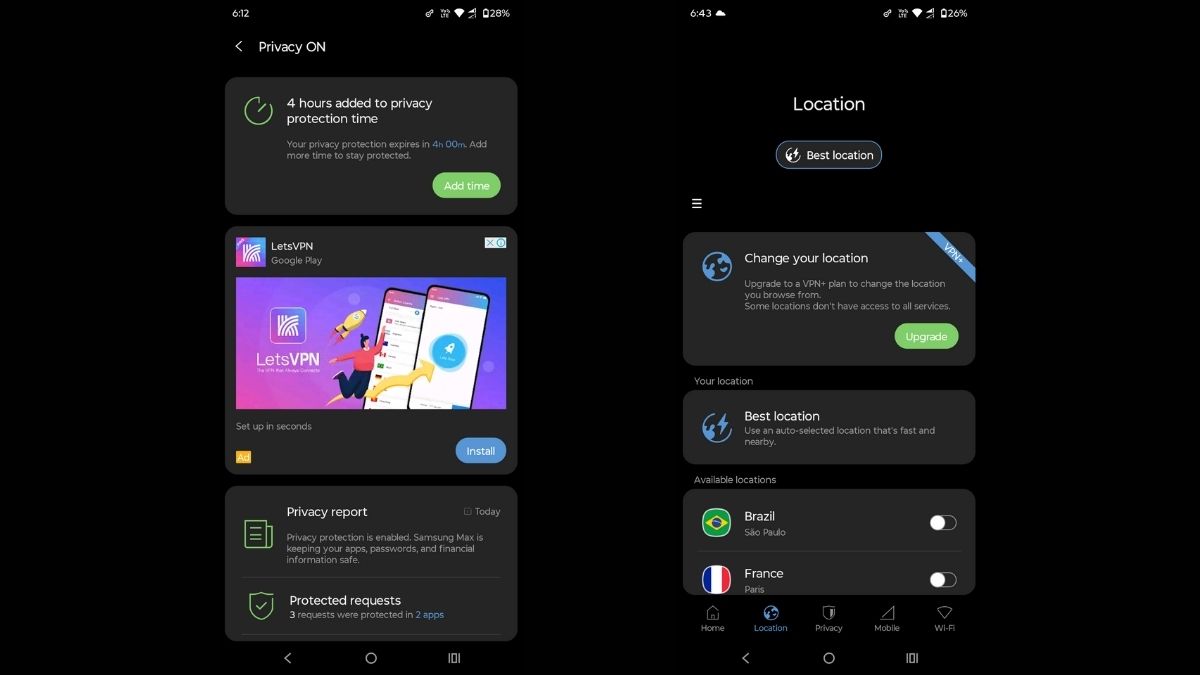
One of the most notable features of the free version is unlimited data. Most free VPN apps limit you to a few hundred MB or a couple of GB every month. Samsung Max does not do that. You can keep it enabled all day and never worry about hitting a limit. This alone makes it stand out in the free VPN space. But, you n need to keep watching videos that increase your free hours. One video ad gives you 4 hours of free usage.
However, you cannot change location in the free version. It automatically selects the best location for you. If you want to manually select the location, you need to upgrade to the VPN+ plan. And most of the features are available only to premium subscribers.
Speed is another issue. The free version connects you to the best available location, which is usually the nearest server. In India, that means an Indian server. Since many free users share the same servers, speeds drop. Video buffering and slow page loads are common during busy hours.
During my testing, it was offering from 20Mbps to 40Mbps download and upload speeds. It is much slower than the actual speed of my internet connection, but still good enough for daily browsing. You can even use it for streaming or gaming.
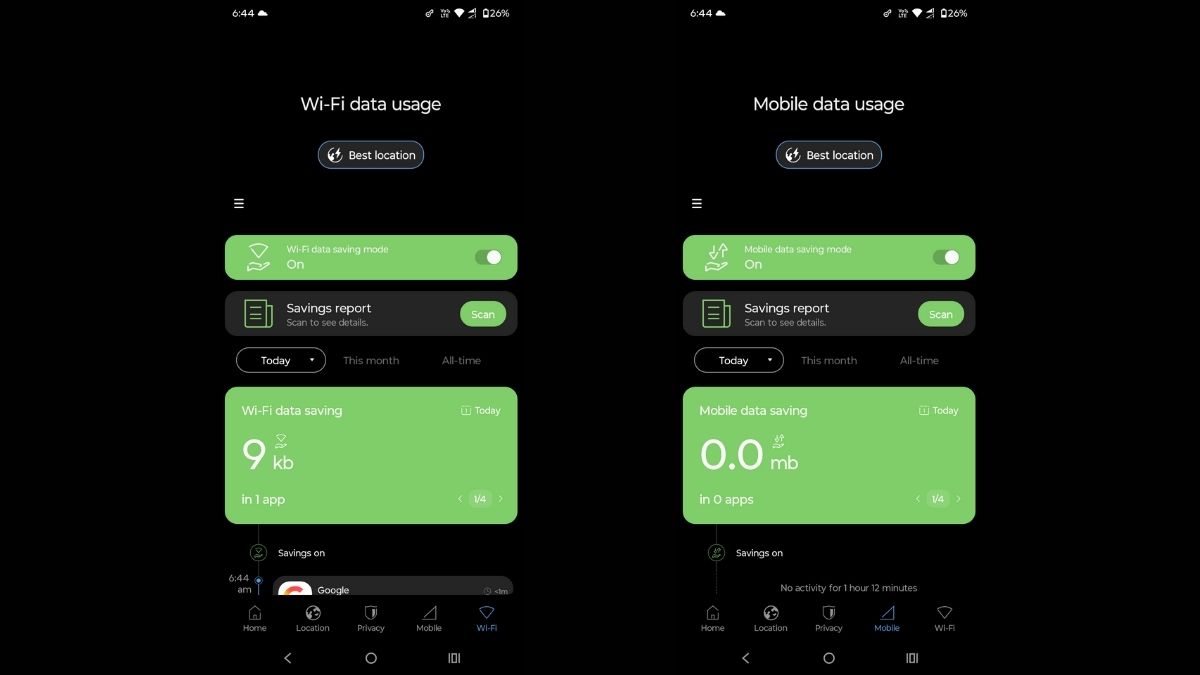
Another interesting feature is the Data Saving Mode. This is where Samsung Max feels different from other VPNs. It compresses images, videos, and even music while you browse or use apps. If you are on a limited mobile data plan, the savings are real. In daily use, you can easily save around 30 to 50 percent of your data, especially on social media apps and news websites.
Wi-Fi security is also a useful feature. When you connect to public Wi-Fi at places like cafes, airports, or hotels, Samsung Max automatically encrypts your connection. This helps protect your passwords, messages, and personal data from being snooped on by others on the same network.
Samsung Max also gives you privacy reports. These reports show which apps are trying to track you or send data in the background. It is eye-opening to see how many apps do this without you knowing. For normal users, this feature alone adds a lot of value.
The free version of the Samsung Max app has ads. You see too many ads and recommended apps on the app. I have already explained how you need to keep watching video ads to increase your free hours.
There are also subscription plans. Once you move to a paid plan, Samsung Max starts to feel more serious. The biggest benefit here is no ads. You do not need to watch videos anymore, and the VPN stays on all the time. This alone makes the experience much smoother.
You also get better app management tools. You can control which apps are allowed to use data and which ones are blocked completely. Paid users get access to premium lanes, which means less congestion and faster connections. In real use, speeds are much closer to your actual Wi-Fi or 5G performance.
There are two subscription plans. The Premium and Android VPN+. The premium plan also doesn’t let you select a location manually. The Android VPN+ plan is for people who want the full power of the app. But this plan costs Rs.
Samsung Max VPN works very well within the Samsung ecosystem and feels reliable for daily use. However, it still lacks some advanced features. There is no kill switch, which means your internet will not cut off if the VPN connection drops. Many dedicated VPN apps offer this for extra security.
At this price point, Samsung Max starts competing with proper VPN services. It is still more affordable than popular VPNs like NordVPN, Private VPN, Surfshark, and Express VPN. It is for casual users who just want to change their location. Serious people who care about their privacy must stay away from this VPN. It collects app interactions, Advertising ID, Firebase ID, and more data for different purposes. Just check the privacy policy, you will realise this VPN isn’t for privacy
Wrap Up
Samsung Max VPN is not for everyone, but it does a few things very well. The free version is excellent if you are on a tight budget, use public Wi-Fi often, or want to reduce your mobile data usage without thinking too much about settings.
The paid plans make sense mainly for Samsung loyalists. But this tool is still not a serious privacy tool. Power users who want advanced security features may still prefer a dedicated VPN app.