
Home » News » How to browse Incognito with Chrome Beta for Andro...

How to browse Incognito with Chrome Beta for Android

How to browse Incognito with Chrome Beta for Android

Add Techlomedia as a preferred source on Google. Preferred Source

Yesterday, Google has released Chrome beta for Android devices which brings all the features of Google Chrome for desktop to your Android devices.

tou can also browse Incognito in your Google Chrome Beta for Android. For this, first of all download Chrome Beta from the Android Market. Make sure that your device is running on Android 4.0 Ice Cream Sandwich because Chrome Beta is only compatible with ICS devices.

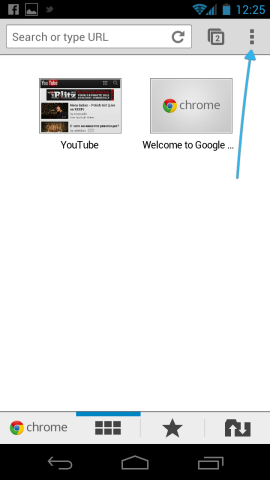
  • To open an Incognito tab, tap on the Menu icon on any screen.
  • Select New Incognito tab from the list of options.
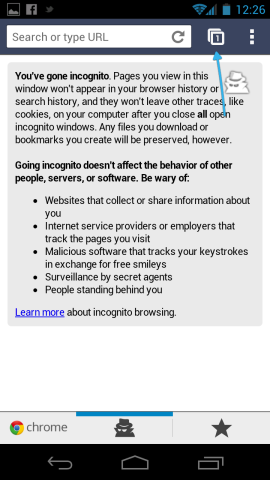
  • Now you will see a blank tab saying, “You’ve gone incognito.”
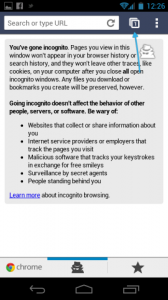
  • If you want to open an additional Incognito tab, tap on the tab icon.
  • If you want to switch back to a normal, trackable browsing session place, swipe from left to right by touching the black (blank) space between the two tab lists. You can then swipe right to left to return to the Incognito tabs.
Via Cnet

Follow Techlomedia on Google News to stay updated. Follow on Google News

Affiliate Disclosure:

This article may contain affiliate links. We may earn a commission on purchases made through these links at no extra cost to you.

Deepanker Verma

About the Author: Deepanker Verma

Deepanker Verma is the Founder and Editor-in-Chief of TechloMedia. He holds Engineering degree in Computer Science and has over 15 years of experience in the technology sector. Deepanker bridges the gap between complex engineering and consumer electronics. He is also a a known Security Researcher acknowledged by global giants including Apple, Microsoft, and eBay. He uses his technical background to rigorously test gadgets, focusing on performance, security, and long-term value.

Related Posts

Stay Updated with Techlomedia

Join our newsletter to receive the latest tech news, reviews, and guides directly in your inbox.