Facebook has a photo tagging feature which help users to tag other people on photos. This is a nice feature to enjoy group photo with all friends in the photo. But Most of the users use this feature just to increase popularity of the photo by tagging all friends on the photo to get the attention. This is panic to be tagged into an inappropriate photos.
You can protect yourself from these photo tags by following some simple steps. First of all know how to remove these inappropriate photo tags to block notifications about that photo. Follow these steps to remove a photo tag.
- Go to your photo and then find the photo from which you want to remove the tag.
- Click on the photo and then find “On your timeline · Remove” Click on remove here.



Now you should change some privacy settings to protect your timeline from these unwanted photo tags. Follow these steps.
- Click on the drop down icon on the navigation bas after the home and then click on Privacy Settings.

- Here find the option “Timeline and Tagging”
- Click on Edit setting just after it.
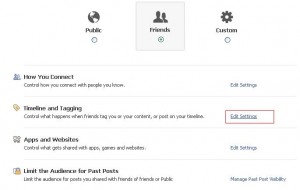
- You need to turn on the setting “Review posts friend tag you in before they appear on your timeline”. To do this, click on off just before it and then enable it in the option given in the next window.
- Now click on save and then click on done to save the new settings.

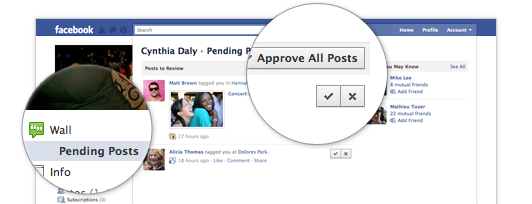
After this, each time a friend want to tag you in a photo, you will get a confirmation notification. Photo will appear only if you will approve the tag.
Related Posts