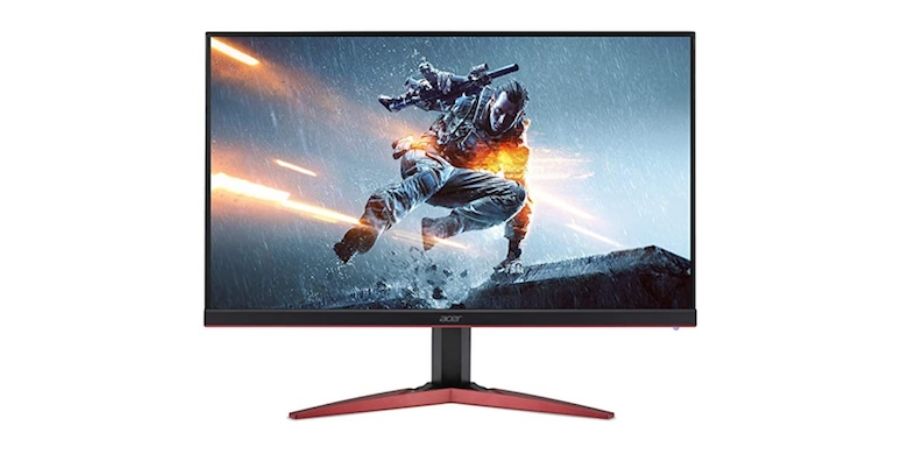
A high refresh rate monitor can make a big difference in how games feel. If you play fast games like shooters or racing titles, a 144Hz monitor makes motion look smoother than a regular 60Hz display. The difference is easy to notice, especially when you move the camera quickly or track enemies during gameplay.
A few years ago, 144Hz monitors were expensive and mostly aimed at serious gamers. Now things have changed. Many brands offer good 144Hz and even 165Hz monitors at affordable prices. This means you do not have to spend a lot of money to get a smooth gaming experience.
If your budget is around ₹15,000, there are several good options available. Some monitors focus more on competitive gaming with fast response times. Others offer larger screens or higher resolution, which can be better for work, entertainment, and casual gaming.
In this article, I have picked some of the best 144Hz monitors you can buy under ₹15,000. I have looked at gaming performance, display quality, and overall usability to help you choose the right monitor for your setup.
Also see:
144Hz Gaming Monitors Under 15000 INR
| 144Hz Gaming Monitors Under 15000 | Price | Best For | Buy Here |
| LG UltraGear 24GS60F-B | Rs. 12900 | Competitive gaming | Buy Here |
| Acer SA272U P1 | Rs. 12999 | Productivity and immersive single-player gaming | Buy Here |
| Dell S2425HSM | Rs. 11099 | Office work and casual gaming | Buy Here |
| BenQ GW2790TC | Rs. 14990 | Office work and casual gaming | Buy Here |
| MSI PRO MP273W E14A | Rs. 12999 | Productivity, multitasking, and content watching | Buy Here |
1. LG UltraGear 24GS60F-B

If gaming is your main focus, this is the strongest monitor in this list. LG’s UltraGear lineup is made for gamers, and this model clearly prioritizes speed. The biggest advantage is its 180Hz refresh rate. Most monitors in this price range offer 144Hz, so the extra refresh rate does make motion feel smoother. The 1ms response time also helps reduce motion blur in fast games.
The monitor uses an IPS panel, so colors look good and viewing angles are wide. It also supports AMD FreeSync and G-SYNC Compatible mode, which helps reduce screen tearing when frame rates fluctuate. While playing games like Valorant and CS2, the monitor feels very responsive. Enemy movement is easier to track, and the gameplay feels smooth.
This monitor is best suited for competitive shooters and esports titles. It also works well for watching videos and general use, but the stand only supports tilt adjustment.
Buy Here: Amazon
2. Acer SA272U P1 (WQHD)
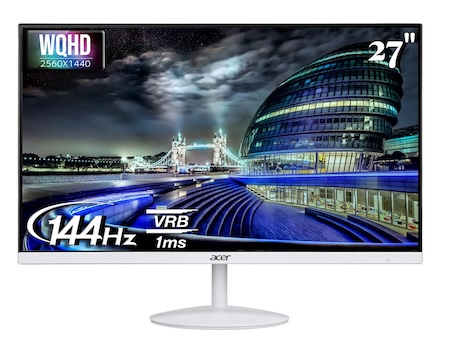
This monitor stands out because of its WQHD resolution (2560×1440). Most monitors under ₹15,000 still use Full HD panels, so the higher resolution immediately makes everything look sharper.
The 27-inch IPS panel gives you a larger screen and better clarity. Text looks cleaner, and you get more space on the desktop, which helps a lot when working with multiple windows. It also supports a 144Hz refresh rate, so motion still feels smooth during gaming.
In my experience, this monitor is great for single-player games, racing games, and RPG titles where visual quality matters more than extremely high frame rates. Games like Forza Horizon or GTA V look noticeably better on the higher resolution panel.
It is also a good choice for productivity work, browsing, and content consumption because of the larger screen and sharper display.
Buy Here: Amazon
3. Dell S2425HSM
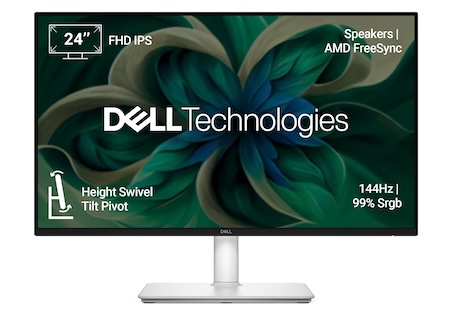
Dell monitors are usually known for their build quality, and this one feels well-built. The design is simple and clean, so it fits well on both gaming and office desks. It comes with a 24-inch IPS panel with a 144Hz refresh rate, which keeps motion smooth while gaming. Colors are also consistent, which is something Dell monitors usually do well.
Another good thing here is the adjustable stand. Unlike many budget monitors, you get better ergonomics, which makes long sessions more comfortable.
During testing, it worked well for games like FIFA, Rocket League, and casual shooters. It is not tuned like a hardcore gaming monitor, but the experience is still smooth.
This monitor is best for people who want a balanced display for gaming, work, and everyday use.
Buy Here: Amazon
4. BenQ GW2790TC
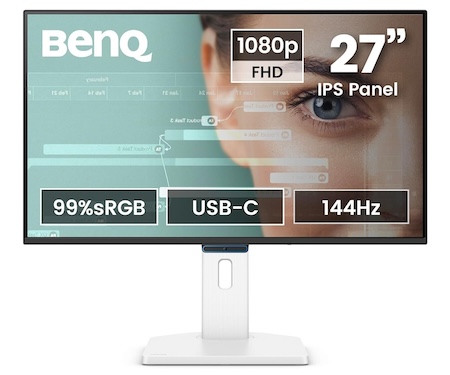
The BenQ GW2790TC is more focused on productivity, but it still offers a 144Hz refresh rate, which makes motion smoother than standard office monitors.
It has a 27-inch IPS panel, which gives you a larger workspace. The screen feels comfortable for reading, writing, and browsing for long hours. BenQ also includes several eye-care features, such as low blue light and flicker-free technology. These help reduce eye strain during long work sessions.
The monitor also supports USB-C connectivity, which makes it useful for laptop users who want a cleaner desk setup.
For gaming, it works well with casual games, simulation titles, and strategy games. It is not built for competitive esports gaming, but the larger screen and smooth refresh rate still make games enjoyable.
Buy Here: Amazon
5. MSI PRO MP273W E14A

The MSI PRO MP273W is mainly designed for office and productivity use. It features a 27-inch IPS panel with a 144Hz refresh rate, so the screen still feels smooth during everyday use.
The large screen makes it comfortable for multitasking, spreadsheets, browsing, and watching content. It also includes built-in speakers, which can be useful for basic setups where you do not want external speakers on the desk.
While gaming, the monitor handles casual games like FIFA, racing games, and single-player titles without any problem. However, it does not feel as responsive as dedicated gaming monitors.
This monitor is best suited for office work, content consumption, and light gaming rather than competitive gaming.
Buy Here: Amazon
How We Selected the Best 144Hz Monitors Under ₹15,000
To create this list, we compared several monitors available in the ₹15,000 price range and shortlisted models that offer a refresh rate of 144Hz or higher. A high refresh rate is important for smooth gameplay, especially in fast-paced games.
We also looked at other important factors such as panel type, response time, resolution, screen size, and connectivity options. Monitors with IPS panels were given preference because they generally offer better colors and viewing angles compared to cheaper panel types.
Apart from specifications, we also considered real-world usage. We checked how smooth the monitors feel while playing games and how comfortable they are for everyday tasks like browsing, watching videos, and office work. Build quality and overall value for money were also important factors while finalizing this list.
Things to Consider Before Buying a 144Hz Monitor
Before choosing a gaming monitor, it is important to look beyond just the refresh rate. Several other factors affect the overall experience.
Refresh Rate: A 144Hz monitor refreshes the image 144 times every second. This makes motion look much smoother than a standard 60Hz monitor. Fast movements in games appear clearer and easier to track.
Response Time: Response time indicates how quickly pixels change color. A lower response time helps reduce motion blur and ghosting during fast gameplay. For gaming, monitors with 1ms or 5ms response time usually perform well.
Panel Type: Most modern monitors use IPS panels. IPS displays offer better colors and wider viewing angles compared to TN panels. VA panels can provide better contrast but sometimes have slower response times.
Screen Size: 24-inch monitors are popular for competitive gaming because the entire screen is easy to view without moving your head. 27-inch monitors provide a larger display, which is better for productivity and immersive gaming.
Resolution: Full HD (1920×1080) is still common in budget gaming monitors and works well for most games. Some monitors in this price range also offer WQHD resolution, which provides sharper visuals and more screen space.
Wrap Up
Choosing the right monitor under ₹15,000 depends on how you plan to use it. If gaming is your main priority, a monitor with a faster refresh rate and lower response time will give you a smoother and more responsive experience. On the other hand, if you also use your monitor for work, watching content, or general use, factors like screen size, resolution, and ergonomics become just as important.
In this list, the LG UltraGear 24GS60F-B clearly stands out for competitive gaming thanks to its very high refresh rate and fast response time. The Acer SA272U P1 is a strong option if you prefer a sharper WQHD display and a larger screen for both work and entertainment. Monitors from Dell, BenQ, and MSI offer a more balanced experience and can work well for people who split their time between gaming and productivity.
The good thing is that you no longer have to spend a lot to get a smooth, high refresh rate display. Several good monitors are now available under ₹15,000, and most of them can easily handle both gaming and everyday tasks. The right choice simply depends on whether you want the best performance for competitive games or a display that is better suited for mixed use.
Frequently Asked Questions
Is 144Hz good for gaming?
Yes. A 144Hz monitor makes gameplay look much smoother compared to a standard 60Hz display. Fast movements appear clearer, which can help in competitive games.
Is 144Hz enough for competitive gaming?
For most gamers, 144Hz is more than enough. Many esports players still use 144Hz or 165Hz monitors. Higher refresh rates like 240Hz can be smoother, but the difference is smaller compared to the jump from 60Hz to 144Hz.
Should I buy a 24-inch or 27-inch gaming monitor?
A 24-inch monitor is usually better for competitive gaming because the screen is easier to view entirely. A 27-inch monitor provides a larger display and is better for immersive games and productivity tasks.
Is IPS better than VA for gaming?
IPS panels usually offer better colors and faster pixel response, which makes them a popular choice for gaming monitors. VA panels provide better contrast but sometimes show more motion blur in fast games.
Related Posts