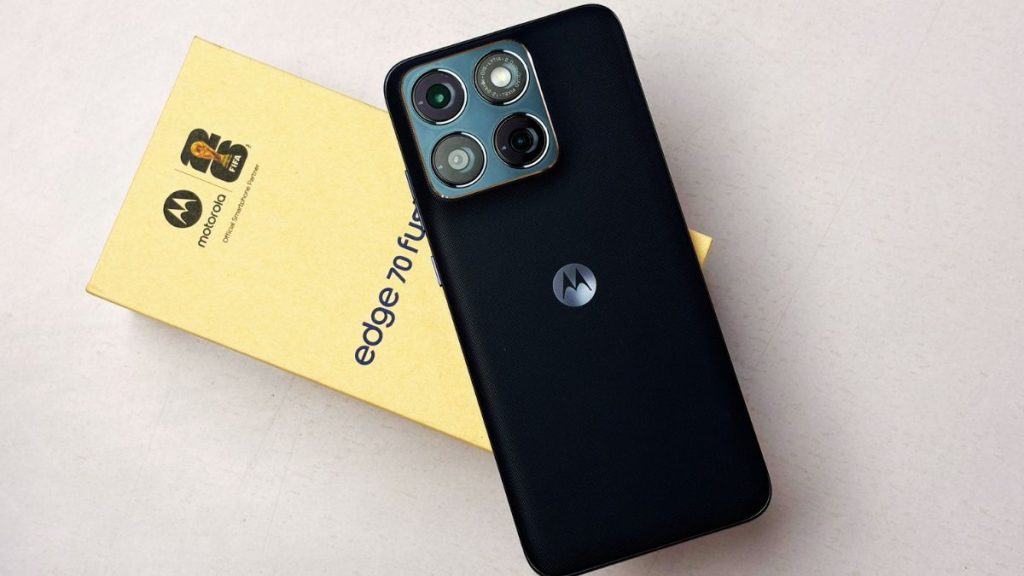
Motorola has been focusing a lot on design and clean software in its Edge series, and the Motorola Edge 70 Fusion continues that approach. The phone was launched last month, and it looks like a good successor to the Motorola Edge 60. On paper, it looks solid, but specs do not always tell the full story. So, it is important to understand how well the Motorola Edge 70 Fusion actually performs in daily use.
I have been using the phone for a while now, and in this review, I will break down everything you need to know.
Motorola Edge 70 Fusion Review
Box Contents
Inside the box, Motorola includes most of the essentials. You get a 68W charger, a USB Type-C cable, a SIM ejector tool, and the usual documentation.
It is good to see that Motorola is still including a fast charger in the box, especially when many brands have started removing it.
Design
The Motorola Edge 70 Fusion is one of the slimmest phones I have used in this segment. It measures 162.8 x 75.6 x 7.2 mm and weighs 193 grams, which already makes it feel sleek on paper. But in real usage, it feels even slimmer than the numbers suggest. The curved edges play a big role here. They give the phone a very thin and almost delicate look.
If you have used the Motorola Edge 60 Fusion, you will immediately notice the difference. That phone was already slim, but this one takes it a step further. The design feels modern and very premium at first glance, even though it uses a plastic frame.
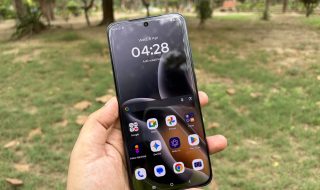
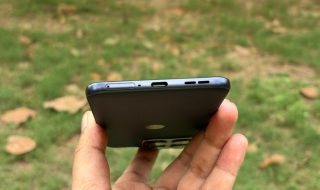
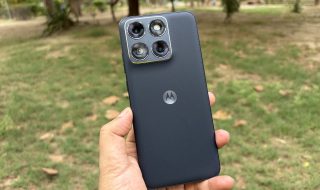
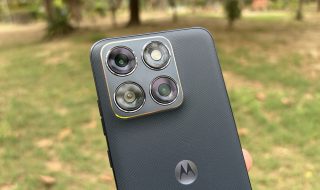
The variant I have comes in Pantone Silhouette color, and it looks clean and minimal. Motorola has also used a fabric finish on the back, which is a nice touch. It improves grip and makes the phone comfortable to hold for long durations. I also noticed that the company has slightly reduced the width, which makes one-handed usage easier than expected for a phone of this size.
Buttons, on the other hand, feel solid. The power button and volume keys are tactile and offer good feedback when pressed. They are also placed well, making them easy to reach during one-handed usage.
The camera module sits neatly at the back and does not feel overly bulky. It blends well with the overall design and does not ruin the clean look of the device.
However, the slim profile comes with a small trade-off. The phone looks fragile. During my usage, I often felt like I had to be extra careful while handling it. It is not slippery, but the thin build gives that impression.
On the durability side, Motorola has added some solid protection. The phone comes with MIL-STD-810H certification, which means it should handle minor drops and rough usage. It also gets IP68 and IP69 ratings for dust and water resistance, which is great to see in this segment. So even though it looks fragile, it is built to survive more than it suggests.
Display
The Motorola Edge 70 Fusion gets a 6.78-inch quad-curved AMOLED display with a 1.5K resolution (1272 x 2772). On paper, it looks like a small upgrade, but in daily use, it does feel like a refined panel. The biggest change here is the 144 Hz refresh rate, which is slightly higher than what we saw on the Motorola Edge 60 Fusion.
In real usage, the jump from 120 Hz to 144 Hz is not something you will instantly notice. It is not a night-and-day difference. But if you pay attention, scrolling feels a bit smoother, and animations look more fluid. It just adds to the overall polished experience.
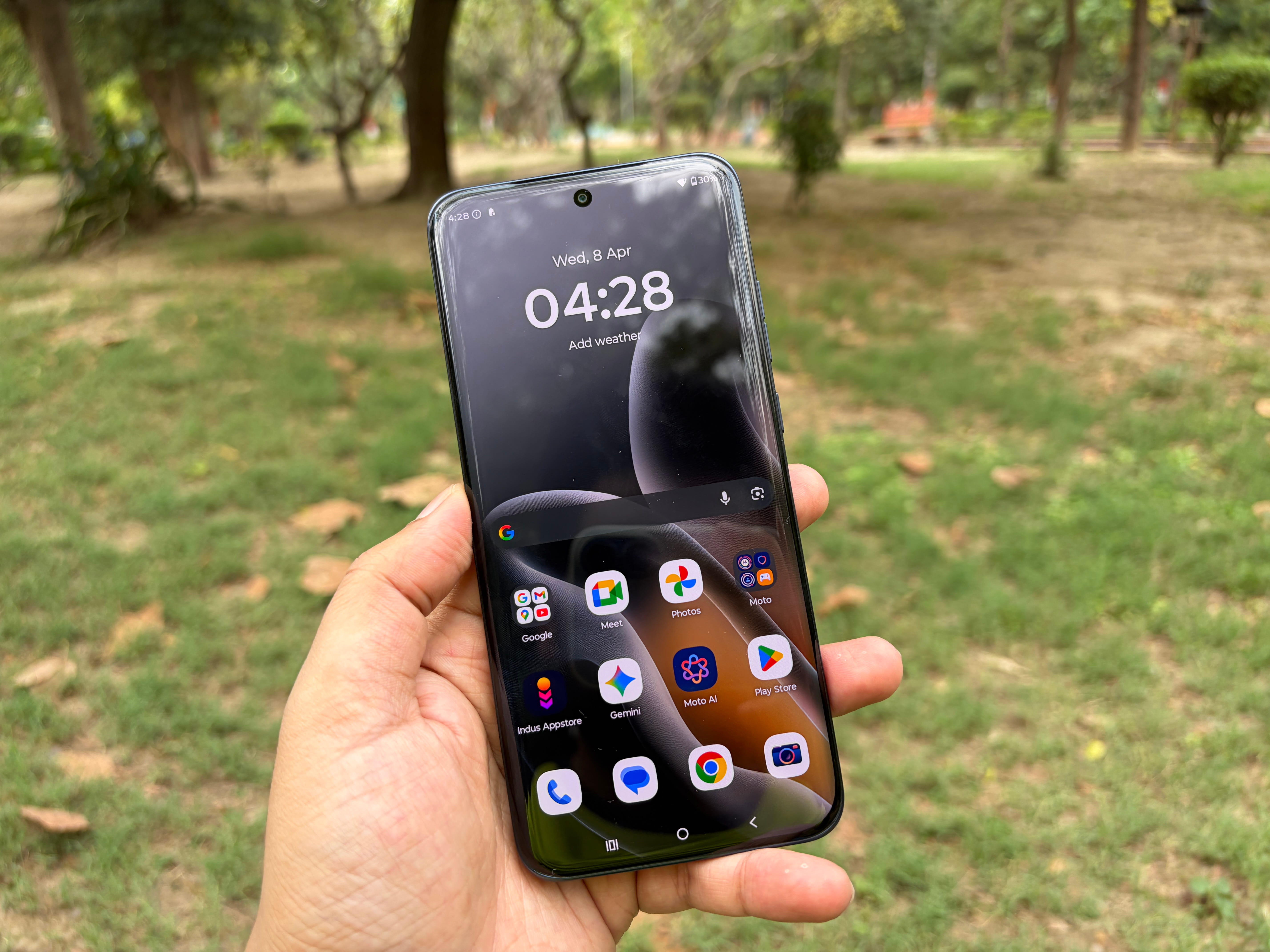
Photo: Techlomedia
The display quality itself is impressive. Colours look vibrant without feeling overdone, blacks are deep as expected from an AMOLED panel, and viewing angles are solid. Whether I was browsing, watching videos, or just scrolling through social media, the screen looked consistently good.
Motorola claims up to 5,200 nits peak brightness, and while that number is situational, the screen does get very bright outdoors. I had no trouble using it under harsh sunlight while clicking photos or checking content. Visibility remains strong, which is important for day-to-day usage.
I noticed that the display picked up minor scratches within just a few days of usage, despite having Gorilla Glass 7i protection. It is not something major, but it is worth keeping in mind if you plan to use the phone without a screen protector.
Another small disappointment was the lack of HDR support on Netflix. For a phone with such a good display, this does take away a bit from the content-watching experience, especially if you stream a lot of movies and shows.
Performance
The Motorola Edge 70 Fusion is powered by the Snapdragon 7s Gen 4 chipset built on a 4nm process, paired with the Adreno 810 GPU. You also get up to 12 GB LPDDR5X RAM and 256 GB UFS 3.1 storage. Compared to the Motorola Edge 60 Fusion, this is a clear upgrade in terms of hardware.
This chipset is not new, though. We have already seen it on devices like the Nothing Phone (4a) and the OnePlus Turbo 6V. So expectations were already set, and in most areas, the phone delivers a similar experience.
In day-to-day use, the phone feels fast and responsive. Apps open quickly, switching between multiple apps is smooth, and I did not face any major slowdowns during regular usage. It handles daily tasks with ease, which is what most users will care about.
Gaming performance is decent, but not the best in this price segment. Battlegrounds Mobile India runs smoothly at up to 120 FPS, which is great to see. However, Call of Duty: Mobile is capped at 90 FPS. This feels like a missed opportunity, especially when the display supports a 144 Hz refresh rate. I saw similar behavior earlier during my time with the Nothing Phone (4a), so it seems to be a chipset-level limitation or optimisation choice.
For heavier games like Genshin Impact and Wuthering Waves, the phone manages around 30 FPS at the highest settings. The good part is that performance stays consistent. I did not notice sudden frame drops or major instability during gameplay.
Thermal performance is also well handled. Even during longer gaming sessions or intense moments, the phone remained mostly cool. Motorola has included a vapour chamber cooling system, and it does help in maintaining stable performance.
That said, if your main focus is gaming and you are looking for the absolute best performance under Rs 30,000, this might not be the top choice. It is good, but not class-leading.
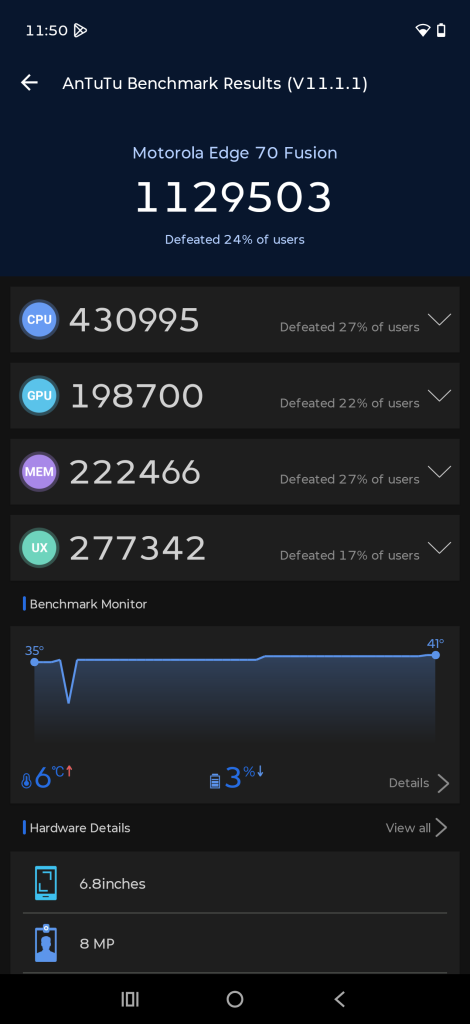
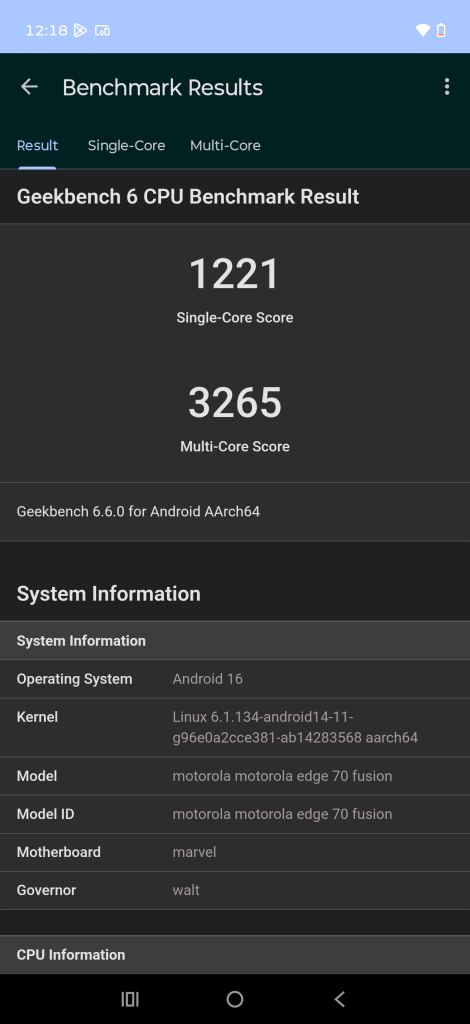
To give you a better idea of the raw performance, here are the benchmark scores of the Motorola Edge 70 Fusion.
- AnTuTu v10: ~11,29,503
- Geekbench 6: 1,211 (single-core), 3,256 (multi-core)
- 3DMark (estimated range based on chipset): ~4,500–4,700 (Wild Life)
These numbers are pretty much in line with other phones powered by the Snapdragon 7s Gen 3 chipset.
In AnTuTu, the phone comfortably crosses the 1 million mark, which puts it in the upper mid-range category. The CPU and GPU scores are balanced, which explains why the phone feels smooth in daily use. Geekbench scores also show decent single-core and multi-core performance. This means apps open quickly and multitasking remains stable without major slowdowns.
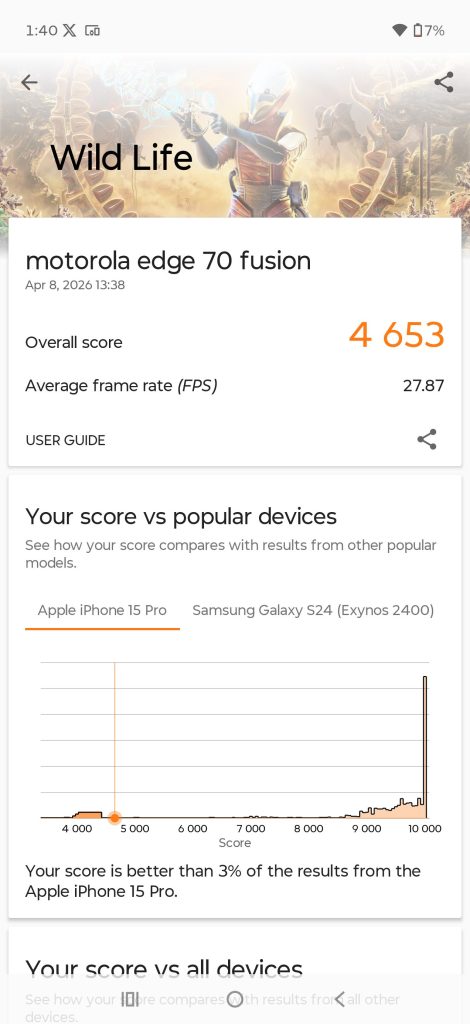
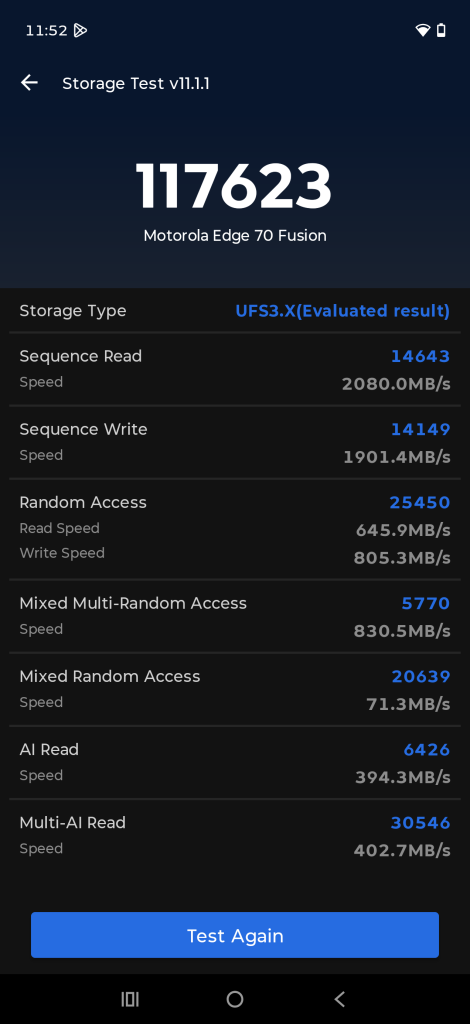
As for GPU performance, the 3DMark scores are not the highest in this segment, but they are consistent. This matches what I experienced in gaming. The phone focuses more on stability rather than pushing extreme frame rates.
Software
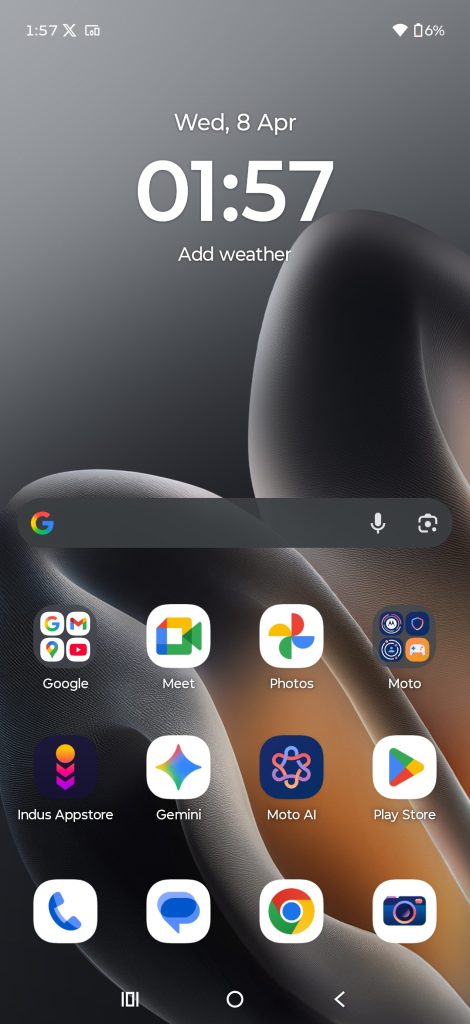
On the software side, the Motorola Edge 70 Fusion runs Android 16 with Motorola’s Hello UI on top. The experience is close to stock Android, which is something many users prefer. At the same time, it adds useful customisation options like lock screen widgets, different clock styles, fonts, and colour themes.
Motorola has also added Always-On Display for the first time in this series, which is a nice addition and makes the phone feel more complete.
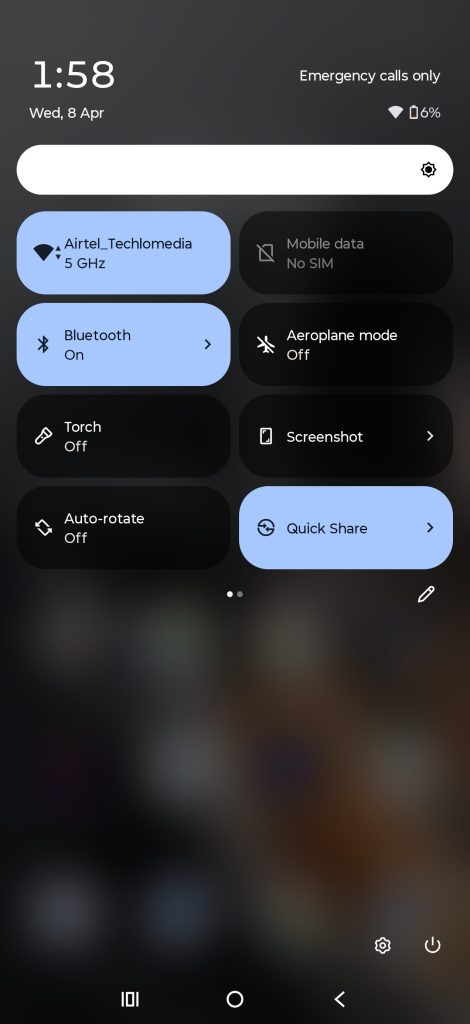
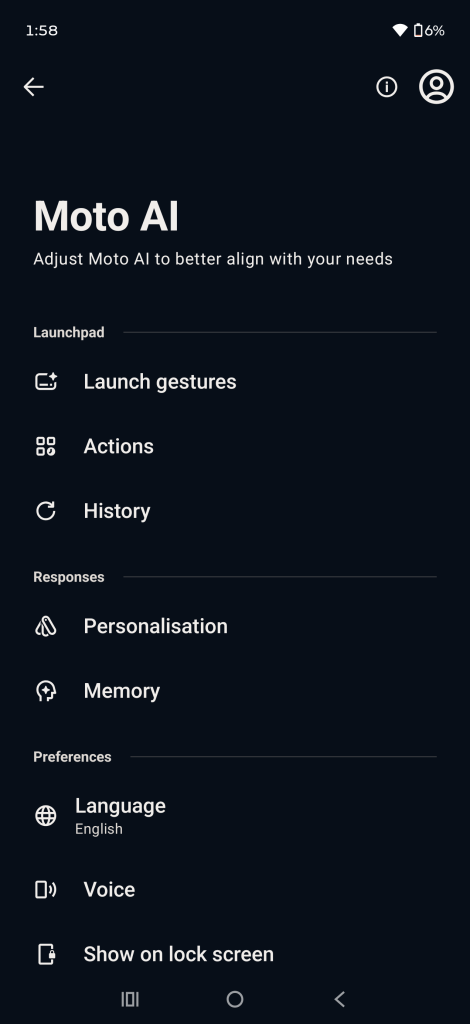
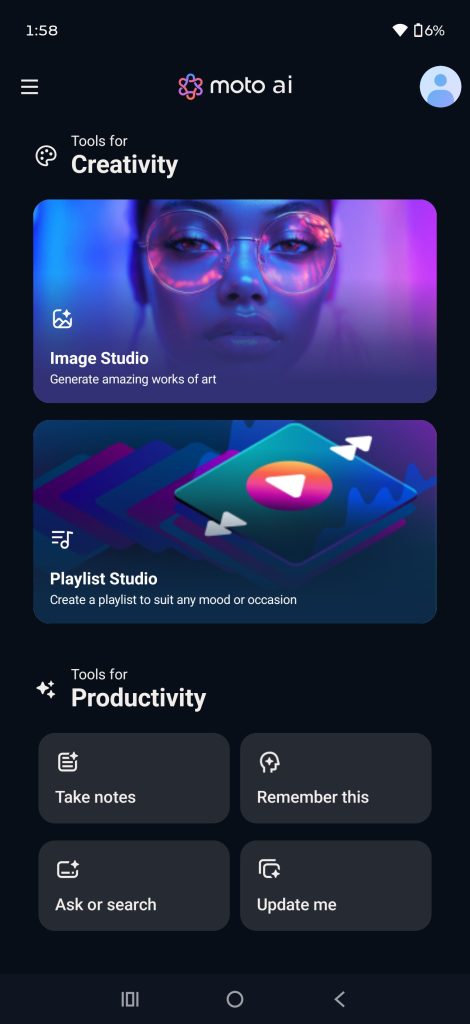
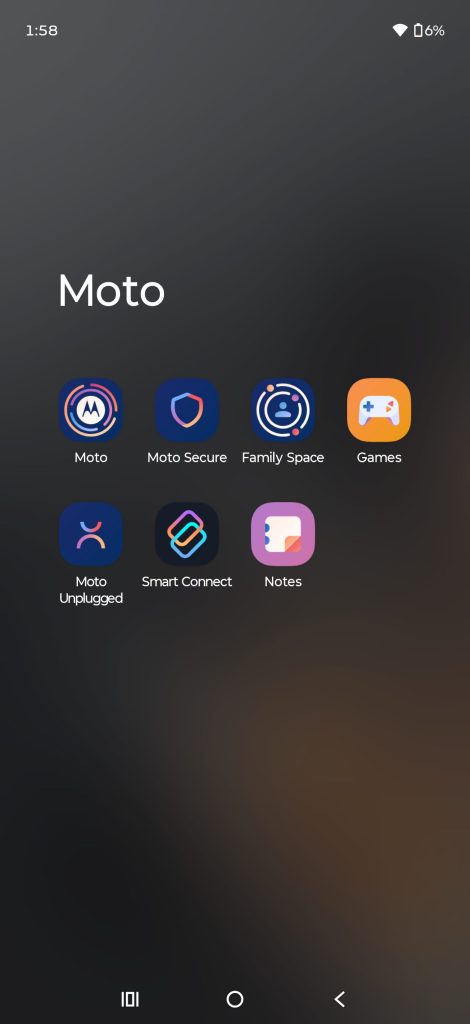
You still get Moto’s signature gestures like the chop-chop motion to turn on the flashlight and the twist gesture to open the camera. These small features continue to be very useful in daily use.
There is also a Moto AI suite that includes features like Update Me, Playlist Studio, Image Studio, and Remember This. I tried some of them initially, but honestly, they did not become part of my regular usage. They feel more like optional extras than must-have features.
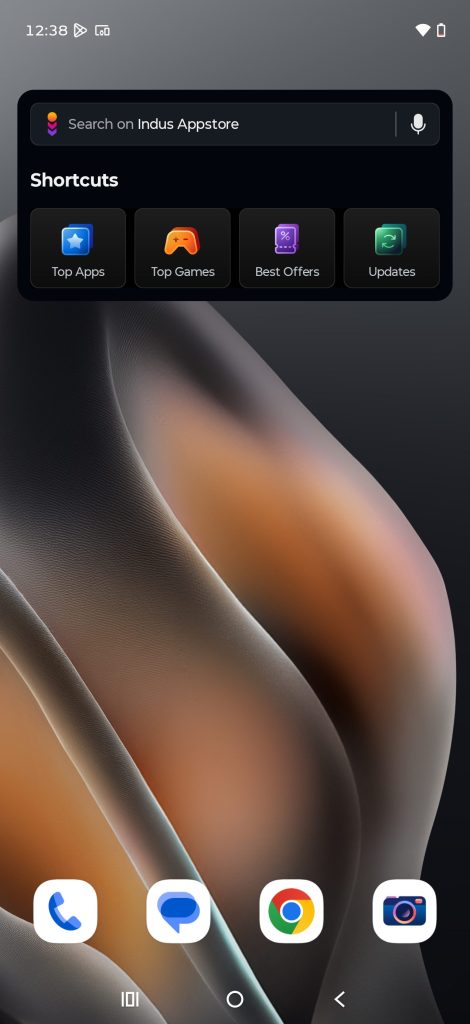
There is also some pre-installed content like Glance lock screen, Taboola news feed, and a few extra apps. It is not excessive, but it does take away a bit from the clean UI feel that Motorola is known for. The phone also comes with the Indus App Store, which has been added due to a partnership with PhonePe. It is an alternative to the Google Play Store, and you cannot remove it from your phone.
Motorola is promising 3 years of major Android updates and 5 years of security patches, which is decent and should keep the phone relevant for a good amount of time.
Camera
The Motorola Edge 70 Fusion comes with a 50 MP main camera using the Sony LYTT 710 sensor with OIS, a 13 MP ultra-wide lens, and a 32 MP front camera. On paper, this is a solid setup for the segment, and in real use, it delivers a mostly good experience.
Starting with the main camera, daylight shots look quite good. Photos come out with strong detail and colours that feel accurate and natural. The overall output is pleasing and should work well for social media without much editing. However, the camera does struggle a bit in high-contrast scenes. Highlights can sometimes get overexposed, while shadows lose some detail.












In low light, the main camera still holds up reasonably well. You get decent detail, and the images look usable. But if you look closely, faces and finer textures start to appear slightly soft. The good thing is that OIS helps keep shots stable, so you can still capture clear photos even in dim lighting conditions.






The ultra-wide camera is actually one of the highlights here. It captures surprisingly good photos with a decent level of detail. The 13 MP sensor does a better job than expected and even outperforms some phones in this segment like the OnePlus 15R and the iQOO 15R in terms of clarity. Colours are a bit more boosted compared to the main camera, but they still look attractive and work well for wide landscape shots.



For selfies, the 32 MP front camera does a good job in proper lighting. Photos have nice detail, and skin tones look fairly accurate. Portrait shots are also handled well with decent edge detection. However, once the lighting drops, the front camera starts to struggle. Images can turn soft, and the overall quality takes a noticeable hit.




Video recording goes up to 4K at 30 FPS on both the rear and front cameras. The output is decent, with good colours and stable footage. That said, focusing in low light could have been better, as it sometimes takes a moment to lock properly.
Connectivity
The Motorola Edge 70 Fusion comes with a well-rounded set of connectivity options. You get support for 5G, and in my usage, network reception remained stable across different areas. Call quality was also clear, with no noticeable drops or distortion during regular calls.
Wi-Fi performance was reliable, and the phone maintained a stable connection even when I moved a bit farther from the router. Bluetooth connectivity also worked as expected while using wireless earphones and other accessories. GPS locking was quick and accurate, especially while using navigation apps like Google Maps.
There is nothing to complain about connectivity. It handles connectivity just the way you would expect from a phone in this segment.
Biometrics
Motorola has included an in-display fingerprint sensor on the Edge 70 Fusion, and it works well in daily use. The unlocking speed is quick, and the accuracy is also reliable. I rarely had to re-scan my finger.
Face unlock is also available, and it works fast in good lighting conditions. However, like most phones in this category, it is not as reliable in low light.
Sound Quality & Haptics
The Motorola Edge 70 Fusion comes with a stereo speaker setup, and overall, the audio experience is quite good for its price. Speakers get loud enough for watching videos, reels, or gaming without needing earphones. The sound has a decent amount of fullness, and dialogue clarity is good.
Motorola has also added Dolby Atmos support, which helps create a more immersive experience. I did notice slight distortion creeping in, although it never becomes too harsh or unusable.
It is also important to note that due to the slim design, you might feel minor vibrations on the back panel at high volume.
The haptic feedback on the Edge 70 Fusion is decent, but not the best in the segment. It gets the job done for notifications and typing, but it does not feel as tight or precise as some premium devices.
Battery Life
The Motorola Edge 70 Fusion brings a massive upgrade in battery capacity. It packs a 7,000 mAh silicon-carbon battery, which is a big jump compared to the Motorola Edge 60 Fusion.
In real usage, this makes a noticeable difference. During my review period, the phone easily lasted close to two full days on a single charge. My usage included camera testing, navigation on Maps, some light gaming, and a lot of scrolling, and even then, I was getting around 7.5 hours of screen-on time. That is impressive for a phone in this segment. Idle drain is also well controlled. I noticed just around 2% battery drop overnight, which shows good optimisation on the software side.
Charging speeds remain the same at 68W, and the phone supports USB PD 3.0 as well. A full charge takes roughly an hour, which is decent considering the large battery size. It is not the fastest, but it is still practical for everyday use.
Verdict
The Motorola Edge 70 Fusion is a well-balanced smartphone that focuses on design, battery life, and a clean software experience. It stands out with its slim and premium-looking design, a bright and smooth display, and excellent battery life that can easily last close to two days. Performance is reliable for everyday use, and even gaming is decent, though not class-leading. The cameras are good overall, with a surprisingly strong ultra-wide sensor, but they are not perfect in challenging conditions.
At the same time, there are a few compromises. Gaming performance could have been better for the price, the display lacks HDR support on Netflix, and the software, while clean, still includes some bloatware and occasional stutters.
If your priority is battery life, design, and a clean Android experience, this is an easy recommendation. But if you are looking for the best gaming performance or the most polished camera system in this segment, you might want to explore other options.
Related Posts