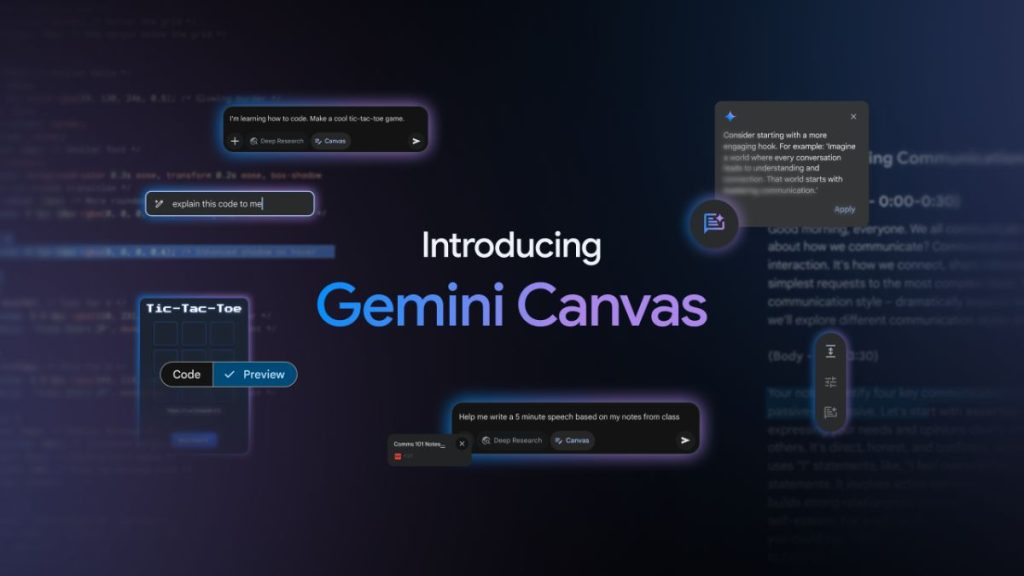
Google has introduced Canvas, a new tool within Gemini that makes writing and coding more interactive and collaborative. Whether you are drafting an article, working on a research paper, or writing code, Canvas helps you refine your work in real-time. Here’s a look at how this new feature can boost productivity and creativity.
What is Google Canvas?
Canvas is an interactive space designed to help users create, edit, and collaborate more efficiently. Whether you are writing documents or coding, you can see changes instantly, making the process smoother.
With Canvas, you can:
- Generate high-quality drafts in seconds
- Edit content with Gemini’s smart suggestions
- Adjust tone, length, and formatting effortlessly
- Export to Google Docs for seamless sharing
- Code and preview working prototypes directly within the tool
Unlike other AI tools, Canvas integrates seamlessly into the Gemini ecosystem, making it easier to collaborate on both text and code. The ability to make edits in real-time means users can focus on creativity without worrying about structure.
How Canvas Helps Writers
Writing a blog post, essay, or report? Canvas makes it easier. You can start with a rough draft and refine it step by step. Need to make a paragraph more concise or professional? Just highlight it and let Gemini do the work.
Instead of switching between multiple apps, everything happens in one place—writing, editing, and exporting.
For bloggers, students, and professionals, Canvas removes the friction from writing and editing. With AI-powered suggestions, it makes the process faster and more efficient.
Canvas for Coders: Code with Confidence
For developers, Canvas acts as a real-time coding playground. Whether you are working on a website, a Python script, or a game, you can generate, preview, and refine code without leaving the tool.
Key coding features include:
- Generate HTML, React, or Python snippets instantly
- Preview web app designs before finalizing them
- Visualize coding algorithms to understand how they work
- Share or export code to platforms like Google Colab
To showcase how Canvas simplifies coding, here’s an example of a basic Snake game built using HTML, CSS, and JavaScript.
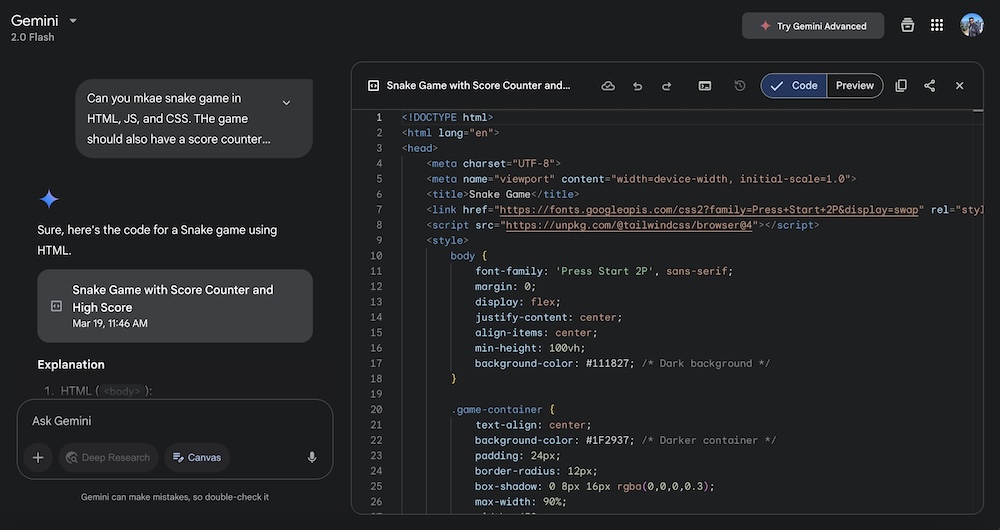
For developers, Canvas makes prototyping and debugging easier. The ability to visualize and modify code in real-time gives it an edge over traditional coding platforms.
Cool Things You Can Do With Canvas
Besides writing and coding, Canvas supports creative and educational projects like:
- Study Games & Quizzes: Turn study guides into interactive quizzes
- Algorithm Visualization: See how sorting algorithms work step by step
- Physics Particle Simulator: Experiment with gravity, turbulence, and more
- Music Synthesizer: Create your own tunes with an interactive soundboard
- BFS Pathfinder: Watch pathfinding algorithms find the shortest route in real time
Introducing Audio Overview
One of the most exciting new features is Audio Overview. This tool turns documents, research papers, and reports into podcast-style discussions. Two AI hosts summarize content, discuss key points, and provide insights. It’s perfect for learning on the go—whether you are commuting, exercising, or just relaxing.
The ability to listen to AI-generated discussions makes learning more engaging. Whether you’re revising notes or catching up on research, Audio Overview enhances the experience.
Who Can Use Canvas?
Canvas is rolling out globally for Gemini and Gemini Advanced users. Whether you are a student, a writer, a developer, or a researcher, this tool makes your workflow more efficient and enjoyable.
Final Thoughts
Google Canvas is a powerful addition to the Gemini ecosystem, making content creation and coding more seamless than ever. With AI-powered assistance, you can focus on creativity while Gemini takes care of the details. Try it today and experience the future of collaborative work!
Related Posts