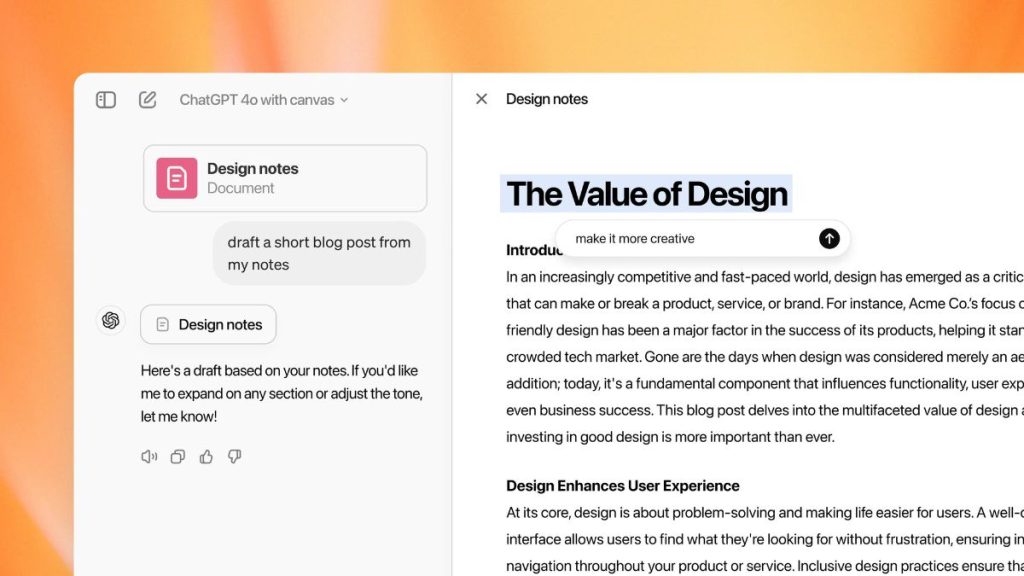
OpenAI has introduced a new interface for ChatGPT. The company calls it Canvas and it is now available for ChatGPT Plus and Team users. Enterprise and Edu users will get in the coming months. To access Canvas, go to ChatGPT’s model picker section and select “GPT-4o with canvas” from the drop-down menu.
Currently, Canvas is in beta and will be available to ChatGPT Free users when it is out of beta.
Canvas aims to provide a better interface for easier workflow. It will open a new Window beside the main chat window for output results. People who use ChatGPT to write codes will find it useful. Users can highlight a specific section to tell ChatGPT where to focus and provide inline feedback and suggestions to improve results.
Canvas also keeps track of different versions of your work. So, you can easily revert to previous states if needed. Canvas also supports several shortcuts to help you effectively write codes and manage projects. Shortcuts are available to suggest edits, adjust the length, change reading level, add emojis, or add final polish.
Users can ask ChatGPT to open Canvas or set it to open automatically when it detects a scenario where Canvas could be helpful.
Canvas can be helpful in creative writing pieces, articles, and codes. Developers can use it for code completion, debugging, and getting explanations. The Collaboration feature makes it easier for multiple users to collaborate on the same project and share their edits.
Related Posts