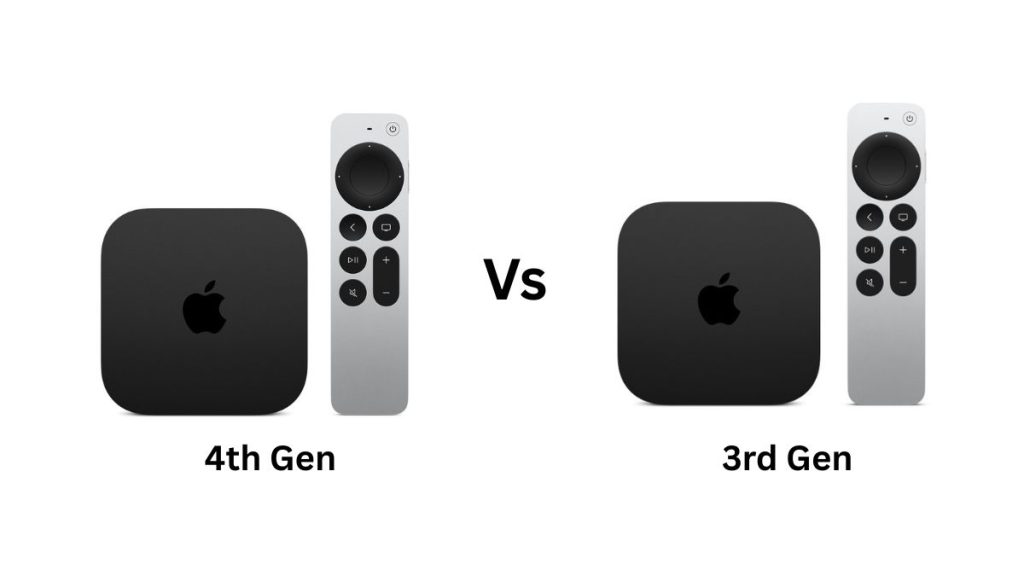
Apple has launched the Apple TV 4K (4th generation), which brings a faster processor, Siri AI, improved wireless connectivity, and a few new features for smart home users. But if you already own the Apple TV 4K (3rd generation), should you upgrade to the latest model?
Both devices support 4K streaming, HDR, and Dolby Atmos, so the basic viewing experience remains largely the same. The new model focuses more on performance, hands-free Siri, and improved connectivity than on major changes to picture quality.
I have compared the two models to help you understand the key differences and decide whether the new Apple TV 4K is worth buying.
Apple TV 4K (4th Gen) vs Apple TV 4K (3rd Gen): Specs Compared
| Specifications | Apple TV 4K (4th Gen) | Apple TV 4K (3rd Gen) |
|---|---|---|
| Processor | A19 | A15 Bionic |
| Storage | 128GB | 64GB or 128GB |
| Maximum resolution | 4K at 60fps | 4K at 60fps |
| HDR | Dolby Vision (Profiles 8.1 and 5), HDR10, HDR10+, HLG | Dolby Vision (Profile 5), HDR10, HDR10+, HLG |
| Video codecs | AV1, VP9, HEVC, H.264, MPEG-4 | HEVC, H.264, MPEG-4 |
| Audio | Dolby Atmos | Dolby Atmos |
| Wi-Fi | Wi-Fi 7 | Wi-Fi 6 |
| Bluetooth | Bluetooth 6 | Bluetooth 5.0 |
| Ethernet | Gigabit Ethernet | Gigabit Ethernet on Wi-Fi + Ethernet model |
| Thread | Yes | Wi-Fi + Ethernet model only |
| HDMI | HDMI 2.1 | HDMI 2.1 |
| Built-in microphones | Three-microphone array | No |
| Siri | Siri AI with hands-free voice control | Siri AI through the remote |
| Remote | Siri Remote (4th Gen) | Siri Remote (3rd Gen) |
| Find My remote | Yes, with Precision Finding | No |
| Remote charging | USB-C | USB-C |
The Apple TV 4K (4th generation) retains the familiar compact design of its predecessor but gets a significant processor upgrade. It uses Apple’s A19 chip instead of the A15 Bionic, with Apple claiming up to 50% faster CPU performance and up to twice the GPU performance.
This extra performance should help with demanding apps, gaming, and future tvOS features. It also gives Apple more room to introduce advanced AI features and improve the overall experience over time.
However, the A15 Bionic is already capable of handling streaming apps, casual games, and everyday tasks without much trouble. If you mainly use your Apple TV to watch Netflix, YouTube, Apple TV, and other streaming services, you may not notice a major difference in everyday use.
The A19 chip makes the new model more future-ready, but it is not a compelling upgrade on its own for someone who is happy with the performance of the previous model.
There is no major change in maximum video resolution. Both Apple TV 4K models support 4K streaming at up to 60fps, along with Dolby Vision, HDR10, HDR10+, and HLG. The latest model adds support for the AV1 video codec, which can deliver good video quality at lower bitrates. This can help reduce bandwidth usage when a streaming service supports AV1. It also adds VP9 support, another widely used video codec.
The new model lists support for Dolby Vision Profiles 8.1 and 5, while the previous generation supports Profile 5. However, the practical benefits will depend on the content and streaming services you use.
If you already own a 4K HDR television, you should not expect a significant improvement in picture quality simply by upgrading. Both devices already support the major HDR formats, and the actual viewing experience depends more on the content, television, and streaming service.
The biggest difference between the two models is how you interact with Siri. The Apple TV 4K (4th generation) has a three-microphone array built into the box, allowing you to activate Siri by saying “Hey Siri” without picking up the remote.
You can ask for show recommendations, ask follow-up questions, and use natural voice commands. This should make finding something to watch more convenient, especially when you are sitting across the room.
The Apple TV 4K (3rd generation) is also getting Siri AI in beta, but it does not have built-in microphones. You will need to speak through the remote to use voice commands.
This means the new model does not have an exclusive advantage in Siri AI itself. Its main advantage is hands-free access, which makes Siri easier to use throughout the day.
If you frequently search for content using voice commands, the built-in microphones could be a useful addition. Otherwise, the previous model can still offer a similar voice-controlled experience through its remote.
Both models support Dolby Atmos, so you do not need the latest Apple TV 4K to enjoy immersive audio with a compatible sound system. However, the fourth-generation model adds support for a four-speaker surround sound setup using matching front and rear pairs of HomePod mini (2nd generation) or HomePod (2nd generation) speakers.
The speakers can identify their positions in the room and adjust the audio accordingly. This gives users another option for building a home entertainment system without purchasing a traditional surround sound setup.
The Apple TV 4K (3rd generation) does not support this four-speaker configuration. If you already own multiple compatible HomePods and want to use them for surround sound, this feature could be a good reason to upgrade.
For everyone else, the audio experience remains largely unchanged. If you use a television’s built-in speakers or an existing Dolby Atmos soundbar, the new surround sound feature may not matter much.
The new Apple TV 4K upgrades Wi-Fi 6 to Wi-Fi 7 and Bluetooth 5.0 to Bluetooth 6. These improvements provide support for newer wireless standards, although the benefits depend on the router and connected devices you use.
The latest model also includes Gigabit Ethernet and Thread support as standard. With the previous generation, you had to buy the Wi-Fi + Ethernet version to get these features.
Thread is useful for smart home users because it helps compatible devices communicate with each other. Including it across the entire lineup makes the new Apple TV 4K a more consistent option for a connected home.
However, Wi-Fi 7 alone is unlikely to make a noticeable difference to streaming quality if your existing network is already reliable. Both models can handle 4K streaming, and most users will not need a faster wireless connection just to watch movies and television shows.
The more practical benefit is that you no longer need to choose a specific configuration to get Ethernet and Thread.
The Siri Remote included with the latest Apple TV 4K looks almost identical to the previous version. Both feature an aluminium body, a touch-enabled clickpad, and a rechargeable battery with USB-C charging. But the new remote comes with Find My with Precision Finding. If you frequently misplace your remote, you can use the feature to help locate it. The remote can also play a sound to make it easier to find.
The new remote uses Bluetooth 6 and weighs 69.6 grams, compared with 66 grams for the previous model. The differences in design and weight are minor, so you should not expect a dramatically different experience.
The good news is that you do not need to buy a new Apple TV 4K to get the updated remote. Apple sells it separately for $59, and it works with the existing Apple TV 4K. If losing the remote is a regular problem, buying the new remote separately may be a more sensible option than replacing the entire streaming box.
The Apple TV 4K (4th generation) comes in a single configuration with 128GB of storage, Gigabit Ethernet, and Thread support. The previous generation offered two options: a 64GB Wi-Fi model and a 128GB Wi-Fi + Ethernet model. The new lineup simplifies this choice by including the higher storage capacity and wired networking in the standard configuration.
Apple TV 4K (4th Gen) vs Apple TV 4K (3rd Gen): Should you upgrade?
If you already own the Apple TV 4K (3rd generation), upgrading is not necessary. The previous model still supports 4K streaming, Dolby Vision, HDR10+, Dolby Atmos, and Siri through the remote. These features cover the needs of most people who use an Apple TV primarily for entertainment.
The Apple TV 4K (4th generation) makes more sense if you want hands-free Siri, plan to build a four-HomePod surround sound setup, need Thread support in the standard configuration, or want the additional performance of the A19 chip. Wi-Fi 7 and the newer Bluetooth standard are also useful if you have compatible devices.
You can also consider buying the updated Siri Remote separately if Find My is the main feature you want.
The new Apple TV 4K costs $299 and is available to pre-order, with availability starting November 13.
Related Posts