Cloud gaming is now becoming popular and several companies have jumped into the segment. Cloud gaming is a form of video game streaming that allows users to play games on remote servers over the internet, rather than on a local device. It uses specialized servers with high-end hardware to render the game graphics and audio and stream them to the user’s device in real time. Some popular cloud gaming services are Xbox Cloud Gaming, Amazon Luna, NVIDIA GeForce NOW, and PlayStation Now. Google also had its cloud gaming service called Google Stadia, but Google discontinued it. In this detailed article, I will explain Amazon Luna and will list important things you need to know about Amazon Luna.
What is Amazon Luna?
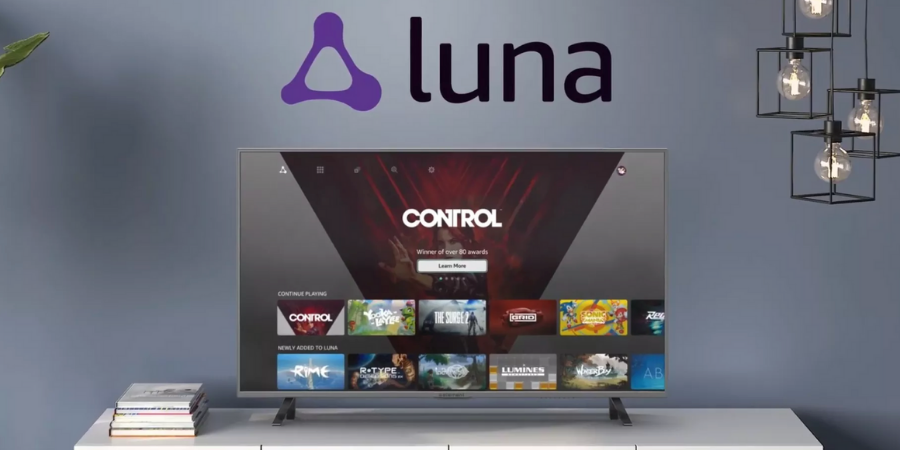
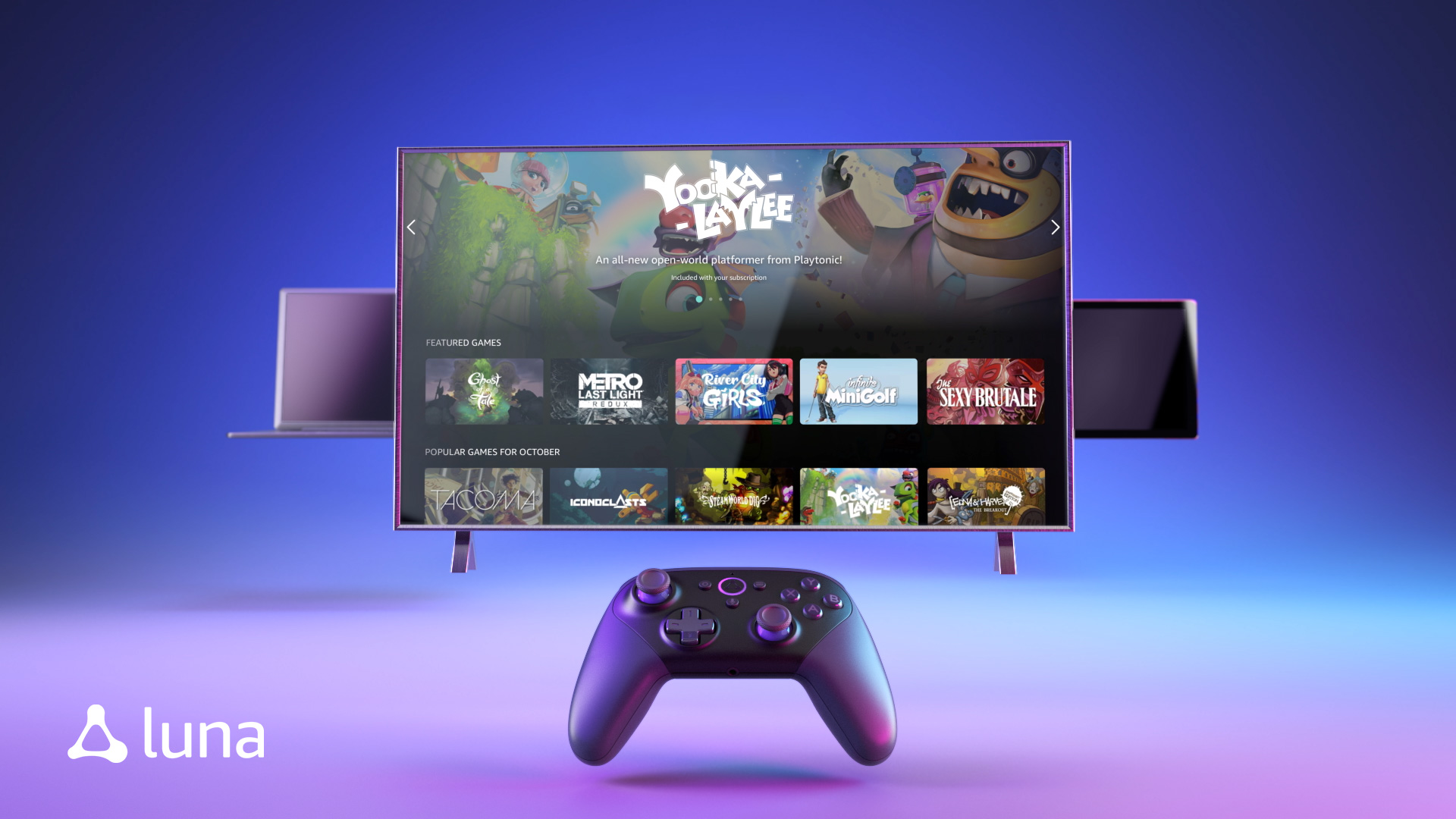
Amazon Luna is a cloud gaming service by the popular internet company Amazon. It allows users to stream video games directly to their devices without the need for a console or high-end gaming PC. Users can play games on their TVs, computers, and mobile devices through the Luna app, which is available on select platforms such as Amazon Fire TV, Windows PC, Mac, iPhone, and iPad.
The service offers a growing library of games from various genres, including action, adventure, sports, and more. Luna also supports streaming in up to 4K resolution and 60 frames per second, depending on the user’s internet connection and device capabilities.
How does Amazon Luna work?
Amazon Luna works by streaming video games from Amazon’s servers to the user’s device over the internet. When a user selects a game to play, the game is launched on a powerful cloud server located in one of Amazon’s data centers. The server then renders the game graphics and streams the video and audio to the user’s device in real time.
To achieve this, Amazon uses a technology called cloud gaming or game streaming. This technology works by leveraging high-speed internet connections and powerful server infrastructure to handle the heavy lifting of running the game. The user’s device acts as a display and input device, sending the user’s commands (e.g., button presses, joystick movements) to the server and receiving the video and audio stream in response.
Amazon Luna also uses a proprietary technology called “Luna Controller” to reduce latency (the delay between input and response). The Luna Controller connects directly to Amazon’s servers over Wi-Fi and uses a special protocol to reduce input lag. This means that the user’s inputs are sent directly to the server, rather than going through the device’s Bluetooth or Wi-Fi connection, which can introduce additional lag.
How to use Amazon Luna?
To use Amazon Luna, users need a Luna account, a compatible device, and a stable internet connection with a minimum speed of 10 Mbps. Additionally, users can purchase a Luna controller, which is optimized for use with the service and provides low-latency gameplay. To make things more clear, here are the steps:
Sign up for an Amazon Luna account: To sign up, go to the Amazon Luna website and click the “Join Luna” button. You will need to provide your Amazon account details, payment information, and other details to create your account.
Check device compatibility: Amazon Luna is available on select devices, including Amazon Fire TV, Windows PC, Mac, iPhone, iPad, and select Android phones. Make sure your device is compatible with the service.
Download the Luna app: Depending on your device, you can download the Luna app from the Amazon Appstore, Google Play Store, or Apple App Store.
Launch the Luna app: Once you have downloaded the app, launch it and sign in with your Luna account details.
Browse and select games: In the Luna app, you can browse the available games and select the one you want to play. You can also purchase games directly from the app.
Start playing: Once you have selected a game, the app will launch it on a cloud server, and you can start playing. If you have a Luna Controller, you can connect it to your device via Wi-Fi to reduce input lag.
Amazon Luna Pricing
Amazon Luna provides flexible plans to make it easy for users to enjoy games of their choice. Users get several libraries, called channels for a subscription. There are currently six different channels available.
The main service has a Luna Plus subscription that costs $9.99 per month. It includes unlimited access to a growing catalog of games. Users will enjoy 1080p/60fps streaming on two devices simultaneously.
Prime members also get access to a number of Luna games for free.
There is also a Ubisoft Plus channel that offers games developed or published by Ubisoft. You get both classic and most recent games at $17.99 per month. This plan includes 1080p/60 quality and unlimited gameplay on a single device.
The Jackbox Games provides games made by the Jackbox Games at $4.99 a month.
Amazon Luna Controller
The Amazon Luna Controller is a wireless game controller designed specifically for use with the Amazon Luna cloud gaming service. It is designed to reduce latency (the delay between input and response) and offer a seamless gaming experience for Luna users.
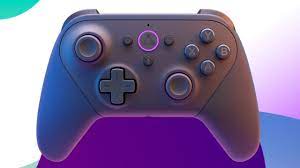
Here are some of the key features of the Amazon Luna Controller:
- Direct connection to cloud servers: The Luna Controller connects directly to Amazon’s cloud servers over Wi-Fi, bypassing the device’s Bluetooth or Wi-Fi connection. This reduces latency and ensures a faster response time for the user’s inputs.
- Alexa integration: The Luna Controller features a built-in microphone and Alexa integration, allowing users to control their games with voice commands.
- Comfortable design: The Luna Controller has an ergonomic design with textured grips and responsive buttons, making it comfortable to hold for long gaming sessions.
- Low-latency inputs: The Luna Controller has low-latency inputs, meaning that the user’s button presses and joystick movements are registered quickly by the server and reflected on the screen.
- Multiple device support: The Luna Controller can be used with multiple devices, including Windows PC, Mac, Fire TV, iPhone, iPad, and select Android phones.
- Multiplayer support: The Luna Controller supports multiplayer gaming with up to four controllers connected to the same device.
- Bluetooth support: The Luna Controller also supports Bluetooth connectivity, allowing it to be used with other devices and services outside of Amazon Luna.
The Amazon Luna Controller costs $69.99 / £59.99.
Hardware Requirements for using Amazon Luna?
Since Amazon Luna is a cloud gaming service, you don’t need any high-end hardware to use it. However, there are some minimum hardware requirements that your device needs to meet to use Amazon Luna. These include:
Compatible device: Amazon Luna is available on select devices, including Amazon Fire TV, Windows PC, Mac, iPhone, iPad, and select Android phones. Make sure your device is compatible with the service.
Stable internet connection: Amazon recommends a minimum internet speed of 10 Mbps for streaming games in 1080p resolution. For 4K streaming, a minimum of 35 Mbps is recommended. Make sure you have a stable internet connection with low latency for the best experience.
Wired or wireless controller: You can use a wired or wireless controller to play games on Amazon Luna. Amazon offers a proprietary controller called the “Luna Controller” that connects directly to the cloud servers over Wi-Fi to reduce latency.
Keyboard and mouse: Some games on Amazon Luna support keyboard and mouse inputs. Make sure you have a compatible keyboard and mouse if you plan to play those games.
Monitor or TV: You will need a monitor or TV to display the game’s video and audio. Make sure your monitor or TV supports the required resolution and refresh rate for the game you want to play.
Amazon Luna games
Amazon Luna offers several games from different publishers. Although the list is not as good as offered by Microsoft’s Xbox Cloud Gaming catalog. But Amazon has a good catalog to start with.
Here’s a list of games available on Amazon Luna:
- 1941 Counter Attack
- 1942
- 1943
- 1944 The Loop Master
- 19XX The War Against Destiny
- Alien Isolation
- Aragami
- Arcade Paradise
- Are you Smarter than a 5th Grader
- Baseball Stars 2
- Battle Circuit
- Beach Buggy Racing 2
- Bee Simulator
- Bionic Commando
- Bug Fables The Everlasting Sapling
- Call of the Sea
- Capcom Arcade Stadium
- Captain Commando
- Carrier Airwing
- Castlevania Anniversary Collection
- Chicken Police
- Chorvs
- Close to the Sun
- Commando
- Contra Aniversary Collection
- Control Ultimate Edition
- Cross Code
- Cyberbots Fullmetal Madness
- Death Squared
- Devil May Cry 5
- Dirt 5
- Dirt Rally 2.0
- Dragon’s Lair
- Dragon’s Lair 2 Time Warp
- Dusk
- Dynasty Wars
- Earthworm Jim
- Earthworm Jim 2
- Everspace
- Final Fight
- Forgotten Worlds
- Freshly Frosted
- Garfield Kart Furious Racing
- Get Packed Couch Chaos
- Ghostrunner Complete Edition
- Ghosts’n Goblins
- Ghouls’n Goblins
- GigaWing
- Grow Song of the Evertree
- Guacamelee Super Turbo Championship Edition
- Horizon Chase Turbo
- Hot Wheels Unleashed
- Kingdom Come Deliverance Royal Edition
- Legendary Wings
- Lost Judgement
- Lumines Remastered
- Lumote
- Martha is Dead
- Max The Curse of Brotherhood
- Mega Twins
- Megaman 11
- Megaman Legacy Collection
- Metal Slug
- Metal Slug X
- Metro Exodus
- Mighty Switch Force Collection
- Monster Harvest
- Monster Truck Championship
- Mortal Shell
- Moving Out
- Narita Boy
- Obduction
- Okami HD
- Overcooked
- Overcooked 2
- Panzer Dragoon
- Paper Beast Folded Edition
- Pile Up
- Pirate Ship Higemaru
- Potion Permit
- Powered Gear
- Progear
- R Type Dimensions Ex
- Rad
- Resident Evil 2
- Resident Evil 3
- Ride 4
- Riptide GP Renegade
- River City Girls
- Rogue Heroes
- Sail Forth
- Saints Row The Third Remastered
- Samurai Warriors 5
- Section Z
- Senjo no Okami II
- Shantae and the Pirate’s Curse
- Shantae Half Genie/Hero Ultimate Edition
- Shantae Risky’s Revenge Director’s Cut
- Shock Troopers
- Shock Troopers 2nd Squad
- Skatebird
- Sonic Colors Ultimate
- Sonic Mania Plus
- Space Age
- Space Otter Charlie
- Spongebob Squarepants Battle for Bikini Bottom Rehydrated
- Steamworld Dig 2
- Steamworld Heist
- Steamworld Quest Hand of Gilgamech
- Steel Assault
- Street Fighter II
- Street Fighter II Hyper Fighting
- Strider
- Strife Veteran Edition
- Super Monkey Ball Banana Mania
- Super Street Fighter II Turbo The Ultimate Championship
- Tatakai no Banka
- Team Sonic Racing
- Tetris Effect Connected
- The Adventure Pals
- The Falconeer
- The King of Fighters ’97 Global Match
- The King of Fighters ’98 Ultimate Match Final Edition
- The Legend of Heroes Trails from Zero
- Trails of Cold Steel IV
- The Mummy Remastered
- The Smurfs Mission Vileaf
- The Wonderful 10 Remastered
- Thymesia
- Time on Frog Island
- Toki
- Tracks Toybox Edition
- Twinklestar Sprites
- Twinsen’s Little Big Adventure Classic 2
- Valfaris
- Valkyria Chronicles 4 Complete Edition
- Varth Operation Thunder Storm
- Vengeful Guardian Moonrider
- Vulgus
- Warriors of Fate
- Windjammers 2
- Worms Crazy Golf
- WRC Generations
- Yakuza Kiwami
- Yakuza Kiwami 2
- Yooka-Laylee and the Impossible Lair
- Youtubers Life OMG
- Ys IX Monstrum Nox
- Ys VII Lacrimosa of Dana
Amazon may add more games or remove some of the existing games, So, the list will change over time.
Countries where Amazon Luna is available
Amazon Luna is currently available in the US, UK, Canada, and Germany.
Wrap Up
Amazon Luna competes with other cloud gaming services like Microsoft xbox cloud gaming, NVIDIA GeForce NOW, and PlayStation Now. Each cloud gaming services have their own advantages and disadvantages. Microsoft’s cloud gaming service has a big library of games, but Luna also has an impressive catalog. Luna provides integration to Twitch, so customers can stream their gameplay on Twitch if they want. Here’s pricing also play an important role. Cloud gaming is still in early phase. This is the reason Google decided to leave the space. It will be too early to judge if Amazon Luna has potential.
Related Posts