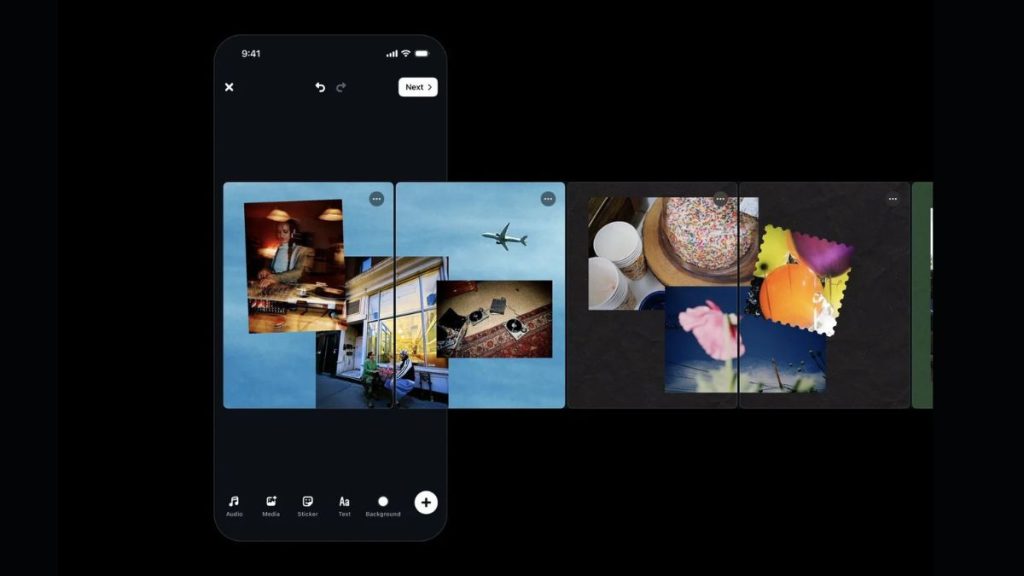
Instagram’s Edits app is getting a new carousel editor that makes it easier to create Instagram carousel posts using photos, videos and text.
The new feature is now available on iOS and brings several of Edits’ existing editing tools to carousel projects. It also adds new options designed specifically for creating multi-slide posts.
According to Dan Moreno, a Design Engineer on the Edits team, carousel creation was one of the features creators repeatedly asked the team to add.
The new carousel editor lets users arrange photos, videos and text across multiple slides. Users can choose different layouts, adjust individual elements and use tools such as filters, color adjustments, rotation and scaling.
There are also cutout tools that can turn subjects from photos into stickers. One useful option lets an image continue from one slide into the next. Text can also stretch across multiple slides, making the transition between slides part of the overall design.
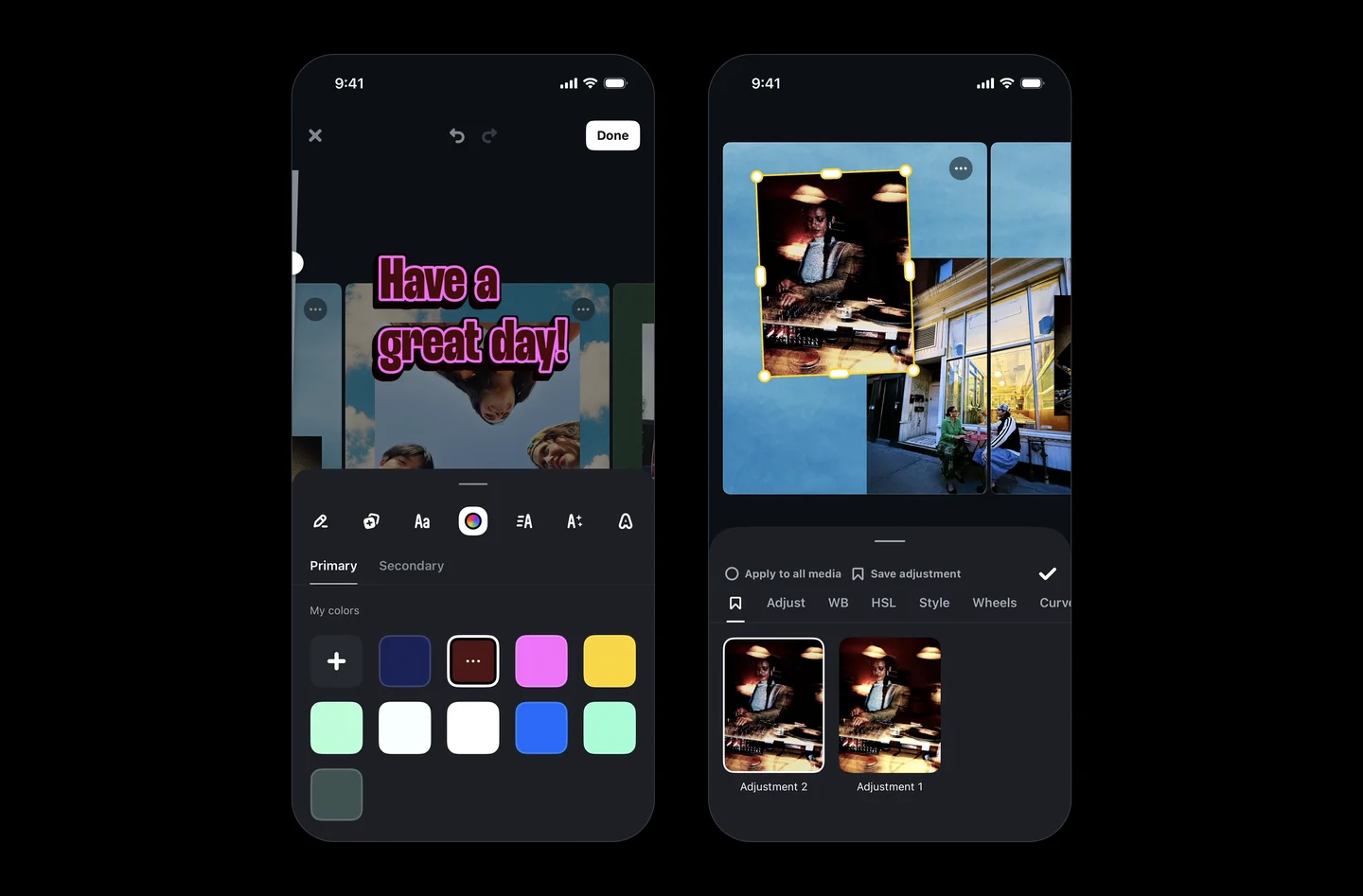
Users can add multiple photos to a slide using preset layouts and adjust the padding and spacing between them. Filters and adjustments can also be applied individually to items within a layout.
Edits also carries over saved fonts, styles and colors to carousel projects. Users can access their saved presets for adjustments, colors, audio and text styles without having to recreate them for each new project.
Once a carousel is ready, users can share it directly to Instagram from Edits. They can also download the finished carousel and use it on other platforms. This removes the need to export the project, move the files to another app and upload them again. It should also help avoid unnecessary quality loss during the process.
How to create a carousel in Edits
Creating a carousel is straightforward:
- Open Edits and go to the Projects tab.
- Tap the + button and select Carousel.
- Select one or more photos and videos.
- Arrange the content across the canvas.
- Add text, audio, filters, adjustments and cutouts as needed.
- Add or rearrange slides using the slide controls.
- Share the finished carousel directly to Instagram.
Users can tap the three-dot menu on individual slides to duplicate them, add a new slide or change their order. A blank slide can also be added using the + button.
The new carousel editor is currently available on iOS, while the Android version is coming soon. Instagram says it will continue improving the editor based on how creators use carousels and the features they want next.
Related Posts