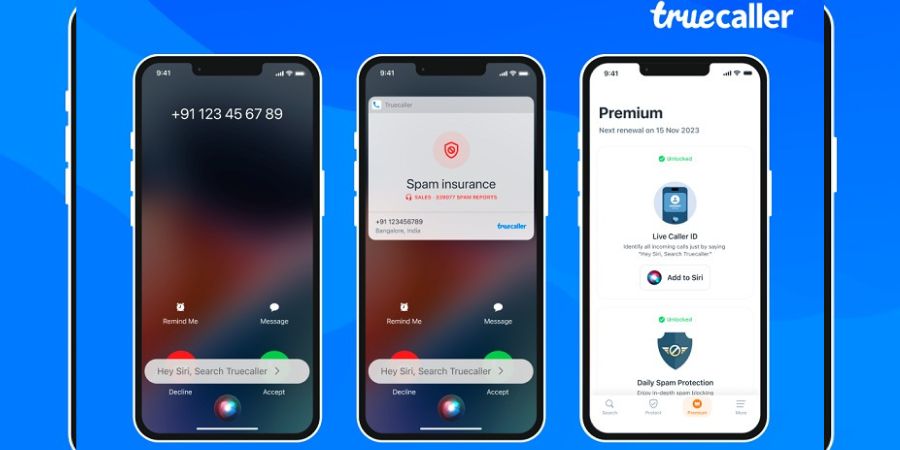
TrueCaller has updated its app for iPhone and introduced some feature features to enhance the experience. The app now supports the Live Caller ID experience through Siri.
Now when the iPhone user receives a call from an unknown number, he can just say “Hey Siri, Search Truecaller” to know who is calling. This feature is only available to premium subscribers and supports iOS 16.
For activating Truecaller Live Caller ID on iPhone, open the Truecaller app and go to the Premium tab. Here, click on ‘Add to Siri’ to add the shortcut with just one tap. Then allow access for Truecaller by choosing ‘Always allow’ to avoid future prompts.
After the initial setup, you can now use it to identify incoming calls by saying “Hey Siri, search Truecaller”. TrueCaller will then tell you who is calling and will show you the Live Caller ID information.
The company has also updated spam detection. Premium subscribers will get automatic updates to the spam list while free users will have to manually update it for efficient protection against spam calls.
Users can now also allows users to see or comment on spam-marked numbers. This community-based feature will help all TrueCaller users in avoiding spammers.
TrueCaller has also revamped SMS filtering and will now automatically categorize incoming SMS messages into different categories. This feature is currently available in India, South Africa, and Nigeria. Later, it will be rolled out to other countries.
You need to update the TrueCaller app to the latest version to get access to newly announced features
Related Posts