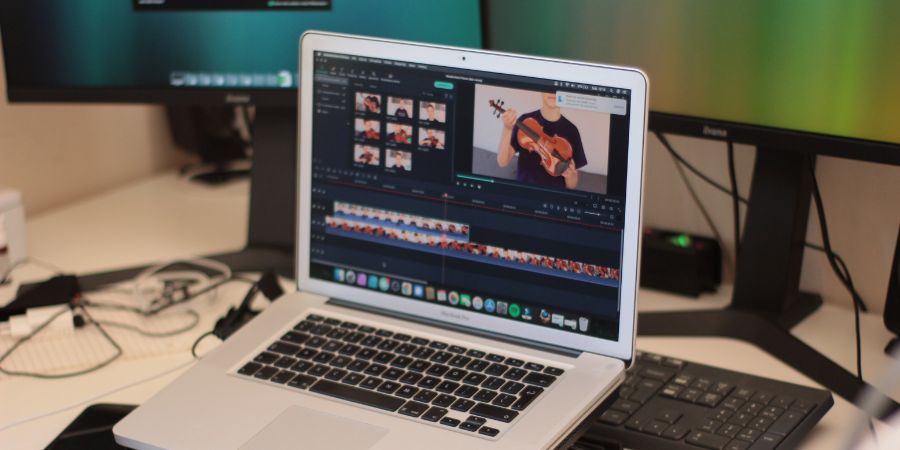
Video editing has become an essential part of content creation in today’s digital age. Most people want to become social media stars by sharing videos on TikTok or Instagram. A lot of people think of having a YouTube channel and earning online by showing their skills. For making videos, you need to know video editing and learn video editing software. If you own a Macbook or iMac, you already have iMovie as a free video editing software, but it’s important to know about the right video editing software that offers a seamless editing experience.
In this blog post, we will explore some of the best video editing software available for macOS. The article will also highlight their key features, pricing, pros, and cons. Whether you’re a professional filmmaker or a beginner, this guide will help you make an informed choice.
Also see: Best Video Editing Software
Video Editing Software for macOS
1. Final Cut Pro X
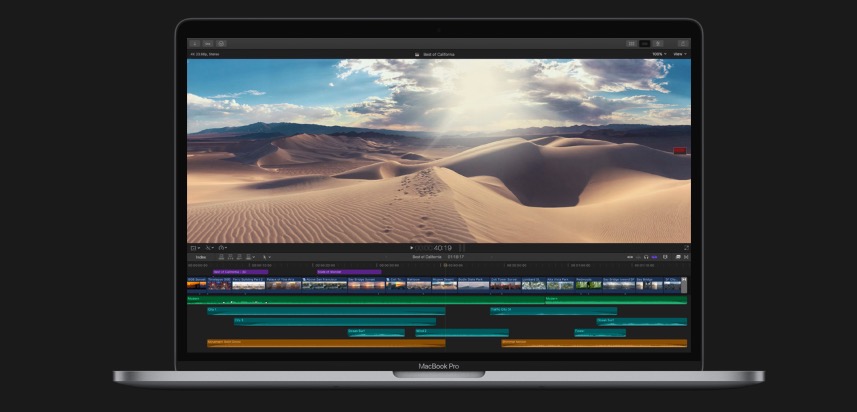
When it comes to professional video editing on macOS, Final Cut Pro X is the most popular choice among filmmakers, editors, and content creators. Apple’s Final Cut Pro X offers a comprehensive suite of advanced editing tools, intuitive workflows, and seamless integration with macOS, making it a go-to solution for professionals in the industry. The software offers a sleek and user-friendly interface that makes video editing easier. It has advanced video editing tools such as multicam editing, precision trimming, color grading, advanced keyframing, and more. It also offers efficient media management with its library and keyword tagging system. Final Cut Pro comes with a collection of built-in effects, filters, transitions, and titles. You can also purchase from different websites to get more effects and filters.
Final Cut Pro X is for professionals and offers an extensive feature set along with professional-grade capabilities. It may require time and effort. So, this software can be a bit complicated for beginners.
Key Features:
- Intuitive and user-friendly interface
- Advanced editing tools like magnetic timeline and multicam editing
- Powerful media organization with libraries and keywords
- Wide range of effects and transitions
- Native support for 360-degree video editing
- Integrated audio editing and color grading tools
Pros:
- Optimized for macOS, providing excellent performance
- Seamless integration with other Apple software and hardware
- Regular updates and improvements
- Advanced features for professional editing
- Excellent rendering and export capabilities
Cons:
- Limited compatibility with non-Apple devices
- Steep learning curve for beginners
- No free trial available
Final Cut Pro X is available exclusively on the Mac App Store for a one-time purchase of $299.99.
2. Adobe Premiere Pro
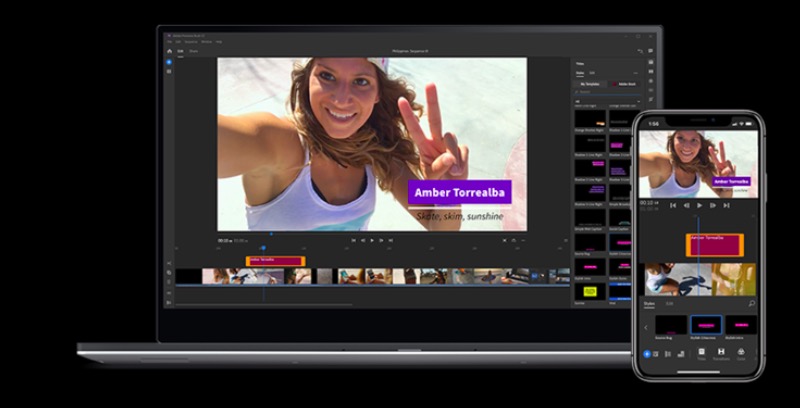
Adobe Premiere Pro is also an impressive video editing software used by professionals and content creators. It also has a seamless integration with other Adobe Creative Cloud applications, and cross-platform compatibility. This video editing software features a wide range of tools for advanced video editing. These features include advanced keyframing, timeline-based editing, precise trimming, multi-camera editing, effects, transitions, and more. It also comes with a big library of effects, filters, transitions, and titles to sue in your videos. This software also features cross platform computability.
Adobe keeps on offering updates with new features and performance enhancements. It also has collaboration and project management features. So, multiple editors can work on the same feature.
Key Features:
- Comprehensive editing tools for both beginners and professionals
- Advanced video and audio editing capabilities
- Seamless integration with other Adobe Creative Cloud applications
- Extensive plugin support for additional features and effects
- Collaborative editing and project sharing options
- Cross-platform compatibility with Windows
Pricing: Adobe Premiere Pro is available through Adobe Creative Cloud subscription plans. The pricing starts at $20.99/month for individuals and $33.99/month for teams.
Pros:
- Robust and feature-rich editing software
- Vast array of effects and plugins available
- Constant updates and improvements
- Excellent collaboration and project management features
- Cross-platform compatibility
Cons:
- Higher subscription cost compared to other options
- Can be overwhelming for beginners
- Requires a powerful system for optimal performance
3. DaVinci Resolve

DaVinci Resolve is also a leading video editing tool and color grading software. It has also gained immense popularity among professionals in recent years. This software also comes with advanced editing tools, robust color grading capabilities, and seamless integration with other post-production software. The most notable feature of this software is its industry-leading color grading capabilities. You get precise control over every aspect of the color and tone of footage. It provides primary and secondary color correction, curves, nodes, and advanced HDR grading tools so you can improve your footage. The software also provides timeline-based editing, multicam editing, advanced trimming, transitions, and effects.
DaVinci Resolve seamlessly integrates Fusion, a powerful node-based compositing and visual effects software. So, users can also add advanced visual effects, motion graphics, and animations.
The software also has advanced audio editing and mixing capabilities including audio adjustments, effects, and ability to mix multi-channel audio tracks
Key Features:
- Advanced color grading and correction tools
- Professional audio editing and mixing capabilities
- Powerful video effects and motion graphics
- Multi-user collaboration and project sharing options
- Fairlight audio integration for high-quality sound editing
- Fusion VFX integration for advanced visual effects
DaVinci Resolve is available in two versions: DaVinci Resolve (free) and DaVinci Resolve Studio (paid). The free version offers an extensive range of features, while the Studio version provides additional functionalities and advanced features. DaVinci Resolve Studio is available for a one-time purchase of $299.
Pros:
- Powerful color grading and correction capabilities
- Impressive audio editing features
- Free version available with a wide range of tools
- Fusion integration for VFX work
- Cross-platform compatibility
Cons:
- Steeper learning curve for beginners
- Limited customer support for the free version
- System requirements can be demanding
4. iMovie
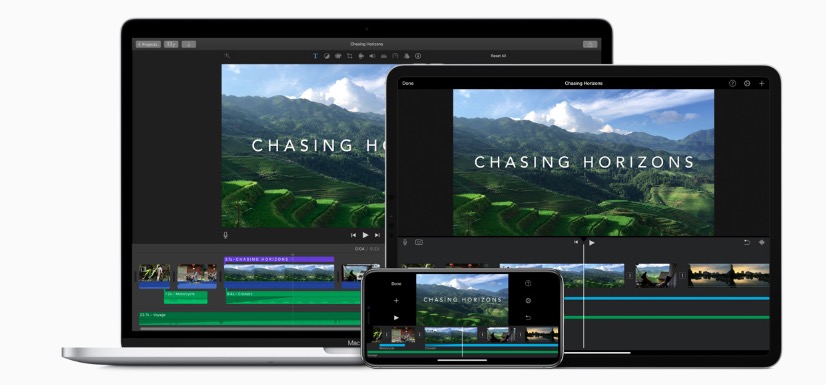
iMovie is an excellent choice for beginners on macOS. It is simple yet powerful editing software that allows users edit their footage on their MacBook. The software comes with a clean and user-friendly interface that makes it easy to understand the editing process. It provides essential editing tools such as trimming, splitting, and merging clips. You also get basic video effects, transitions, and titles to enhance videos. The software also lets you adjust volume levels and adding background music.
This video editing software for Mac also integrates seamlessly with other Apple applications and services. Users can import media from Photos and iTunes libraries. It also lets you share your projects directly to social media platforms or move to Final Cut Pro X for advanced editing.
Key Features:
- User-friendly interface, ideal for beginners
- Basic editing tools and effects
- Seamless integration with other Apple devices and software
- Easy sharing options to social media and other platforms
- Library of royalty-free soundtracks and sound effects
- Mobile app version available for iOS devices
iMovie is available as free software exclusively for macOS users. It comes pre-installed on all new Macs and can also be downloaded for free from the Mac App Store.
Pros:
- Free and easy to use
- Smooth integration with other Apple products
- Beginner-friendly interface
- Convenient sharing options
Cons:
- Limited advanced editing features
- Lack of professional-grade tools
- Not suitable for complex projects or professional use
- Limited customization options
Wrap Up
Choosing the best video editing software for macOS depends on your specific needs and skill level. Final Cut Pro X stands out as a top choice for professional editors. It comes with powerful features, seamless integration with macOS, and excellent performance. Most big content creators and professionals use Final Cut Pro X and they also buy Macbook just for editing videos on this software. Adobe Premiere Pro is also popular for offering a comprehensive suite of editing tools, but DaVinci Resolve excels in color grading and correction. For beginners or those seeking a simple editing solution, iMovie provides a user-friendly interface and basic editing capabilities.
It is recommended to explore free trials, tutorials, and user reviews to determine which software aligns best with your requirements. Whether you’re an aspiring filmmaker, a content creator, or a professional editor, there is a video editing software that will suit your needs and help you bring your creative vision to life.
Related Posts