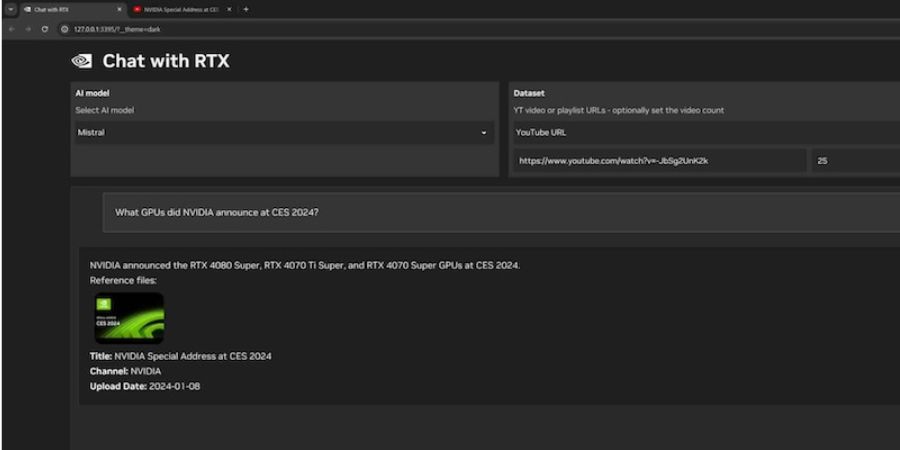
After the launch of ChatGPT, we have seen several other AI chatbots including Google Gemini, Claude, Jasper, and more. But all these Chatbots work on clouds. These AI chatbots send your queries to cloud servers, process data, and return your response to the user. Now consider a Chatbot running on your own computer and doesn’t send your data to any other server. That’s the power of NVIDIA. NVIDIA has unveiled Chat with RTX, a free downloadable Chatbot that uses your RTX graphics card to provide a chatbot experience on your PC. In this detailed guide, I will explain Chat with RTX and everything you need to know about it.
What is Chat with RTX?
Chat With RTX is a Windows application developed by NVIDIA that uses the power of an RTX graphics card to provide an AI chatbot experience on your PC. Chat with RTX runs on your local PC to ensure privacy and security. Your conversations with the chatbot remain on your system.
There are several benefits of using Chat with RTX over other cloud-based AI chatbots. Chat with RTX runs entirely on your local PC. So, your data and conversations never leave your system. It doesn’t require an internet connection to work. Chat with RTX is completely offline. You can feed it text files, PDFs, or even YouTube playlists to get personalized responses.

System Requirements:
For using Chat with RTX, your system must have the following requirements:
- Graphics Card: GeForce RTX 30 Series (or later) with at least 8GB of VRAM
- Operating System: Windows 10 or 11
- Storage: Approximately 50GB of free space for download and installation
- Latest NVIDIA GPU Drivers: Keep your graphics card drivers up-to-date for optimal performance
How to use Chat with RTX?
To use Chat with RTX, you need to visit the NVIDIA website and download Chat with RTX. Install it on your system and choose the AI model you wish to use. Then start typing and Chat with RTX will respond to your questions.
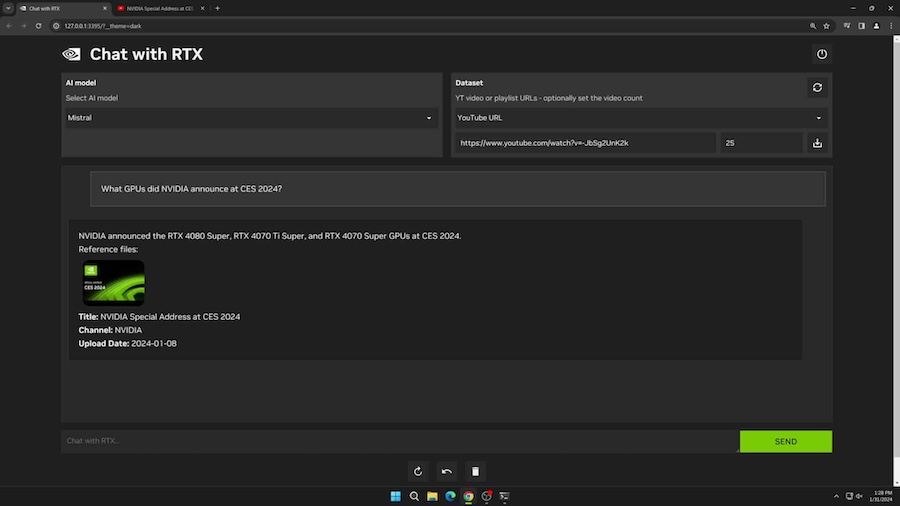
The UI has 2 sections. On one side, you select the LLM and connect the personal data or link. You can also upload other files in .txt, .doc/.docx, .pdf, and .xml formats.
Chat with RTX vs. Other Chatbots:
If you compare Chat with RTX with other chatbots like ChatGPT, Chat with RTX runs entirely on your local PC. It also runs without an internet connection. You can also train Chat with RTX on your own data. This ability makes a big difference. Chat with RTX also uses the power of your RTX graphics card and dwellers faster response times and enhanced performance.
Related Posts