Microsoft Swift Pair is an interesting feature introduced by Microsoft to simplify and streamline the process of pairing Bluetooth devices with Windows 10 PCs. Previously, users needed to first put the device into pairing mode, then search for a Bluetooth device, select it, and then initiate the connection. It used to take a few minutes before one could set up and use a Bluetooth device with a Windows PC. With Swift Pair, Microsoft wants to enhance user experience by making Bluetooth device connections faster, more reliable, and user-friendly. In this article, I will explain Microsoft Swift Pair, how it works, and its benefits. If you are interested in learning about Microsoft Swift Pair, keep reading.
What is Microsoft Swift Pair?
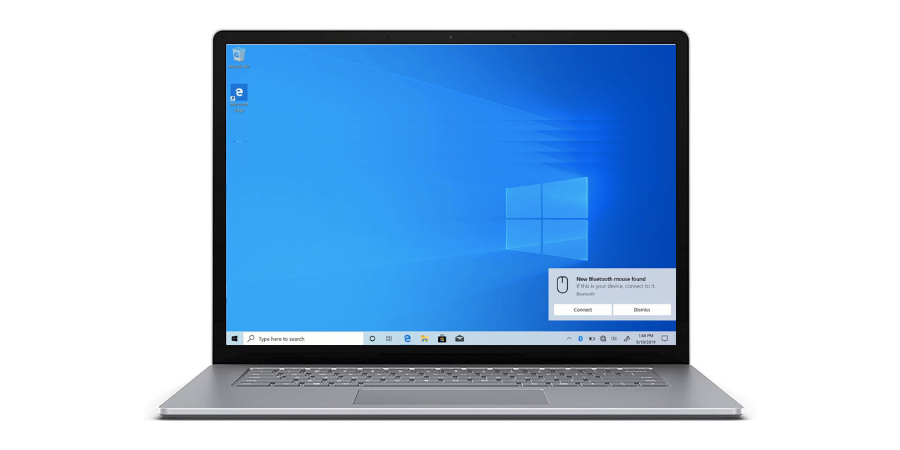
Microsoft Swift Pair is a feature that was added to Windows version 1803. The feature was developed with the help of people working in the Surface team. The first device that supported this feature was also the Surface Precision Mouse. The feature makes the pairing of Bluetooth devices with a computer faster than before. If the Bluetooth device is near a Windows PC, it will detect the device automatically and will show a notification to confirm that the Bluetooth device was found. The notification will also include a Connect button to begin the pairing process.
It is important to note that the Bluetooth device must support Swift Pair to offer this hassle-free pairing experience. Now most hardware manufacturers have added support for Swift Pair in their Mouse, Keyboards, and Headphones.
How Microsoft Swift Pair Works:
Microsoft Swift Pair uses a combination of Bluetooth Low Energy (BLE) and user-friendly notifications for quick pairing of the Bluetooth device.
Put the device in the pairing mode and wait for a few seconds. You will see a notification on the Windows 10 desktop. This notification includes a short description and an image of the device that is ready to pair. So, you can quickly identify and select the device for pairing.
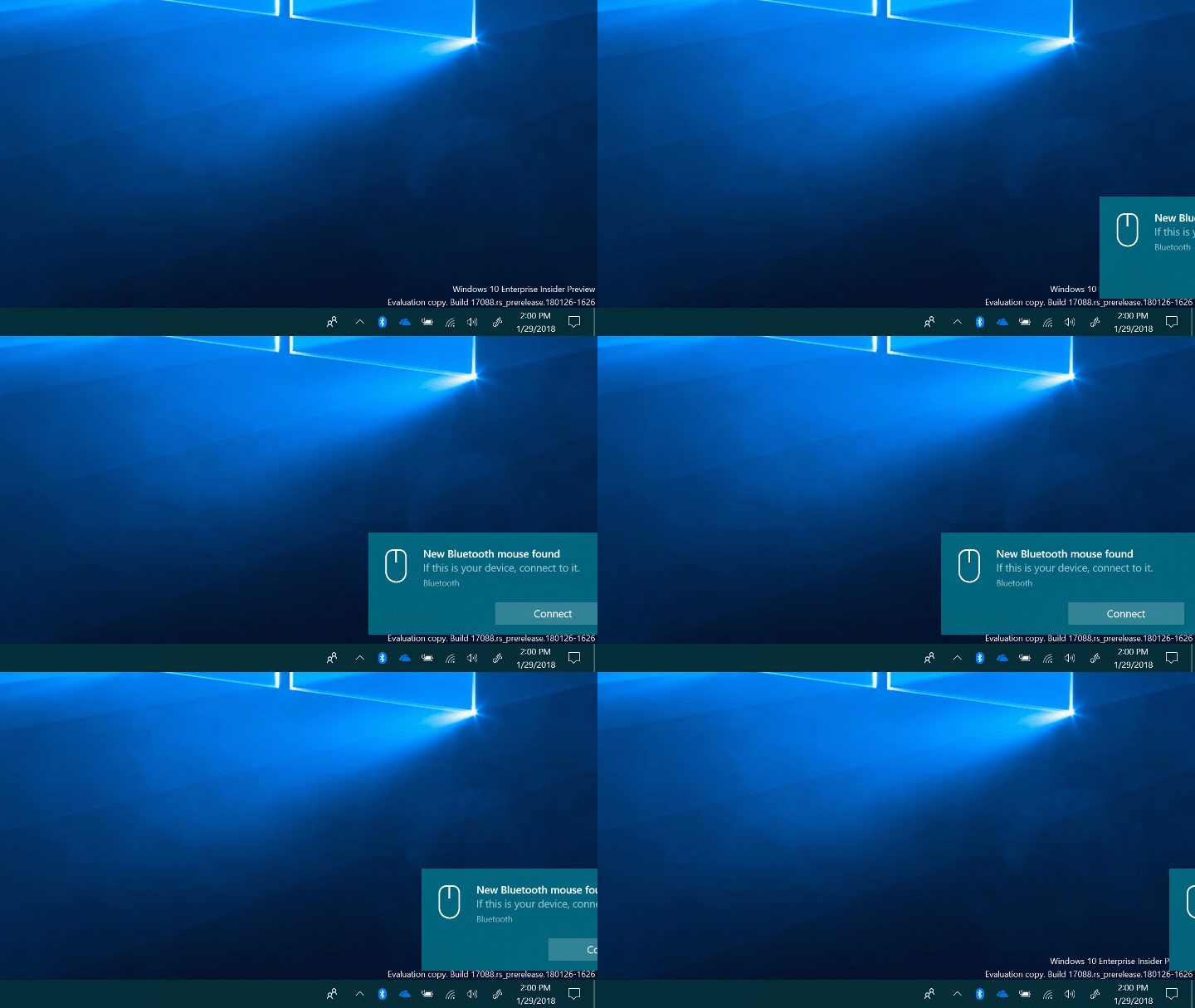
Once the user selects the device through the notification, the Windows system establishes a Bluetooth connection. You can understand how the Swift Pair has reduced the time and effort.
You need to enable Bluetooth Swift Pair to use It. For this, Open Settings, click Device, then Bluetooth & other devices. Here, enable the toggle in front of “Show notifications to connect using Swift Pair.”

Conclusion:
Microsoft Swift Pair is an interesting feature that has smiled the Bluetooth device pairing process for Windows 10 users. By using Bluetooth Low Energy and user-friendly notifications, Swift Pair has made the overall user experience of pairing a Bluetooth device with a Windows PC faster, more reliable, and user-friendly.
If you can remember, it is similar to Google’s Fast Pair that we see on Android phones. Google Fast Pair provides the same kind of experience on Android devices.

Related Posts