Are you looking to strip away unwanted background music from your videos without the hassle of downloading complex software?
Online vocal removers offer a convenient and free solution, allowing you to easily extract or mute audio tracks, leaving you with just the visual content.
Whether you need to eliminate copyrighted music or replace it with your own audio, these services provide a seamless way to transform your videos.
This article explores why using an online vocal remover is beneficial and highlights several top tools, with a strong recommendation for EaseUS Online Vocal Remover.
Why Choose an Online Tool to Strip Background Music?
Using an online vocal remover offers several distinct advantages:
- No Downloads Required: Online tools are accessible directly through your web browser, eliminating the need to download and install software. This saves disk space and avoids the trouble of uninstallation. They are ready to use whenever you need them, instantly.
- Cost-Effective and Free Options: Many online vocal removers offer free tiers or trials, making them a perfect choice for one-time users or those on a budget. You can achieve professional results without any monetary investment.
- Convenient and User-Friendly: Designed for ease of use, these tools often feature intuitive interfaces that allow for quick and hassle-free audio removal. Many offer real-time processing, saving you valuable editing time.
Top Ways to Extract Background Music from Videos Online for Free
Let’s explore some of the best online tools for removing background music from your videos, with a focus on EaseUS Online Vocal Remover.
1. EaseUS Online Vocal Remover ⭐⭐⭐⭐⭐
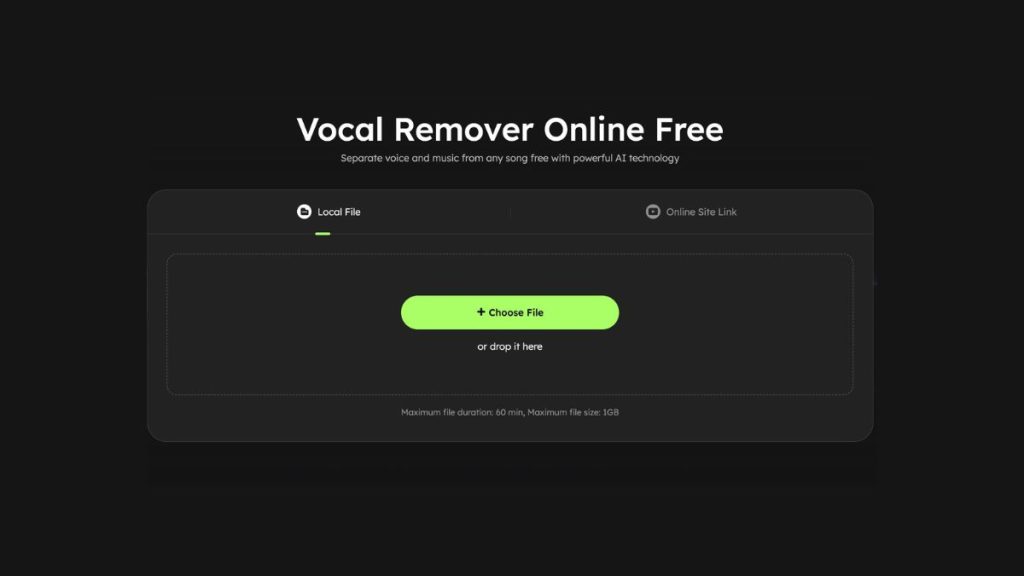
EaseUS Online Vocal Remover stands out as a premier choice for long-term use, offering robust AI-powered vocal and background music removal from both audio and video files. It excels at extracting karaoke, BGM, acapella, or instrumental tracks with impressive speed and precision.
Key Features:
- AI-Driven Accuracy: Utilizes advanced AI algorithms for clean and effective separation of vocals and instrumentals.
- Wide Format Support: Compatible with numerous formats including MP3, WAV, AAC, AIFF, M4A, FLAC, and more.
- Exceptional Speed: Processes files quickly; for example, a 5m19s video can be processed in approximately 45 seconds.
- High-Quality Output: Delivers clean and high-fidelity results without significant quality loss.
- User-Friendly Interface: Simple and intuitive, making it easy for beginners and experienced users alike.
How to Use EaseUS Online Vocal Remover:
- Visit the EaseUS website and navigate to its “Vocal Remover” section.
- Click “Choose File” or drag and drop your video file into the designated area. The AI will begin its analysis automatically.
- Once processed, download your desired output. You can choose to download the “Instrumental track” and “Vocal track” in MP4 for video or AAC for audio, as needed.

2. VEED ⭐⭐⭐⭐⭐
VEED is a comprehensive online video production platform. It allows users to upload various video formats (MP4, MKV, MOV, FLV, AVI, etc.) and mute the audio track with a single click. Being cloud-based, your projects are accessible from anywhere.
- Limitations: Free plan has a 10-minute video length limit and exports are limited to 720p.
3. Canva ⭐⭐⭐⭐⭐
Canva’s video editor is a versatile online tool that supports video formats like MOV, GIF, MP4, MPEG, MKV, or WEBM. It offers instant muting of video audio, along with other editing features like cropping and trimming.
- Limitations: While there’s no overall video time limit, individual scenes within a video are limited to 10 minutes. Longer videos need to be divided into multiple scenes.
4. Media.io ⭐⭐⭐⭐
Media.io is an AI-powered online platform that separates music from vocals and videos while aiming to maintain audio quality. It supports various formats (MKV, MP4, MP3, M4A, OGG, etc.) and includes features like video conversion and compression.
- Limitations: The free version has a 100MB file size limit and often requires signing up to download results. Processing can sometimes be slower (e.g., 5m37s for a 5m19s video).
5. Flixier ⭐⭐⭐⭐
Flixier is a powerful online video editing software that enables audio detachment from video tracks. It supports MP4, MPEG, WMV, and MKV formats and offers additional editing capabilities like trimming, cutting, and enhancing videos.
- Limitations: The free tier often has a monthly time limit for video editing (e.g., 10 minutes per month).
6. Clideo ⭐⭐⭐⭐
Clideo is a straightforward online video tool for editing and compressing videos. It’s compatible with a wide range of formats (MP4, AVI, MPG, VOB, WMV, MOV, etc.), making it beginner-friendly.
- Limitations: Free registered accounts will see a small watermark on the final video and have an upload size limit of up to 500MB.
7. Kapwing ⭐⭐⭐⭐
Kapwing is a powerful and user-friendly online video editor known for its clean output. It supports various formats like MP4, 3GP, MOV, WEBM, and GIF, and allows for easy audio detachment.
- Limitations: To export the final work without limitations, users typically need to subscribe to a paid plan.
Conclusion
Numerous reliable online tools are available for removing background music from videos for free, offering convenience and ease of use. Among the options discussed, EaseUS Online Vocal Remover stands out as the top recommendation due to its advanced AI technology, speedy processing, broad format compatibility, high-quality output, and user-friendly interface. It provides an efficient and effective solution for anyone looking to create professional-quality videos by eliminating unwanted background audio.
Frequently Asked Questions (FAQs)
1. How do I remove background music from audio files? To separate music from vocals in an audio file, you can use specialized audio editing software or online tools with vocal removal features. The general steps involve importing your audio file, applying the vocal remover function, allowing the tool to process the file, and then previewing and saving the edited audio without the background music.
2. What app removes background noise from video? Beyond the free online tools mentioned above, many desktop or mobile applications are available that support MP4 format and can effectively remove background noise from videos. Examples include Audacity (open-source), Adobe Audition (paid, with a free trial), iMovie (for Mac users), and the EaseUS desktop video editing suite.
3. What is the best free app to remove background noise from video? The “best” free app can vary depending on your operating system and specific needs. For a versatile online solution, EaseUS Online Vocal Remover is highly recommended. Other popular free options include Audacity (desktop, open-source) and sometimes basic editing features within apps like iMovie (for Apple devices).
Related Posts