


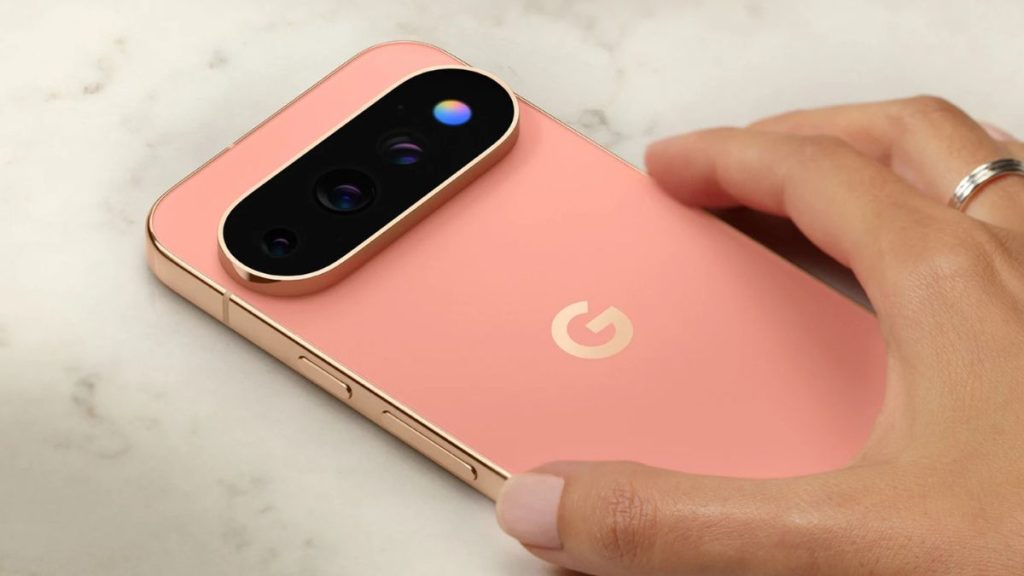
Google has brought back something many Android users probably thought was gone for good: the notification light.
But this time, it is not a tiny LED sitting above the display. On the Pixel 11 Pro, Pixel 11 Pro XL and Pixel 11 Pro Fold, Google has placed an array of ambient LEDs around the camera flash. It calls the feature HiLight.
When the phone is face down, the lights can give you information without requiring you to pick up the phone or look at the screen. Google says HiLight can show when a favorite contact is calling, and it can also provide visual feedback when you interact with Gemini hands-free.
That sounds like a small feature. In fact, the hardware itself is not particularly exciting. What makes HiLight interesting is the problem Google is trying to solve.
Modern phones are very good at getting our attention. They are much worse at helping us decide when something actually deserves it.
This tiny light is trying to solve that, and I think that is a good idea. But I am not convinced Google has done enough with it yet.
There is a reason notification LEDs were popular on older Android phones. A small light could tell you that something had happened without forcing you to turn on the display. You could see it from a distance and decide whether you needed to check your phone. It was a simple solution to a simple problem.
Smartphones eventually moved away from that approach. Displays became larger, bezels became smaller, and Always-On Displays offered a much richer way to show information. A phone could now show the time, notification icons, and other details without requiring the user to unlock it. There was less reason to dedicate space to a small LED on the front.
HiLight takes the basic idea of that notification light and gives it a different purpose. Google is not trying to make the back of the phone blink for every notification. At launch, you can assign one of five colors to favorite contacts. When one of those contacts calls, HiLight can show the corresponding color while the phone is face down. Google says this works with both Phone by Google and WhatsApp. It is also designed to work with Flip to Shhh, so putting the phone face down can silence the call while HiLight still gives you a visual indication that someone important is calling.
That is a much better use of a notification light than simply making it blink every time an app sends an alert. Your phone does not need to tell you about everything. It can tell you about the things you have already decided matter.
The more interesting use of HiLight has little to do with notifications. Google also uses the LEDs to show what Gemini is doing when you interact with it hands-free. The lights can provide visual cues for listening, thinking and responding. Google says this is meant to confirm that Gemini heard you without requiring you to look at the screen.
This is a small but important design problem for voice assistants. When you ask an assistant something while looking at the screen, the interface can tell you what is happening. But when you are talking to a phone without looking at it, the screen is no longer a useful feedback mechanism. A small light can fill that gap.
Google is increasingly positioning Gemini as something that can act on your behalf rather than simply answer questions. In that context, knowing whether the assistant heard you becomes more important. This is where HiLight starts to look less like a notification LED and more like a physical interface for AI. That is probably the more interesting idea behind the hardware.
But there is a problem with the way Google has implemented it. The light is on the back of the phone, so HiLight works as intended only when the phone is face down. Google itself describes it as a way to stay informed while the phone is face down.
That creates a strange trade-off. Most people put their phones face up. It is simply more practical because you can see the screen, the time and notifications at a glance. This is also where an Always-On Display makes more sense because it works without asking you to change how you place the phone.
There is also a practical concern with putting a phone face down. The display is the most exposed part of the device, and many people simply do not want to place the glass screen directly against a table or desk. Even if modern phone glass is resistant to scratches, putting it against a surface can still feel like an unnecessary risk.
So Google is not just introducing a new feature with HiLight. It is asking people to change a small but familiar habit. That could be a bigger challenge than it sounds. A software feature can be enabled with an update, but changing how people place their phones is different. If someone normally puts the phone face up, they now have to remember that the useful part of HiLight is on the other side.
This also means HiLight is not really a replacement for the old notification LED. The old LED worked with the phone sitting normally on a desk. HiLight depends on how the phone is positioned. Google is taking the basic idea of ambient visual feedback and adapting it to a modern phone where the display is no longer the only way to communicate with the user.
There is another question Google will need to answer: how much should HiLight actually tell us? Right now, Google is keeping the feature fairly limited. It can identify calls from favorite contacts and provide feedback for Gemini, with more functionality coming later.
I actually think keeping it limited is a good decision. If every app could use HiLight, it could quickly become another source of distraction. Imagine the back of your phone lighting up every few minutes because of messages, emails, social media and other app notifications. That would defeat the purpose.
The point should not be to give us another way to see every notification. We already have plenty of those. The useful part of HiLight is that it can potentially tell us when something is important enough to check. The old notification LED told you that something had happened. HiLight could eventually tell you that something is worth paying attention to.
But Google still has to prove that there will be enough useful situations for people to care about it. If HiLight remains limited to a few specific alerts, people may simply stop noticing it. If Google opens it up too much, it could turn into another notification system that constantly asks for attention. Finding that balance will be important.
The Gemini connection gives Google another reason to keep working on it. A voice assistant does not have the same visual interface as a normal app. When you ask Gemini something without looking at the phone, you need some indication that it heard you and is doing something. A small light is a simple solution.
This could become more useful as Gemini takes on more tasks. If the assistant is expected to do things for you instead of simply answering questions, users will need simple ways to understand what the phone is doing. HiLight could provide that feedback without forcing the user to keep looking at the screen. But that is still a future possibility. Google needs to expand the feature and prove that this hardware can become useful beyond a few carefully selected situations.
There is also the question of why HiLight is limited to the Pixel 11 Pro, Pixel 11 Pro XL and Pixel 11 Pro Fold instead of the regular Pixel 11. From Google’s point of view, this is another way to differentiate its more expensive phones. That is normal for a premium product. But it also puts more pressure on HiLight to justify its place there.
A small light around the camera is easy to demonstrate in a product launch. It looks different and gives Google something new to talk about. But a premium feature needs to offer more than something that looks interesting for a few seconds. If HiLight eventually becomes an important part of Gemini and the phone’s notification system, its Pro-only status will make more sense. If it remains limited to a handful of alerts and visual effects, it will feel more like a nice extra than a meaningful reason to buy a Pro Pixel.
For now, I would not call HiLight a gimmick. There is a real problem behind the idea. Smartphones have become very good at demanding attention, and there is value in giving users useful information without making them unlock the phone and start interacting with a screen.
But Google has not solved the hardest part yet.
People have to actually use their phones face down for HiLight to become useful. Google cannot fix that with software. It needs to convince users that changing this small habit is worth it.
At the same time, Google needs to make HiLight useful enough to justify that change without turning it into another notification channel.
That is what will decide whether HiLight succeeds.
The technology itself is simple. The idea is not. Google is trying to make the phone communicate with us without always asking us to look at it. If it gets the balance right, HiLight could become one of those small Pixel features that quietly makes the phone better.
If it does not, it could remain a nice-looking light around the camera that most people simply forget is there.
Related Posts


