


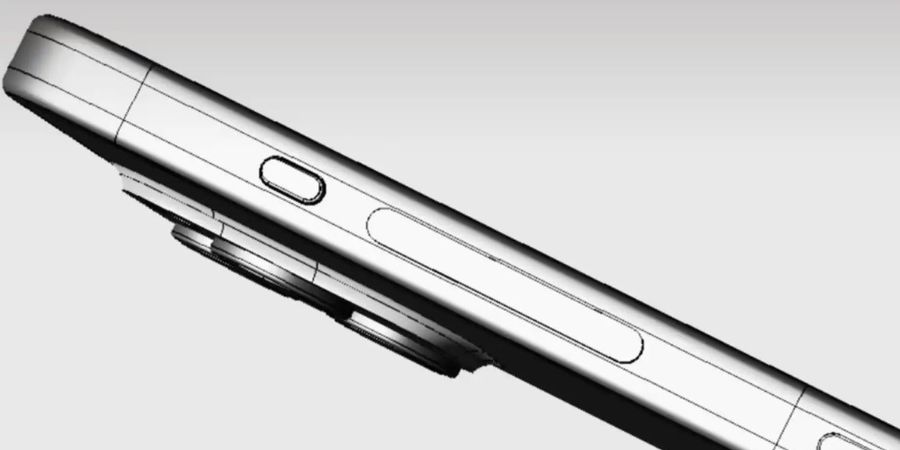
At its Wonderlust event, Apple unveiled the iPhone 15 Pro and iPhone 15 Pro Max. The phones are the same as their predecessors, but Apple has replaced the stainless steel body with Grade 5 Titanium, bonded to an aluminum structure. It makes the phone lighter while offering the same durability. The most notable change in the design is the new Action Button. Apple has replaced the mute switch with the new action button. Now, there’s a small button above the volume rocker. This button can be customized to perform one of a wide range of actions.
The action button is a physical button providing fine-tuned haptic feedback. By default, it acts as a silent/ ringer toggle. Press the button to toggle between silent and ringer. But you can also customize it to perform other actions such as change Focus mode, launch camera app, record voice memos, run a custom shortcut and more.
Here’s a list of tasks you can perform using the action button.
- Toggle between ringing and silent mode.
- Turn on different Focus modes.
- Launch the camera app
- Turn on/off the flashlight
- Record a voice memo
- Launch Magnifier
- Run a custom Shortcut
- Access accessibility options
- Translate languages (coming later this year)
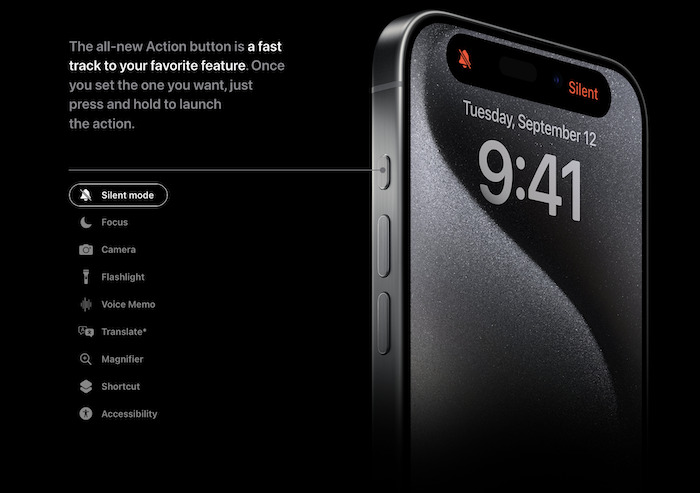
For now, it doesn’t support double or triple press for actions. So, a single press performs the action you select. But I guess Apple will surely add double and triple press actions in the action button to make it even more useful.
Related Posts


